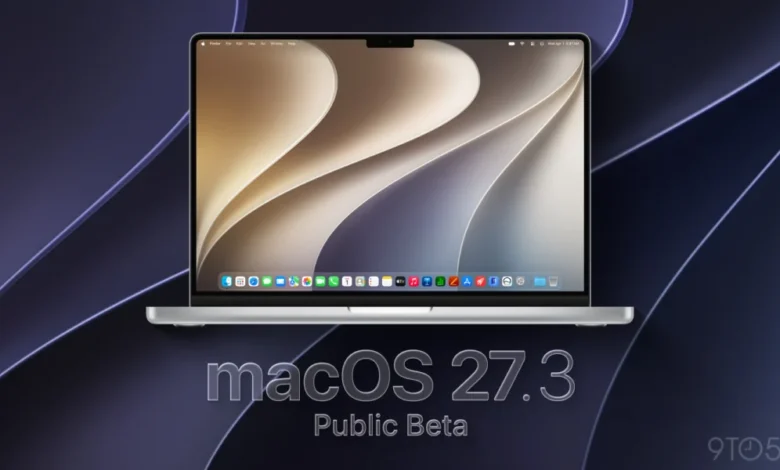
A Comprehensive Overview of macOS 27.3
The release of macOS 27.3 represents a pivot point for Apple’s desktop operating system, moving away from the stability-focused, incremental updates seen in the recent 27.2 cycle. This latest beta version consolidates a range of experimental features that have been in testing throughout the month, refining them for a wider audience.
Key among the updates is a deeper integration of Apple Intelligence, which is now seeing expanded language support and functional capabilities. Furthermore, the update brings notable changes to Safari, Apple’s flagship browser, alongside robust improvements to system-level security and automation.
Chronology of the macOS 27.3 Beta Cycle
The development cycle for macOS 27.3 began in late October 2026, setting a rapid pace for the remainder of the year. The following timeline outlines the progression of this software release:
- October 26, 2026: Apple officially announces the expansion of Siri AI language support to include Traditional Chinese, Norwegian, Turkish, and Vietnamese. This announcement preceded the first developer beta by one week.
- November 3, 2026: macOS 27.3 Beta 1 is released to developers. This build introduced the first look at Safari’s vertical tabs, adaptive dark mode, and native Markdown rendering within the Quick Look preview pane.
- November 4, 2026: Apple implements new security protocols, specifically targeting the verification of iCloud public links to identify and mitigate the distribution of harmful content.
- November 16, 2026: Developer Beta 2 arrives, bringing critical privacy controls for Full Disk Access and formalizing the availability of Apple Intelligence features for users in China.
- Current Date: The public beta program receives access to the second beta build, aligning the experience for public testers with that of the developer community.
Enhanced Siri AI Capabilities
A primary focus of this update is the evolution of Siri AI. By expanding its utility across native Apple applications—including Messages, Music, Calendar, Photos, and Reminders—Apple is positioning its digital assistant as a more effective workflow manager. The new capabilities allow for complex, multi-step actions that were previously restricted to simpler, single-intent commands.

For instance, users can now request that Siri manage complex file and folder structures, a task that previously required manual interaction within the Finder. Furthermore, Apple has released an updated set of developer tools, allowing third-party software creators to integrate their own app skills into the Siri AI framework using Markdown-based instructions. This shift suggests that Apple is prioritizing a more modular and extensible AI architecture for the macOS ecosystem.
Privacy and Security Advancements
Security remains a cornerstone of the macOS experience, and version 27.3 introduces a more granular approach to user privacy. The update provides refined controls for Full Disk Access, ensuring that users have greater visibility into which applications are requesting permission to scan or modify local storage.
Additionally, the introduction of automated content verification for iCloud links is a significant step in Apple’s commitment to safety. By checking shared links against known databases of malicious or prohibited content, Apple is attempting to create a more secure ecosystem without compromising the end-to-end encryption standards that the company has long touted.
Safari Refinements and User Interface Changes
The browser interface has received a significant overhaul in this version. The introduction of vertical tabs is a response to the growing trend of high-density multitasking, where users often keep dozens of web pages open simultaneously. Vertical tabs allow for better visual organization and space efficiency, particularly on modern Mac displays with wider aspect ratios.
Complementing this is the new "Adaptive Dark Mode," which intelligently adjusts web page rendering based on ambient lighting conditions and the user’s specific system settings. This feature reduces eye strain and provides a more consistent visual experience when transitioning between light and dark environments.

Implications and Industry Impact
The shift in macOS 27.3 from minor maintenance to feature-rich expansion reflects Apple’s strategy of keeping the Mac platform competitive in a landscape dominated by AI-integrated operating systems. By opening up Siri AI to third-party developers, Apple is actively building an ecosystem of "app skills" that could significantly differentiate macOS from its competitors.
The inclusion of localized support for languages such as Turkish and Vietnamese, alongside the deployment of Apple Intelligence in China, indicates a push for global parity in feature availability. This is a critical move, as software feature gaps between regions often lead to fragmentation in the user experience.
Analysts observe that the transition from the relatively quiet 27.2 update to the robust 27.3 suggests that Apple is accelerating its release cadence to meet the demands of enterprise and power users who rely on the Mac for intensive, AI-assisted workflows. The stability of the 26C5047e build suggests that the operating system is nearing its final release candidate stage, with a broad rollout expected as early as next month.
How to Join the Beta Program
For users interested in exploring these features ahead of the official release, Apple maintains a dedicated portal for the public beta program. Participation is free, though it is strongly recommended that users install these betas on secondary machines rather than primary workstations due to the potential for software instability inherent in pre-release code.
Interested individuals can sign up by navigating to beta.apple.com using their existing Apple ID. Once enrolled, the macOS 27.3 update will appear in the "Software Update" section of the System Settings menu. Apple encourages participants to submit feedback through the "Feedback Assistant" app, which is pre-installed on all beta builds, to help the company resolve remaining bugs before the final launch.

Conclusion and Future Outlook
As macOS 27.3 approaches its official debut, the primary takeaway for the user base is that Apple is committed to the long-term viability of the Mac as a sophisticated, AI-driven productivity tool. The combination of improved interface elements like vertical tabs and the underlying power of an expanded Siri AI suite provides a glimpse into the future of the operating system.
While the current public beta build is largely stable, users should remain cognizant of the experimental nature of these features. As the development team addresses final bugs and optimizes performance for the broad spectrum of Apple Silicon-powered devices, the expectation is that macOS 27.3 will serve as the baseline for the remainder of the 2026-2027 software cycle. Whether this update will satisfy the demands of the professional community remains to be seen, but the trajectory of the 27.3 build certainly suggests a return to form for Apple’s desktop development team. As always, users should ensure they have a full, up-to-date backup of their data before installing any beta software.
Related posts: