
The phenomenon of "doomscrolling"—the compulsive consumption of negative news or social media content—has become a defining behavioral crisis of the mid-2020s. Defined as the act of spending an inordinate amount of time swiping through feeds without gaining any meaningful utility, the habit has evolved from a niche behavioral quirk into a widespread public health concern. As digital platforms increasingly optimize their algorithms to maximize "time on device," users are finding themselves caught in a cycle of involuntary engagement that often leaves them feeling more anxious, sleep-deprived, and disconnected from their immediate physical environments. Whether it occurs during the transition to sleep, upon waking, or during essential social interactions like family meals, the compulsion to scroll has become a ubiquitous feature of modern existence.
The Anatomy of a Digital Epidemic
The rise of doomscrolling can be traced back to the onset of the global pandemic in 2020, a period characterized by heightened uncertainty and a sudden, total reliance on digital screens for information. Psychologists noted a significant surge in "headline stress disorder," where the rapid-fire delivery of distressing global events created a feedback loop. By 2026, the issue has matured into a structural problem. Data from digital wellness research groups indicate that the average smartphone user now checks their device upwards of 150 times per day, with nearly 40% of that time spent in "passive consumption" modes rather than active communication or creative tasks.

This behavior is not accidental. The underlying architecture of modern social media platforms—specifically the "infinite scroll" design—is engineered to bypass the brain’s natural stopping cues. When a user reaches the bottom of a page, the app automatically loads more content, preventing the cognitive "break" required to step away. This design, often referred to as "persuasive technology," leverages intermittent variable rewards, similar to the mechanics of slot machines, to keep users engaged.
Strategic Interventions: A Nine-Point Framework
To combat this, behavioral scientists and software developers have introduced a series of countermeasures designed to disrupt the dopamine-loop cycle. By implementing both software-based and physical safeguards, users can effectively recalibrate their relationship with their technology.
1. The Power of Grayscale and Visual De-escalation
One of the most effective psychological interventions is the removal of color. Smartphones are intentionally designed with vibrant, high-contrast interfaces to stimulate the brain’s reward centers. By converting a device to grayscale, the visual appeal of apps like Instagram or TikTok is significantly diminished, rendering them less addictive. On Android devices, this can be automated via the Digital Wellbeing settings, specifically through "Bedtime Mode." iOS users can achieve a similar effect by navigating to Accessibility, then Display & Text Size, and applying Color Filters. Utilizing the iOS Shortcuts app allows for the scheduling of this transition, effectively "draining" the color from the phone as the evening progresses.
2. Administrative Time Constraints
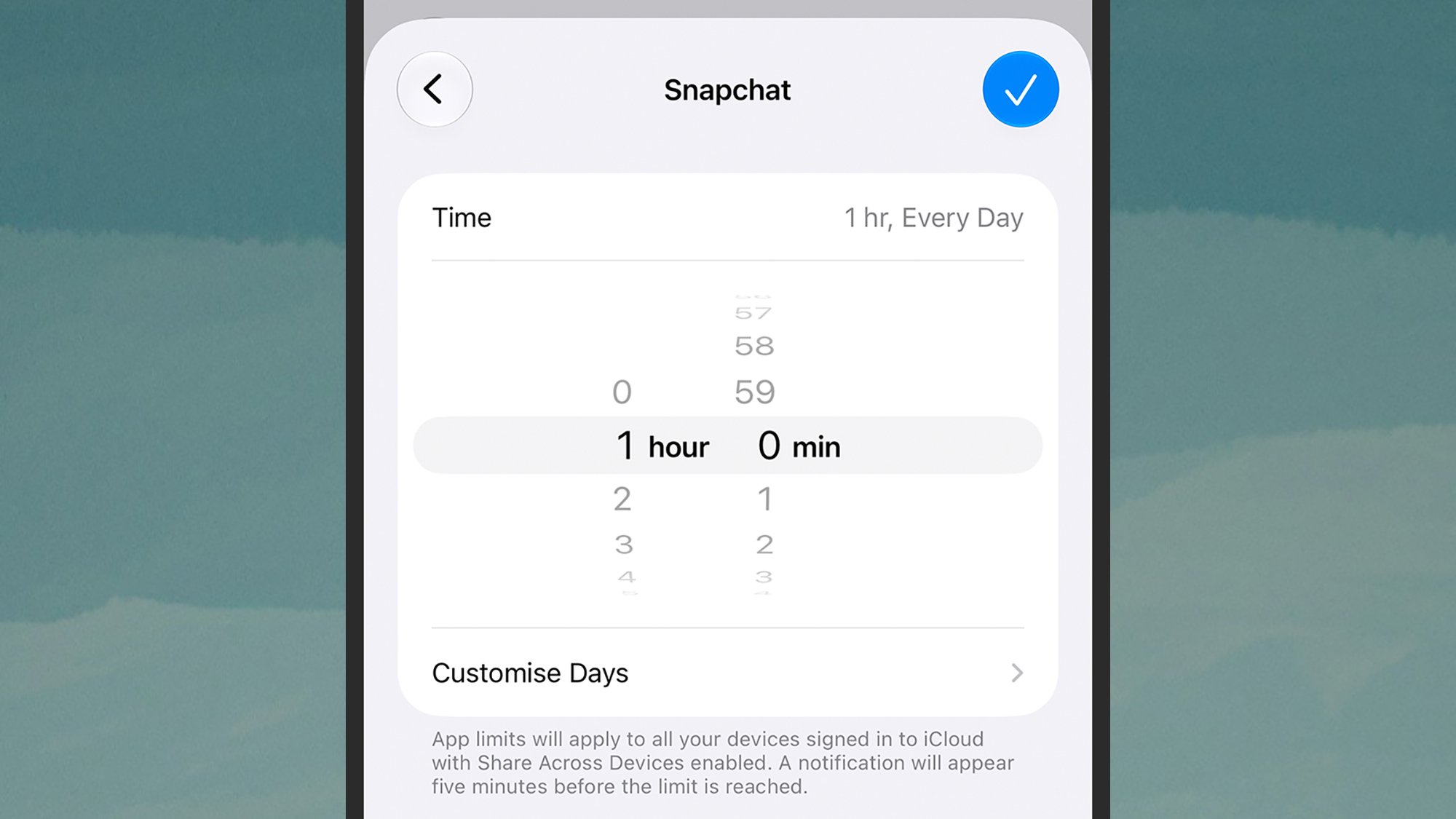
System-level constraints remain a primary, if easily bypassed, tool for moderation. Both Android’s App Timers and Apple’s Screen Time offer granular control over how long a user can interact with specific applications. While these limits can be overridden, the simple act of a "friction point"—a notification telling the user they have exceeded their quota—is often enough to prompt a moment of mindfulness. It is recommended that users treat these limits like a tapering regimen, starting with generous caps and slowly reducing them over several weeks.
3. Gamification as a Productivity Tool
Recognizing that willpower is a finite resource, a new class of "focus-gamification" apps has emerged. Applications like Forest, Focus Friend, and Focus Traveller reframe the act of putting the phone down as a constructive, game-based activity. In Forest, for example, the user plants a virtual tree that grows only while the app is closed; if the user opens a social media app, the tree withers. This externalized accountability creates a tangible incentive for staying off the phone, effectively replacing the "scroll-induced" dopamine hit with a "task-completed" reward.
4. Introducing Friction: The "Pause Point"
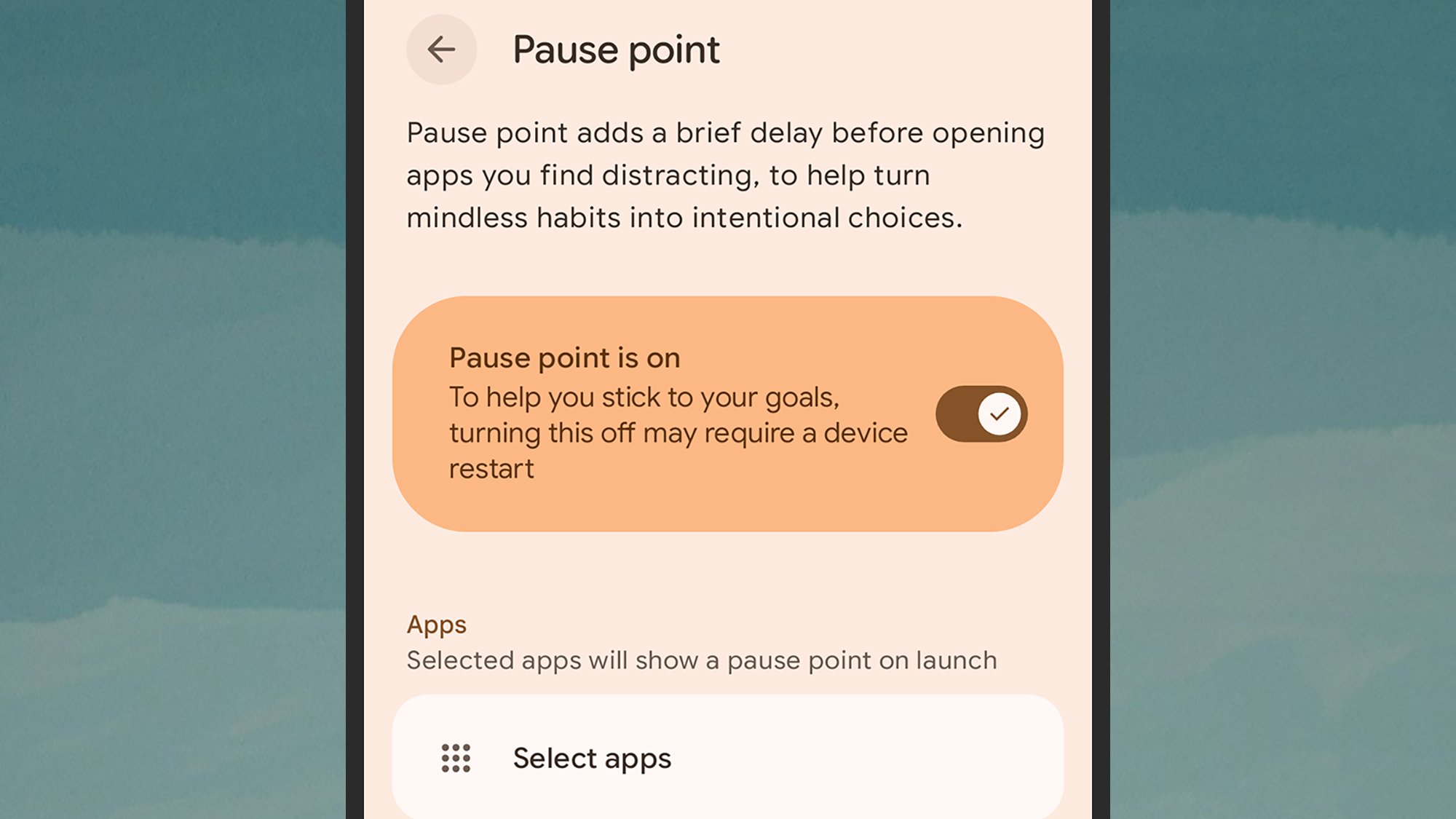
The concept of "friction" is a cornerstone of behavioral design. Android 17 has pioneered the "Pause Point" feature on flagship devices like the Pixel, which forces a user to engage in a brief, intentional activity—such as a controlled breathing exercise or a review of a photo gallery—before an app will open. By inserting a three-to-five-second delay, the system forces the user to move from a state of automatic reaction to conscious decision-making, often breaking the urge to scroll.
5. External Hardware as a Physical "Kill Switch"
For users who find software-based limitations insufficient, physical hardware solutions have entered the market. Products such as "The Brick" or "The Autonomous Key" utilize Near Field Communication (NFC) technology to create a hardware-based lockout. By tapping the phone against the physical device, the user triggers a locked state on the phone that cannot be easily reversed without the physical key. This creates a hard barrier between the user and their digital distractions, moving the act of disconnecting from the realm of mental discipline into the realm of physical necessity.
6. Context-Aware Focus Modes
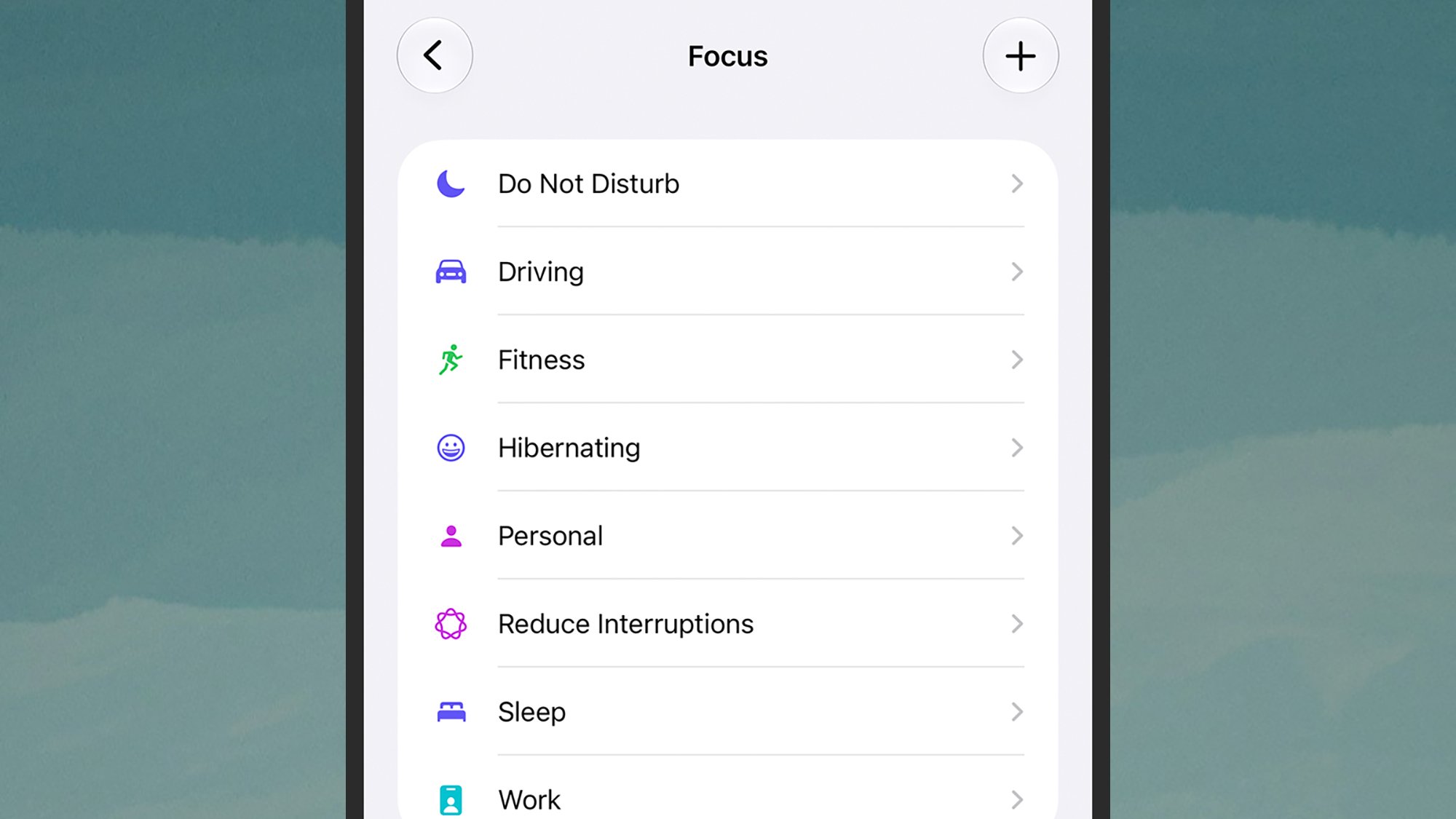
Modern operating systems now offer advanced "Focus" or "Modes" that go beyond simple notification silencing. These settings can be context-specific, filtering not just which notifications appear, but which apps are even accessible on the home screen. A user might set a "Work" mode that hides all social media icons, or a "Sleep" mode that restricts the phone to essential communication tools only. By curating the environment, the phone becomes a tool for a specific task rather than a gateway to infinite distraction.
7. Intra-App Management
Many social media platforms have been pressured by regulators to include their own time-management tools. Instagram’s "Time Management" dashboard allows users to set daily limits and mute notifications during specific hours. These in-app controls are vital because they are often more restrictive than system-level settings, as they can directly influence the algorithm’s delivery of content, effectively silencing the push notifications that trigger a user to re-open the app.
8. Network-Level Restrictions
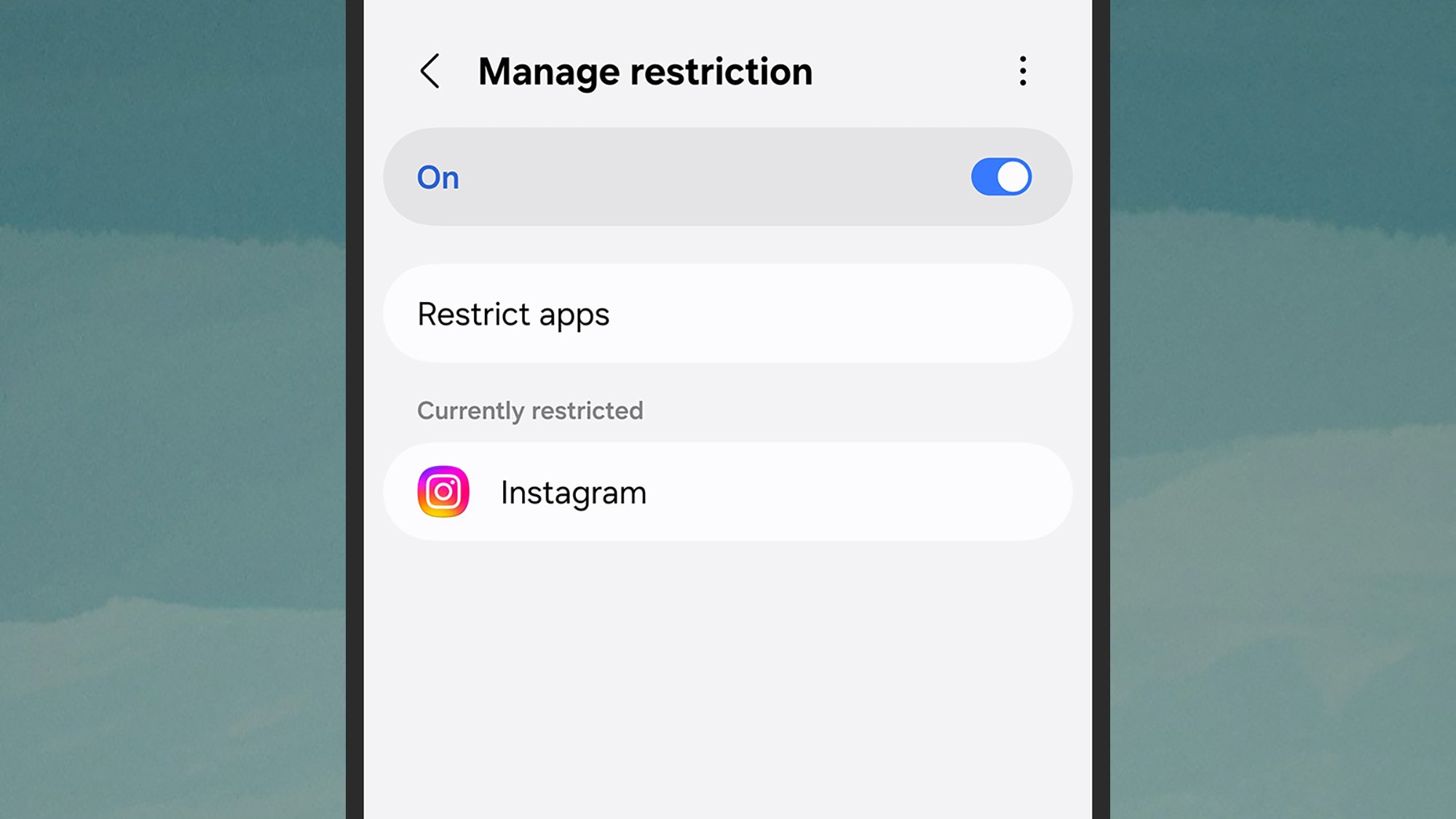
For advanced users or parents managing household digital hygiene, network-level restrictions provide a high-security option. Samsung’s AI Network Guard, found within the hidden "Connectivity Labs" of its One UI 9 interface, allows users to impose usage restrictions on specific applications at the Wi-Fi connection level. This ensures that even if a user attempts to circumvent software limits, the connection itself acts as a barrier, providing a robust layer of protection against the temptation of data-heavy doomscrolling.
9. Radical Notification Reduction
The most direct method remains the most effective: silencing the device entirely. By auditing notification settings on an app-by-app basis, users can eliminate the "interrupt-driven" nature of the smartphone. The goal is to move from a device that demands attention to a device that provides information only when requested. Utilizing "Scheduled Summaries" on iOS or "Notification Snoozing" on Android allows users to batch their interactions, reducing the frequency of context-switching that contributes to cognitive fatigue.
The Broader Societal Impact
The transition toward "digital minimalism" is not merely a personal lifestyle choice; it is a movement responding to the economic incentives of the attention economy. In 2026, industry analysts have noted a shift in consumer demand toward "calm technology"—devices and software designed to respect human cognitive boundaries rather than exploit them.
While these nine tactics provide a roadmap for individual recovery, the underlying issue remains a systemic one. Legislative bodies in several jurisdictions are currently reviewing proposals that would mandate "default-off" settings for infinite scrolling and algorithmic engagement features. As public awareness grows, the definition of "tech-savvy" is shifting: it no longer implies the ability to use every feature of a device, but rather the wisdom to know when to turn it off. By integrating these strategies, users can reclaim their time, improve their mental health, and restore the quality of their interactions with the world beyond the screen.