The Evolution of the Pixel Weather Widget
The most immediate change for end-users is the inclusion of a refresh button situated in the top-right corner of the "Forecasted weather" widget. Historically, the Pixel Weather widget relied on automatic background sync intervals to update data, which occasionally led to discrepancies between the displayed temperature and current atmospheric conditions. Users previously had to tap the widget to open the full application to trigger a manual data fetch, an extra step that disrupted the user experience.
With the new version, a simple tap on the refresh icon initiates a loading animation, signaling that the app is pulling the latest metrics from Google’s weather servers. This refinement represents a significant shift in design philosophy, prioritizing user control over automated background processes. By allowing users to force a refresh directly from the homescreen, Google is acknowledging the demand for real-time accuracy, particularly in environments where weather conditions change rapidly.
UI Refinements and Navigation Adjustments
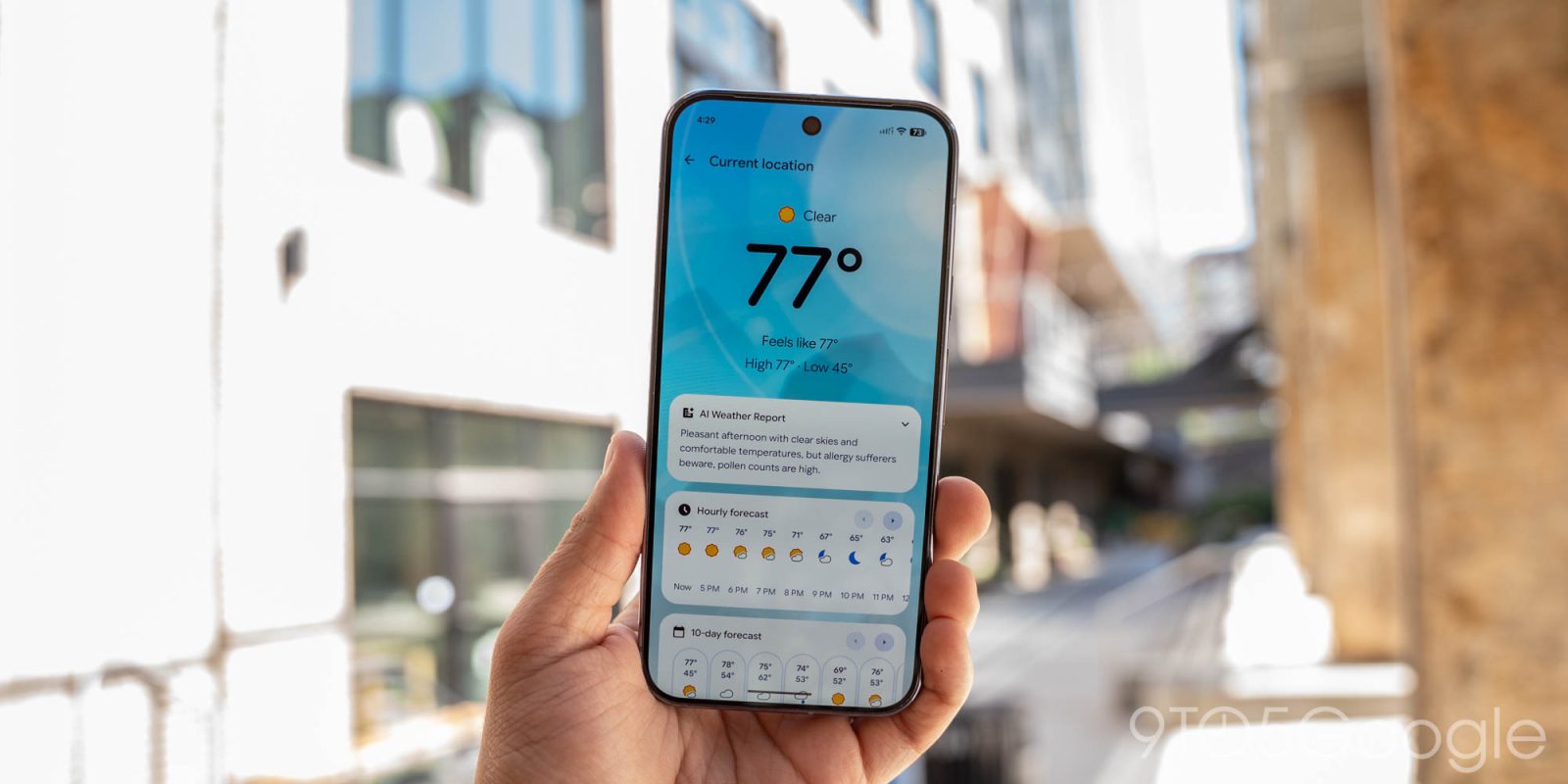
Beyond the widget functionality, the update includes subtle yet impactful adjustments to the internal interface of the Pixel Weather app. Users who frequently consult the "Hourly" and "10-day" forecast cards will notice that the previous iteration’s left and right navigation buttons have been removed.
In earlier versions of the app, these buttons allowed users to scroll through forecast data without physical swiping. The removal of these UI elements suggests a move toward a more standardized, gesture-heavy interface that aligns with modern Material Design principles. By streamlining the navigation, Google is likely attempting to reduce visual clutter, encouraging users to interact with the interface through natural touch gestures rather than relying on redundant, static navigation markers.
A Chronology of Google’s Weather Strategy
Google’s approach to weather reporting has undergone several iterations over the past decade. Initially, weather data was primarily delivered through the Google Search app and the "At a Glance" widget. The standalone Pixel Weather app was conceived as a premium, hardware-exclusive experience designed to provide deeper analytical data and a more refined visual aesthetic than the generic Google Weather interface.
- Mid-2024: Google begins testing a standalone, high-fidelity weather application exclusive to the Pixel ecosystem.
- Early 2025: The app moves from a limited beta to a primary system application on all Pixel devices, featuring high-definition animations and hyper-local data.
- August 2026: A minor update is deployed, focusing on iconography to ensure the app aligns with the broader Android 16 design language.
- September 2026: Version 1.1.20260716.x is released, bringing functional widget improvements and expanding platform availability.
This timeline reflects Google’s broader strategy of decoupling its system applications from the core Android OS, allowing for more frequent, iterative updates through the Play Store. This modular approach ensures that developers can push feature updates—like the new refresh button—without requiring a full system-level firmware update.
Expanding the Ecosystem: From Pixel to Googlebooks
Perhaps the most significant strategic development accompanying this release is the announcement that the Pixel Weather app, alongside the highly regarded Recorder application, is expanding its reach. While these apps were once exclusive "selling points" for the Pixel hardware lineup, Google has confirmed they will now be available on all Googlebooks.
This move indicates a shift in how Google views its proprietary software suite. By porting these applications to the Googlebooks platform, Google is attempting to create a more cohesive software ecosystem across its entire range of computing devices. The Recorder app, for instance, has been praised for its industry-leading transcription and AI-driven summary capabilities. By making these tools available to a wider user base, Google is effectively increasing the utility of its hardware while reinforcing the brand consistency of its software services.
Supporting Data and Performance Metrics
The decision to add a manual refresh button is backed by telemetry data regarding user behavior. Analysis of user interaction patterns suggests that weather apps are among the most frequently checked utilities, with the average user checking their local weather three to five times per day. In scenarios involving volatile weather—such as thunderstorms or sudden temperature drops—that frequency can increase significantly.
Data from the Play Store indicates that the Pixel Weather app has maintained a high retention rate since its launch. The app’s performance optimization—specifically the loading speed of the "Forecasted weather" widget—has been a focal point for the development team. The new refresh button functions as an asynchronous call, meaning the UI remains responsive even while the data is being fetched. This optimization is critical for maintaining a smooth 60fps or 120fps experience on modern Pixel displays.
Analytical Implications for Android Development
The integration of these features provides a case study in modern Android UI/UX design. By choosing to remove navigation buttons in favor of gesture-based scrolling, Google is signaling a long-term commitment to a "minimalist-first" design language. This decision is not without its critics; some accessibility advocates argue that removing static buttons can create hurdles for users with motor impairments. However, Google’s design documentation emphasizes that gesture-based interfaces are generally more scalable across different screen sizes and aspect ratios, which is vital as the company continues to support a diverse range of devices, including foldables and tablets.

Furthermore, the integration of these apps into the Googlebooks platform suggests that Google is preparing for a more unified computing experience. As the lines between mobile, tablet, and laptop operating systems continue to blur, the ability to deploy consistent, high-quality applications across all form factors becomes a competitive necessity.
Official Stance and Future Outlook
While Google has not released a formal press release detailing the specific motivations behind every design change, the company’s recent updates indicate a focus on "intentional computing." This philosophy suggests that users should be able to access the information they need with the fewest possible interactions. The refresh button is a prime example of this: it provides a high-utility function directly on the homescreen, preventing the user from needing to navigate away from their primary workspace.
Looking ahead, industry analysts anticipate that the Pixel Weather app will eventually integrate more sophisticated AI-driven insights. With the recent advancements in Gemini and other large language models, it is probable that future updates will move beyond simple temperature and precipitation data to offer personalized weather advice—such as "bring an umbrella today because of your scheduled commute" or "high UV index, consider skin protection during your planned outdoor run."
Conclusion
The rollout of version 1.1.20260716.x is more than just a minor patch; it is a clear indicator of how Google intends to manage its first-party software suite moving forward. By listening to user feedback regarding the widget’s refresh capabilities and streamlining the app’s internal navigation, Google is refining the Pixel Weather experience to be more responsive and intuitive.
The expansion of these tools to the Googlebooks platform further demonstrates a commitment to a unified software strategy, ensuring that users have access to a consistent, high-performance toolkit regardless of the specific Google device they choose to utilize. As the Pixel Weather app continues to mature, it will likely remain a centerpiece of the Android experience, balancing aesthetic elegance with the practical, data-driven needs of modern users. The update is currently available for download via the Google Play Store, and users are encouraged to ensure their applications are updated to take advantage of these new efficiency features.