Gemini in Google Workspace Now Executes Cross-App Tasks to Streamline Workflow Efficiency

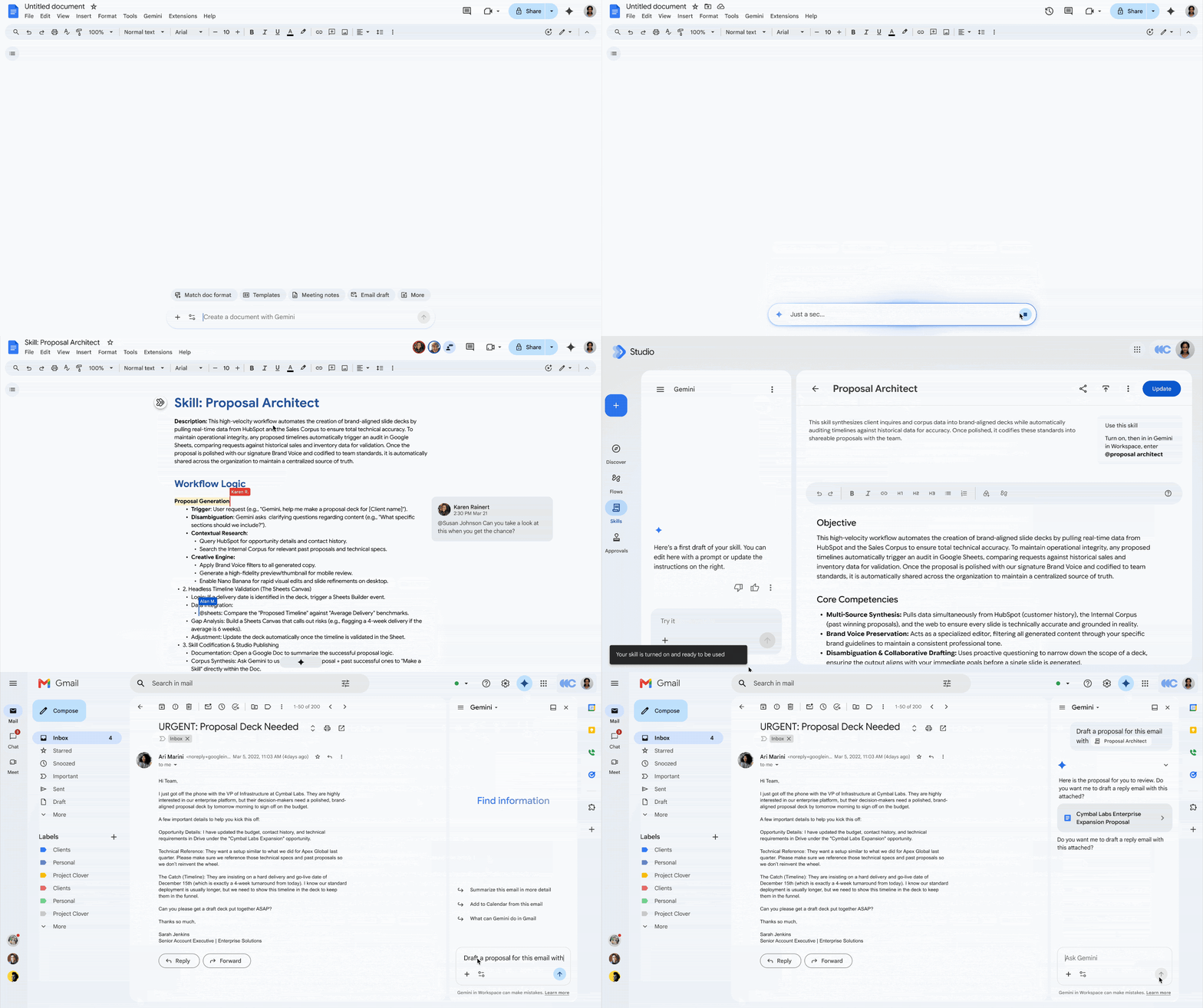
The integration of artificial intelligence within professional productivity suites has reached a significant milestone as Google announces a major expansion of Gemini’s capabilities across its Workspace ecosystem. Previously confined to app-specific silos, Gemini’s side panel within Google Docs, Sheets, Slides, Gmail, and Drive has been fundamentally upgraded. Powered by what the company terms "Workspace Intelligence," the AI can now execute complex, multi-app commands from a single interface, eliminating the need for users to toggle between browser tabs or switch contexts to complete interconnected administrative tasks.
Breaking Down the Silos: The Shift in Workflow Dynamics
For years, the structure of Google Workspace necessitated a fragmented user experience. If an employee wanted to generate a report, they would draft the content in Docs, open a separate tab for Sheets to analyze data, and then navigate to Gmail to draft an email with the findings attached. The Gemini integration, which debuted as a series of disparate side panels, mirrored this limitation; the AI’s scope was restricted to the data and functionality available within the active application.
Under this new architectural update, that limitation has been removed. By leveraging deeper app integrations, Google has enabled a unified "intelligence layer" that treats the entire Workspace suite as a single, cohesive environment. Users can now remain within the interface of a single application—such as a Google Doc—and instruct Gemini to fetch information from Drive, draft an email to a distribution list, or update a calendar entry.
Chronology of the Gemini Workspace Integration
The evolution of Google’s AI strategy within its productivity suite has been rapid, characterized by a steady cadence of feature releases since the initial unveiling of "Duet AI," which was later rebranded under the unified Gemini umbrella.
- Early 2023: Google announces the initial testing phase for generative AI features in Gmail and Docs, focusing on text generation and summarization.
- Late 2023: The "Duet AI for Google Workspace" branding is solidified, introducing AI-powered assistance for Slides and Sheets, albeit with limited cross-application connectivity.
- Early 2024: Rebranding to "Gemini for Google Workspace" aligns the suite with Google’s flagship LLM, increasing the model’s reasoning capabilities and context window size.
- September 2026: The current update marks the transition from "application-specific" AI to "suite-wide" AI, where the side panel serves as a universal command center rather than a localized assistant.
Functional Implications and Use Cases
The primary objective of this update is to minimize "context switching"—the cognitive load and time penalty incurred when a user moves between disparate software tools. According to productivity research conducted by organizations like the American Psychological Association and various workflow management firms, context switching can consume up to 40% of an individual’s productive time throughout a standard workday.
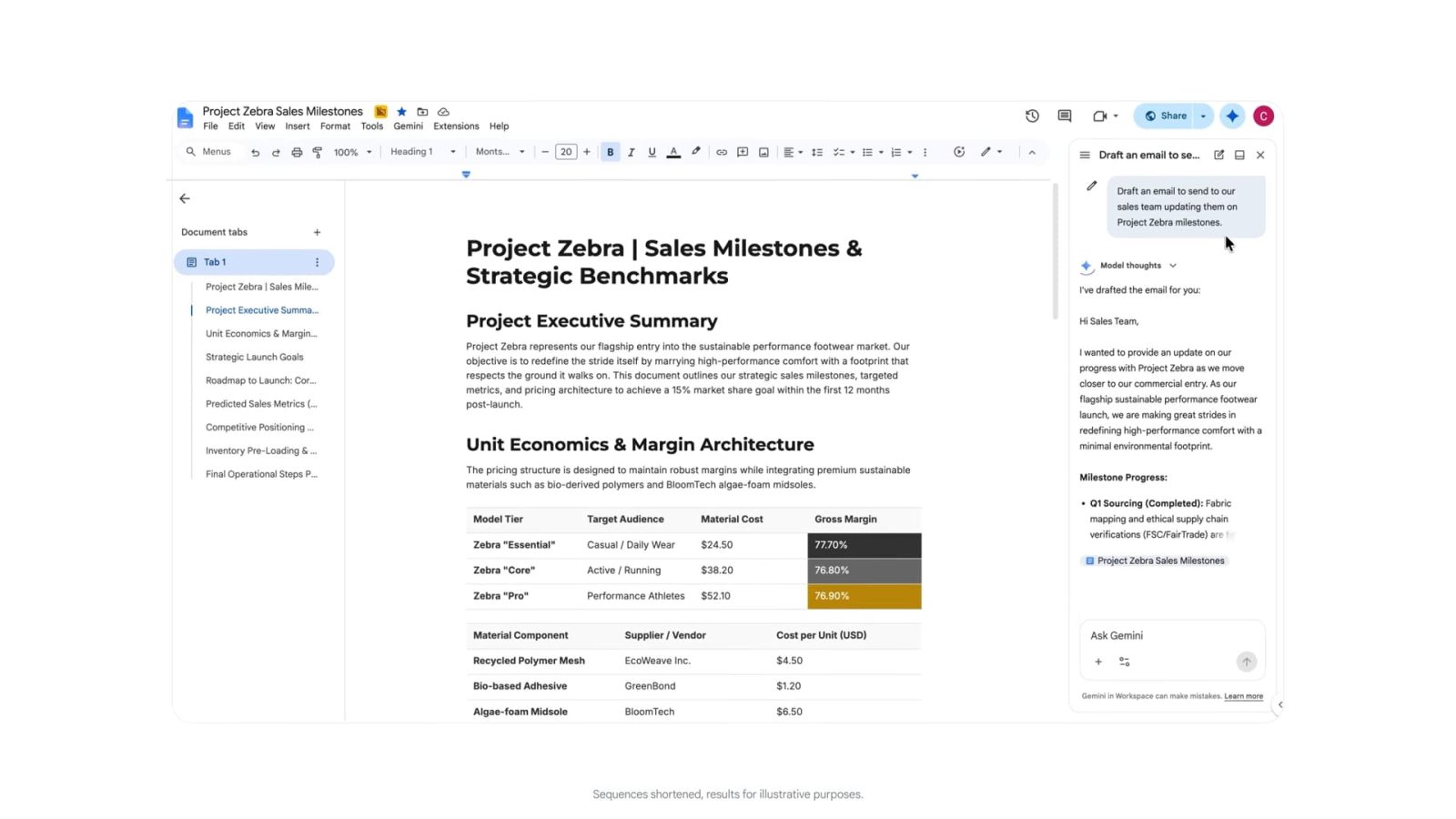
With the new cross-app functionality, the following tasks are now streamlined:
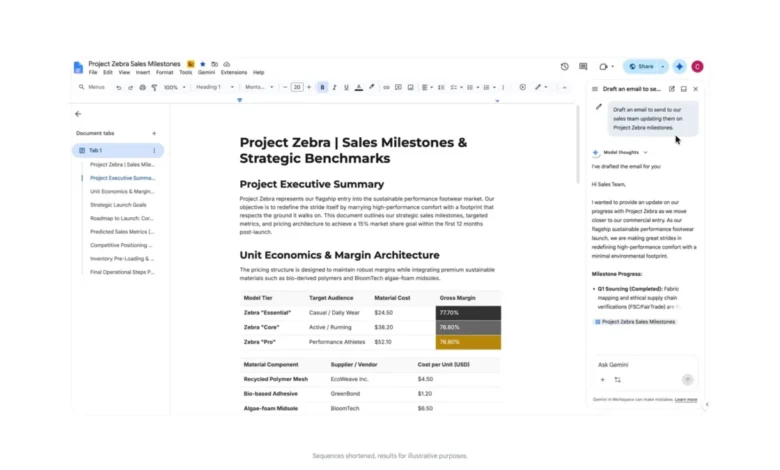
- Communications Orchestration: From within a Google Doc, a user can command Gemini to "Draft an email to the project stakeholders summarizing these findings and include the link to the latest Drive folder." The AI handles the retrieval of the URL, the drafting of the email body, and the identification of the correct recipients based on the context of the document.
- Scheduling and Coordination: Inside Google Chat, users can issue natural language commands such as "Find a time for a follow-up meeting with the design team next week and send the invite." The system cross-references the calendars of the specified group members, identifies common availability, and pushes the event to Google Calendar without the user ever leaving the Chat window.
- Task Management: By integrating with Google Tasks, users can create reminders or to-do lists from any app. A user reviewing a presentation in Slides can simply ask Gemini to "Add a task to my project list to update these slides with the Q3 revenue data by Friday," and the system automatically logs the entry in the background.
Availability and Technical Prerequisites
This expansion is currently rolling out to enterprise and consumer subscribers. For individual consumers, these features are accessible to those with Google AI Pro or Google AI Ultra subscriptions. Notably, while the core generative and analytical features are available across these tiers, the scheduling functionality remains restricted to specific subscription levels, likely due to the complexity and security requirements of calendar integration.
Furthermore, the feature is being deployed to:
- Google Workspace Business Editions: (Business Starter, Standard, and Plus)
- Enterprise Editions: (Enterprise Standard and Plus)
- Education Editions: (Teaching and Learning Upgrade, Education Plus)
This tiered release strategy suggests that Google is prioritizing power users and organizational accounts where the productivity gains from reduced context switching provide the most immediate return on investment.
Analysis: The Future of Agentic AI
The transition to a "cross-app" AI model represents a fundamental shift in the definition of an office software suite. Historically, a suite was defined by the interoperability of file formats—the ability to copy a chart from Sheets into a Slide. Today, the suite is being redefined by the interoperability of intent.
Google’s approach mirrors a broader industry trend toward "agentic AI." In this paradigm, the AI does not merely assist in drafting text; it acts as an agent capable of performing actions across different software environments. This requires a high degree of "grounding"—the ability of the model to access private, real-time data within a user’s account without compromising privacy or security.

By centralizing the intelligence layer, Google is positioning Gemini as the primary interface for work. For the end-user, this simplifies the user experience; for the organization, it creates a "sticky" ecosystem where the value of the platform is derived from the intelligence of the AI rather than just the utility of the individual apps.
Challenges and Security Considerations
While the productivity benefits are clear, the integration of an AI that can read and write across multiple apps introduces significant data privacy considerations. Google maintains that these actions are governed by existing Workspace security protocols, meaning that Gemini only accesses data that the user already has permission to view or edit.
However, the "cross-app" nature of these commands means that the AI model must process a significantly higher volume of context from various sources. Ensuring that this data is processed in compliance with GDPR, CCPA, and internal enterprise data sovereignty policies remains a primary hurdle for widespread adoption in highly regulated sectors like finance and healthcare.
Looking Ahead
As Gemini becomes more adept at managing complex, multi-step workflows, the focus will likely shift from simple task execution to predictive automation. Future iterations of this technology may see Gemini proactively suggesting tasks before the user even requests them—such as reminding a user to schedule a meeting when it detects a thread in Gmail that implies a need for a follow-up conversation.
The rollout of this feature set in September 2026 establishes a new baseline for what is expected of an enterprise productivity suite. As competitors like Microsoft with its Copilot integration and various independent startups continue to iterate on similar concepts, the battle for the "AI-first workspace" will be determined by which provider can offer the most seamless, reliable, and secure execution of cross-app tasks. For now, Google’s latest update provides a clear indication that the future of work is not about mastering individual apps, but about mastering the conversation with the AI that connects them.