AWS Elastic Beanstalk Enters a New Era With Fully-Managed Cluster Mode Powered by Amazon EKS

Fifteen years after its initial debut in 2011, Amazon Web Services (AWS) has announced a major evolution for its pioneering application management platform, AWS Elastic Beanstalk. The service, which originally transformed how developers launched full-stack applications across languages like Java, .NET, Python, Node.js, PHP, Ruby, and Go, is expanding its capabilities to meet the modern demands of cloud-native microservices architectures. Central to this evolution is the introduction of a fully managed Cluster Mode, designed to leverage Amazon Elastic Kubernetes Service (Amazon EKS) while retaining the core simplicity that made Elastic Beanstalk a staple for engineering teams worldwide.
The announcement marks a significant milestone in the lifespan of a service that has spent a decade and a half abstracting infrastructure management away from development teams. By taking complete operational ownership of production environments—ranging from source code and Dockerfiles to raw container images—AWS aims to alleviate the operational burden of patching, monitoring, scaling, and deploying workloads for the entire lifecycle of an application.
A Decade-and-a-Half Evolution: From EC2 Roots to Kubernetes Integration
When AWS launched Elastic Beanstalk in 2011, cloud computing was in a different era. Developers sought ways to deploy code rapidly without needing to manually configure underlying Amazon Elastic Compute Cloud (EC2) instances, Elastic Load Balancers, or Auto Scaling groups. Elastic Beanstalk filled that gap by providing a platform-as-a-service (PaaS) layer that automated infrastructure provisioning while giving developers root-level access if needed.
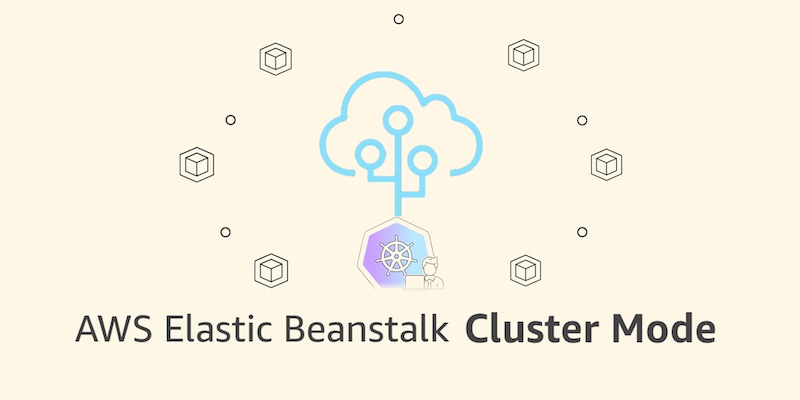
Over the subsequent fifteen years, the cloud landscape shifted dramatically toward containerization and Kubernetes. While Amazon EKS became the industry standard for orchestrating containerized workloads at scale, configuring and maintaining Kubernetes clusters often introduced a steep learning curve and notable operational overhead for teams accustomed to simpler deployment models.
To bridge this gap, AWS has systematically rebuilt the operational engine of Elastic Beanstalk over recent years. Key milestones in this modernization journey included the rollout of AI-powered environment analysis to automatically diagnose and resolve health anomalies, native integration with GitHub Actions for streamlined CI/CD pipelines, OpenTelemetry-based observability, traffic-splitting deployments with automated rollbacks, and event-driven autoscaling. The culmination of this modernization effort is the new Cluster Mode, which marries the familiar, low-friction Elastic Beanstalk workflow with the robust scaling and orchestration capabilities of Amazon EKS.
Architecture and Core Benefits of Cluster Mode
The newly introduced Cluster Mode is specifically engineered for organizations managing a diverse portfolio of applications. Traditional deployment models often require operating each application in isolation, which can lead to resource fragmentation and rising infrastructure overhead as a company’s software footprint expands.
Under Cluster Mode, multiple applications share a unified infrastructure baseline powered by Amazon EKS. Because resources are pooled across workloads, per-application costs decrease as the portfolio grows, all without introducing additional operational complexity. Whether an engineering organization operates ten microservices or a hundred, administrators manage them through a single, cohesive interface that maintains uniform operational guarantees across every stack.

Security and resilience are deeply embedded into this new architecture. Cluster Mode features built-in secrets management via AWS Secrets Manager, HTTPS enforcement by default through AWS Certificate Manager, and streamlined monitoring capabilities. Teams can bring their existing source code, Dockerfiles, or pre-built container images, and AWS handles the underlying orchestration, continuous patching, and scaling operations.
Step-by-Step Implementation and Deployment Options
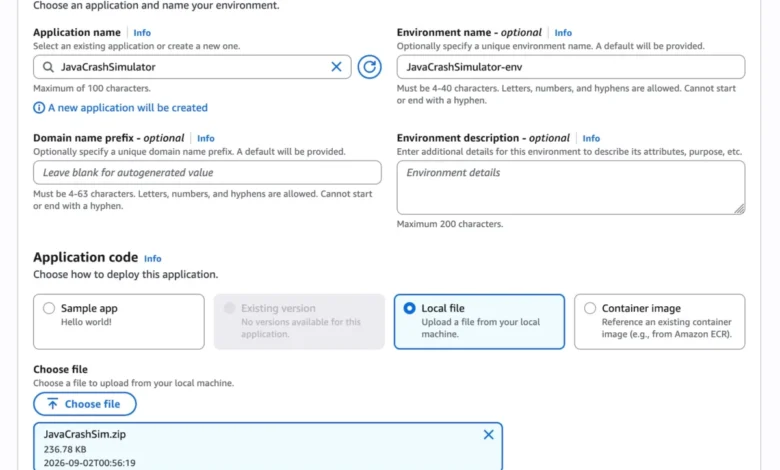
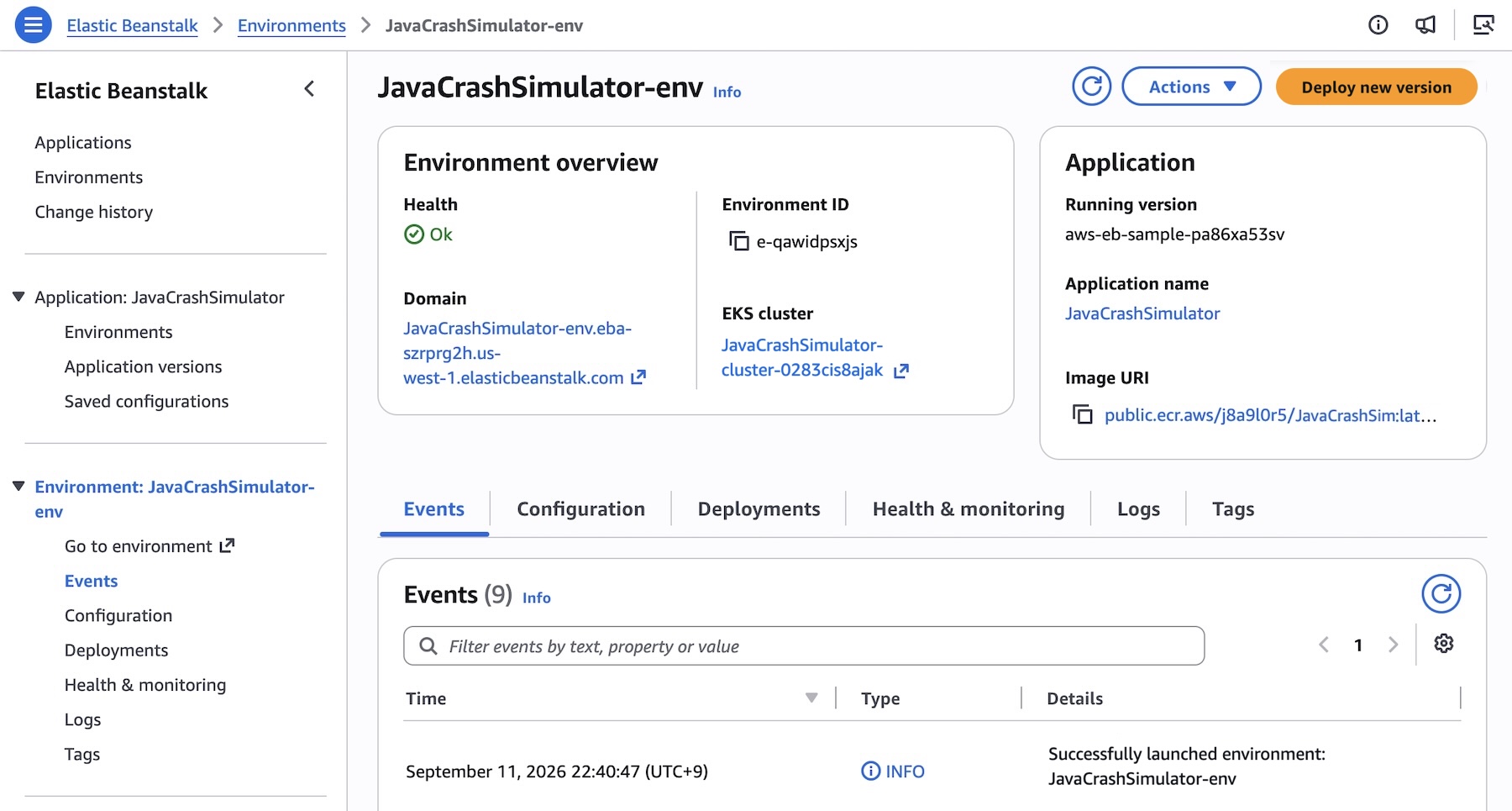
Adopting Cluster Mode has been designed to integrate seamlessly into existing AWS workflows. Administrators can initialize a cluster directly through the AWS Elastic Beanstalk console by creating a new environment and selecting Cluster as the deployment type under the configuration menu.
For developers preferring infrastructure-as-code or automated pipelines, deployment can be executed programmatically via the AWS Command Line Interface (AWS CLI), the specialized EB CLI, or official AWS SDKs.
To deploy a multi-service microservice architecture—such as an application comprising frontend, cart, payment, and shipping services—developers begin by registering application versions mapped to images stored in Amazon Elastic Container Registry (Amazon ECR). For instance, container image URIs are registered using standard CLI commands:

IMAGES=(
    "frontend-v1|public.ecr.aws/my-microservices/frontend:v1"
    "cartservice-v1|public.ecr.aws/my-microservices/cart:v1"
    "paymentservice-v1|public.ecr.aws/my-microservices/payment:v1"
    "shippingservice-v1|public.ecr.aws/my-microservices/shipping:v1"
)

for entry in "$IMAGES[@]"; do
    IFS='|' read -r label uri <<< "$entry"
    aws elasticbeanstalk create-application-version
        --application-name "$APP_NAME"
        --version-label "$label"
        --image-configuration Source="Uri=$uri"
        --region "us-west-2"
    echo "Registered: $label"
done
Once application versions are registered, custom configurations dictate resource allocation, networking, and scaling boundaries. For example, a frontend service requiring public internet exposure via an Application Load Balancer and specific HTTP health check paths can be defined using JSON configuration files:
[
    "Namespace": "aws:elasticbeanstalk:eks", "OptionName": "cluster-role", "Value": "arn:aws:iam::0123456789012:role/EKSClusterRole",
    "Namespace": "aws:elasticbeanstalk:eks", "OptionName": "node-role", "Value": "arn:aws:iam::0123456789012:role/EKSNodeRole",
    "Namespace": "aws:elasticbeanstalk:eks:environment", "OptionName": "observability-role", "Value": "arn:aws:iam::0123456789012:role/ObservabilityRole",
    "Namespace": "aws:elasticbeanstalk:eks:environment", "OptionName": "subnets", "Value": "subnet-1,subnet-2,subnet-3",
    "Namespace": "aws:elasticbeanstalk:eks:environment:autoscaling", "OptionName": "min-replica", "Value": "1",
    "Namespace": "aws:elasticbeanstalk:eks:environment:autoscaling", "OptionName": "max-replica", "Value": "2",
    "Namespace": "aws:elasticbeanstalk:eks:environment", "OptionName": "cpu", "Value": "0.5",
    "Namespace": "aws:elasticbeanstalk:eks:environment", "OptionName": "memory", "Value": "256Mi",
    "Namespace": "aws:elasticbeanstalk:eks:environment", "OptionName": "memory-limit", "Value": "512Mi",
    "Namespace": "aws:elasticbeanstalk:eks:environment", "OptionName": "service-port", "Value": "8080",
    "Namespace": "aws:elasticbeanstalk:eks:alb", "OptionName": "scheme", "Value": "internet-facing",
    "Namespace": "aws:elasticbeanstalk:eks:alb", "OptionName": "healthcheck-path", "Value": "/_healthz"
]
Final deployment is then triggered through the AWS CLI using the cluster tier designation:
aws elasticbeanstalk create-environment
    --application-name my-microservice
    --environment-name frontend
    --version-label frontend-v1
    --tier Name=Cluster,Type=EKS
    --option-settings file:///tmp/frontend-options.json
While initial EKS cluster provisioning across subnets typically takes approximately ten minutes, subsequent environment deployments complete significantly faster by utilizing the pre-existing cluster infrastructure.
Coexistence With Standard Mode and Migration Pathways
To ensure business continuity for existing users, AWS has confirmed that Elastic Beanstalk Standard Mode—powered by Amazon EC2—will remain fully supported. Standard and Cluster Mode environments can run side by side within the exact same Elastic Beanstalk application structure.

This side-by-side capability is intended to facilitate gradual, risk-managed migrations. Engineering teams can migrate workloads one environment at a time at their own operational pace. Built-in validation checks automatically verify compatibility prior to making modifications, ensuring that no team is forced into an abrupt or disruptive platform migration.
Standard Mode remains a robust choice for monolithic workloads, applications requiring direct OS-level access, or architectures tightly coupled with traditional EC2 instance configurations.
Availability, Pricing, and Ecosystem Integration
AWS Elastic Beanstalk Cluster Mode is generally available starting today across all AWS Regions where Elastic Beanstalk is currently supported. Organizations can verify specific regional rollouts and future feature roadmaps via the official AWS Capabilities by Region directory. Furthermore, developers seeking API references, documentation searches, or troubleshooting assistance can utilize the newly introduced AWS MCP Server and associated plugins within their preferred AI development environments.
Regarding cost structure, AWS has confirmed there is no additional service fee specifically for using Elastic Beanstalk Cluster Mode. Customers continue to pay solely for the underlying AWS resources consumed by their applications. This includes the standard Amazon EKS control plane fee, EKS Auto Mode compute resources, Amazon ECR storage, and Amazon CloudWatch telemetry logs. Cluster Mode is not eligible for the AWS Free Tier. Detailed cost breakdowns are accessible via the official AWS Elastic Beanstalk Pricing portal.
Industry Implications and Future Outlook
The launch of Cluster Mode reflects a broader industry trend toward abstracting complex container orchestration behind simplified, developer-centric interfaces. By combining the low-barrier deployment model of PaaS with the enterprise-grade scalability of Kubernetes, AWS addresses a persistent challenge in modern software engineering: how to harness the power of cloud-native infrastructure without drowning in operational complexity.
For enterprises maintaining large portfolios of microservices, Elastic Beanstalk Cluster Mode offers a compelling pathway to modernize legacy deployment pipelines, optimize resource utilization, and enforce consistent security baselines. As organizations continue to evaluate their cloud strategies, the ability to manage EC2-based monolithic applications and EKS-driven microservices within a single pane of glass underscores AWS’s continued commitment to flexibility and backward compatibility.