There’s Only One Disadvantage To Using Mini HDMI – But It’s A Big Downside

A Brief History of HDMI Standards and Miniaturization
The HDMI standard was first released in 2002, developed by a consortium of major electronics manufacturers, including Sony, Hitachi, Panasonic, Philips, Silicon Image, Thomson, and Toshiba. The initial goal was to create a unified, uncompressed digital interface to replace the aging analog standards like SCART and VGA. As the market shifted toward mobile productivity and portable media creation, the "Standard" Type-A port became a bottleneck for design.
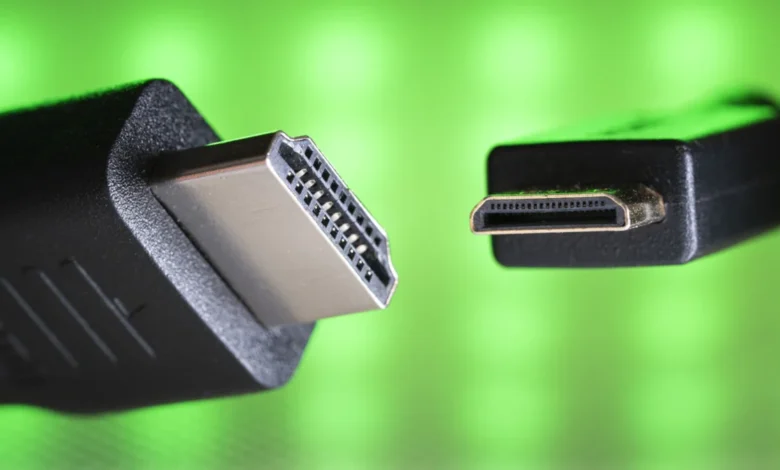
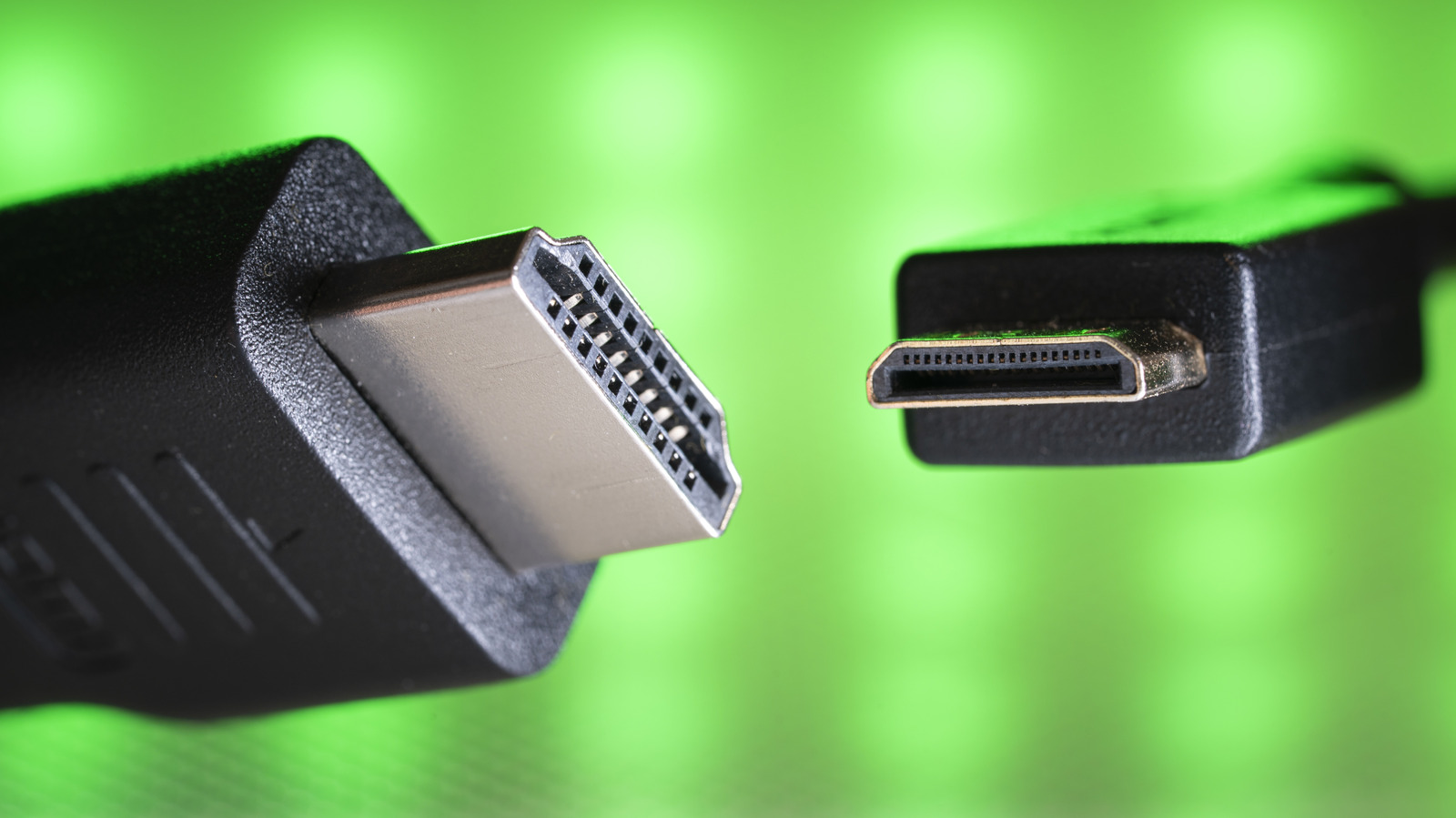
In 2006, the HDMI Licensing Administrator introduced the Mini HDMI (Type-C) connector as part of the HDMI 1.3 specification. This was designed specifically for portable devices, such as camcorders and digital cameras, providing the same high-definition capabilities in a smaller form factor. By 2009, with the introduction of HDMI 1.4, the Micro HDMI (Type-D) was unveiled, further shrinking the footprint for even smaller devices like tablets and smartphones. However, the trade-off for this space-saving design was a marked decrease in the mechanical lifespan of the connection.
The Mechanics of Failure: Why Mini HDMI is Inherently Fragile
The primary engineering challenge with Mini HDMI stems from its reduced physical footprint. Because the connector is significantly smaller than the standard Type-A, the internal pins and the surrounding housing are under greater stress during every insertion and removal cycle. Unlike the standard Type-A port, which is often chassis-mounted and reinforced with deeper solder points on the printed circuit board (PCB), Mini HDMI ports are frequently surface-mounted to save space.
Surface-mounted components are inherently more susceptible to "lifting" or "peeling" from the circuit board when lateral force is applied to the cable. When a user inadvertently pulls on a cable or trips over it, the mechanical leverage exerted on a Mini HDMI port is often sufficient to crack the solder joints or deform the delicate metal housing. This failure is rarely instantaneous; it usually begins with intermittent signal loss or flickering as the internal pins lose consistent contact, eventually leading to a complete failure of the port.
Furthermore, the lack of a locking mechanism—a feature absent in almost all consumer-grade HDMI connectors—exacerbates the issue. While the automotive Type-E connector offers a locking interface, it remains an outlier in the consumer market. Consequently, the reliance on friction alone means that any slight movement of the connected device can cause the Mini HDMI plug to wiggle within the port, accelerating the wear of both the cable and the female socket.
Comparative Analysis: Mini HDMI vs. USB-C and Micro HDMI
The landscape of connectivity has shifted dramatically with the widespread adoption of the USB Type-C standard. USB-C has largely superseded Mini HDMI in the laptop and tablet sectors for several reasons:
- Multifunctionality: Unlike HDMI, which is strictly a display and audio interface, USB-C supports Power Delivery (PD) and high-speed data transfer simultaneously.
- Reversibility: The symmetrical design of USB-C reduces the risk of physical damage caused by forcing a cable into a port in the wrong orientation—a common cause of damage for legacy Mini and Micro connectors.
- Durability: USB-C connectors are designed to handle higher mechanical stress and are generally more robustly integrated into modern device chassis.
In contrast, Micro HDMI (Type-D) represents the most extreme end of the miniaturization spectrum. While it matches the technical specifications of standard HDMI, the density of the 19 pins within such a tiny area makes it exceptionally difficult to repair. A broken Micro HDMI port is often functionally irreparable, necessitating a full motherboard replacement, which in many cases exceeds the residual value of the device itself.
Best Practices for Maintenance and Mitigation
For users who rely on Mini HDMI for professional field work—such as photographers, videographers, or those operating portable Raspberry Pi setups—the risk of failure can be managed through proactive maintenance.
- Cable Strain Relief: Always use cables with high-quality strain relief or angled connectors. Angled plugs are particularly effective in tight setups, as they reduce the leverage applied to the port by allowing the cable to lie flush against the device.
- Preventative Protection: Given that debris can easily enter the small aperture of a Mini HDMI port, the use of silicone dust covers is highly recommended. Dust and moisture accumulation can lead to oxidation, which increases resistance and may cause the port to overheat or fail prematurely.
- Handling Discipline: Users should adopt a "set it and forget it" mentality. If a device is meant to be stationary, avoid unnecessary disconnect cycles. If the device must be mobile, ensure the cable is secured with clips or cable ties to prevent it from swinging and exerting force on the port.
- Adapter Strategy: If a device has a fragile port, consider using a short, flexible "pigtail" adapter. By plugging an adapter into the device and leaving it there, the wear and tear is transferred to the adapter rather than the device’s internal port. Replacing a $10 adapter is significantly more economical than repairing a motherboard.
Broader Implications for Hardware Design
The decline of dedicated video ports like Mini HDMI in favor of universal standards like USB-C underscores a broader trend in consumer electronics: the drive toward modular, multifunctional ports. While Mini HDMI was a necessary bridge in the transition to thinner digital devices, its lifecycle has been limited by the physical realities of its design.
For manufacturers, the lesson has been clear: consumers prefer durability and versatility. The technical specifications of an interface are only as good as the physical longevity of the hardware supporting them. As we move further into the era of USB4 and Thunderbolt, the necessity for specialized, fragile video connectors is likely to diminish further. However, for the millions of devices currently in circulation that rely on these standards, understanding the mechanical limitations of the Mini HDMI interface remains essential for ensuring the longevity of professional and personal hardware investments. By treating these ports with the care necessitated by their delicate design, users can avoid the frustration of premature failure and maintain the integrity of their digital ecosystems.