How to Unlock the iPhone Duo Using Your Apple Watch to Bypass Side-Button Touch ID

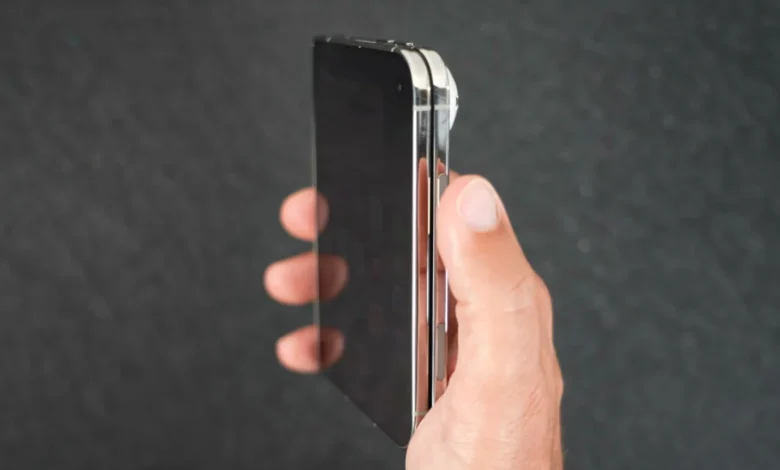
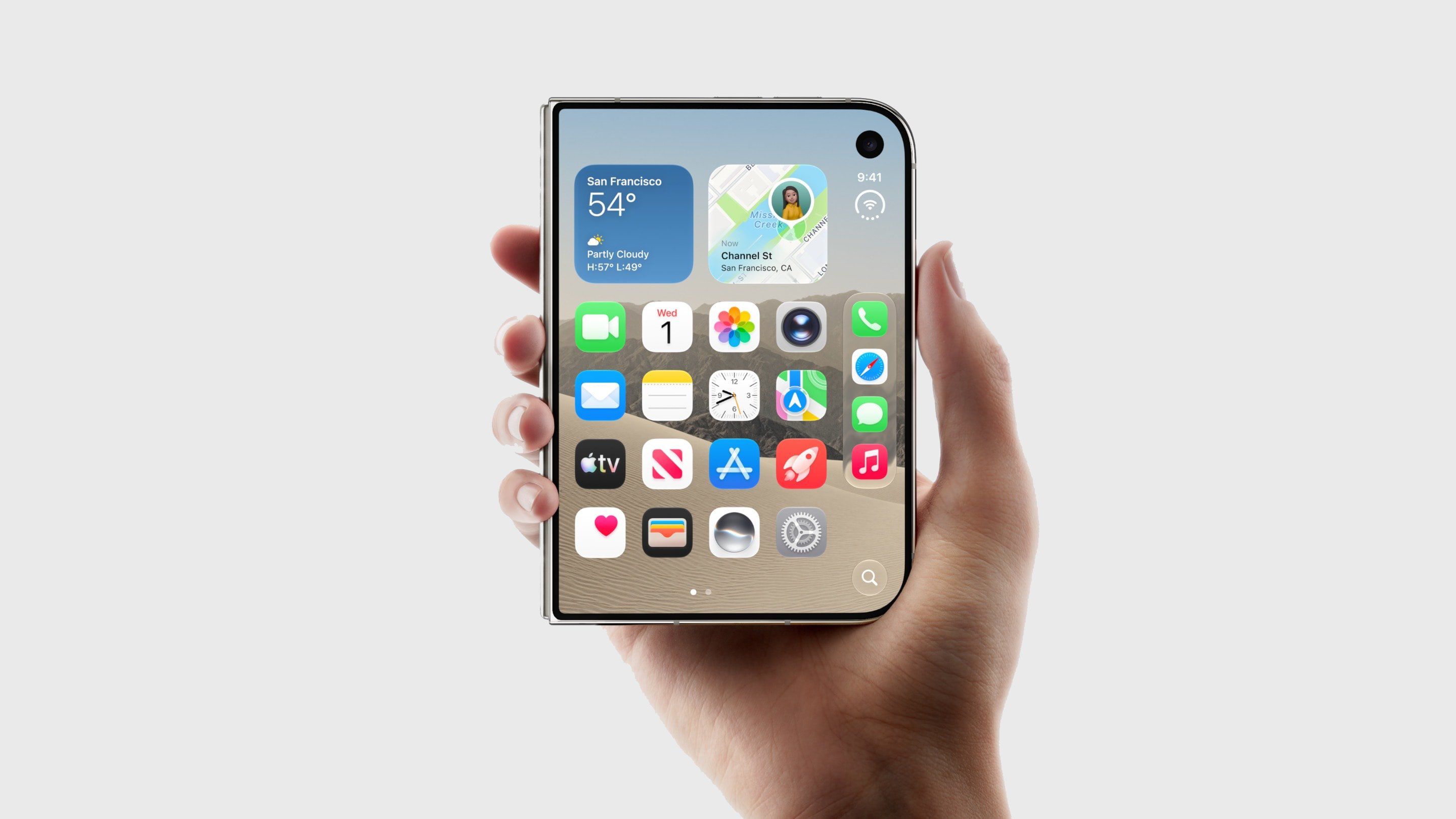
The release of the iPhone Duo has reignited discussions across the consumer technology landscape regarding biometric authentication. Eschewing the sophisticated TrueDepth camera array and Face ID systems that have defined Apple’s flagship smartphone lineup for nearly a decade, the iPhone Duo relies instead on a physical Touch ID sensor embedded directly into its side power button. While this design choice has drawn mixed reactions from long-time users who have grown accustomed to the hands-free convenience of facial recognition, Apple has provided an alternative mechanism for seamless daily operation. For owners who wear a compatible Apple Watch, the device can be configured to authenticate and unlock the iPhone Duo automatically, effectively bypassing the need to manually press the side-mounted fingerprint reader.
This feature, known within the Apple ecosystem as Unlock with Apple Watch, is not entirely new to the broader iPhone and iOS ecosystem, but its implementation on the iPhone Duo addresses a significant ergonomic hurdle. Because the iPhone Duo introduces a radically different form factor and interaction model compared to traditional candy-bar smartphones, minimizing friction during routine tasks such as checking notifications or opening apps is paramount. However, utilizing this workaround requires specific hardware alignment. To enable Unlock with Apple Watch on the iPhone Duo, users must pair the device with an Apple Watch Series 9 or later, an Apple Watch Ultra 2 or later, or a third-generation Apple Watch SE. Older hardware iterations lack the secure proximity and sensor capabilities required to maintain cryptographic verification standards mandated by Apple’s security protocols.
Background Context and Launch Landscape
The arrival of the iPhone Duo has been accompanied by considerable logistical turbulence and market anticipation. In the days leading up to its official release on Friday, October 23, Apple retail locations worldwide experienced unprecedented internal directives regarding inventory management. Retail employees were instructed by corporate leadership to actively discourage customers from attempting walk-in purchases on launch day. According to internal reports shared with industry observers, store staff were told that severe supply constraints would likely leave zero inventory available for consumers who had not secured a device through prior reservation channels.
This inventory shortage stems from complex manufacturing challenges that have dogged the production lines of the iPhone Duo. Industry analysts, including Bloomberg’s Mark Gurman, have scrutinized Apple’s decision-making process surrounding the product rollout. In his weekly newsletter, Gurman characterized the handling of pre-orders as a major strategic misstep. Despite possessing internal data indicating that the device would face profound supply bottlenecks due to intricate assembly procedures, Apple proceeded with its standard pre-order schedule rather than delaying the sales window until a more robust inventory buffer had been accumulated. This mismatch between soaring consumer demand and constrained hardware availability has amplified the focus on how early adopters interact with the device’s physical and software limitations.
Hardware Trade-Offs: Touch ID vs. Face ID
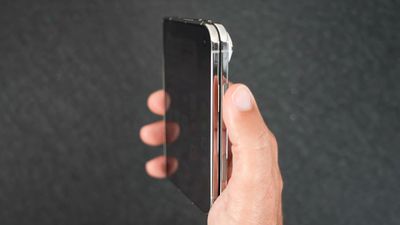
The debate surrounding the iPhone Duo’s authentication mechanism highlights a broader engineering compromise. For the past ten years, Face ID has served as the gold standard for biometric security in mobile computing, allowing users to glance at their devices to unlock them instantly. The integration of a side-mounted Touch ID sensor on the iPhone Duo represents a calculated pivot, driven by space constraints and architectural demands of the new hardware design. While some industry purists view the return of fingerprint scanning as a regression, others appreciate the tactile immediacy of side-button authentication, particularly in environments where facial recognition proves cumbersome, such as low-light situations or when wearing face masks.
Nevertheless, the physical act of reaching for the side button can disrupt the fluidity of daily device usage. This is where the Apple Watch integration bridges the gap. By establishing a trusted connection between the wearable device and the iPhone Duo, the ecosystem creates a pseudo-biometric bridge. When the user attempts to wake the iPhone while wearing an authenticated, passcode-protected Apple Watch on their wrist, the watch senses the proximity and motion patterns indicative of the user lifting the phone to view it. It then sends an encrypted token to the iPhone, unlocking the device securely without requiring the user to press the side button or expose their face to a sensor.
Step-by-Step Implementation Guide
Configuring the Unlock with Apple Watch feature on the iPhone Duo involves navigating the iOS and watchOS settings interfaces. While the original source documentation outlines the general trajectory, a detailed procedural breakdown ensures proper execution for users seeking to streamline their workflow.
- Ensure both your iPhone Duo and your Apple Watch are powered on, running the latest respective software updates, and actively connected via Bluetooth and Wi-Fi.
- On your iPhone Duo, open the Settings application from the home screen or app library.
- Scroll down and tap on the Touch ID & Passcode menu. You will be prompted to enter your device passcode to access these security settings.
- Locate the section designated "Unlock with Apple Watch" within the menu interface.
- Toggle the switch adjacent to your listed Apple Watch name to the "On" position.
- If prompted, confirm your Apple Watch passcode to authorize the secure pairing permissions between the two devices.
Once these parameters are established, the operational dynamic shifts. When you raise your iPhone Duo to view incoming notifications or interact with the interface, your Apple Watch handles the authentication handshake automatically. It is worth noting that while this process eliminates the fingerprint-scanning requirement, the standard iOS Lock Screen paradigm still mandates an upward swipe gesture to fully access the home screen or last-used application. However, power users seeking an even more frictionless experience can delve further into the accessibility and display settings within iOS to disable the secondary swipe requirement, creating a near-instantaneous transition from locked to fully functional state.
Software Ecosystem and App Adaptation
As consumers prepare to unbox their new hardware, software developers and Apple alike have been finalizing the ecosystem adaptations necessary for the iPhone Duo’s unique display topology. In the days preceding the launch, the App Store backend populated with updated promotional screenshots and interface assets demonstrating how Apple’s native applications scale across the Duo’s layout. Many of these built-in applications have been optimized to leverage landscape viewports and multi-pane interfaces, providing a glimpse into the device’s multitasking potential.
These software enhancements underscore Apple’s intent to position the iPhone Duo not merely as a hardware experiment, but as a fully realized productivity tool. However, the success of the device will heavily depend on how well users adapt to its physical idiosyncrasies. The reliance on auxiliary features like Unlock with Apple Watch demonstrates a concerted effort by software engineers to mitigate the friction introduced by hardware compromises. By leaning into the interconnected nature of the Apple ecosystem, users can effectively customize their authentication workflow to match their personal preferences—balancing the tactile security of Touch ID with the ambient convenience of watchOS integration while the industry awaits future hardware iterations that may eventually incorporate advanced under-display biometric solutions.
Broader Industry Implications and Market Analysis
The market reception of the iPhone Duo and its peripheral features offers valuable insight into consumer adaptability and product lifecycle management. Apple’s willingness to experiment with alternative form factors—even those that require temporary regressions in specific user-experience vectors like Face ID—indicates a willingness to test consumer boundaries ahead of major technological transitions. The interim reliance on Apple Watch authentication highlights the strength of the company’s hardware ecosystem, where deficiencies in one device can be compensated for by the capabilities of another.
From a commercial standpoint, the severe supply constraints and the subsequent retail advisories against walk-in purchases point to persistent vulnerabilities in global high-end component manufacturing. As analysts continue to dissect the launch strategy, the consensus suggests that while manufacturing missteps can create short-term frustration among eager consumers, the underlying demand for novel Apple hardware remains exceptionally resilient. Whether the iPhone Duo establishes a permanent niche or serves as a stepping stone toward more unified display technologies, tools like Unlock with Apple Watch will remain essential utilities for optimizing the day-to-day user experience.