Fake LastPass Authenticator GitHub Installer Deploys Kernel-Level Malware to Neutralize Security Software

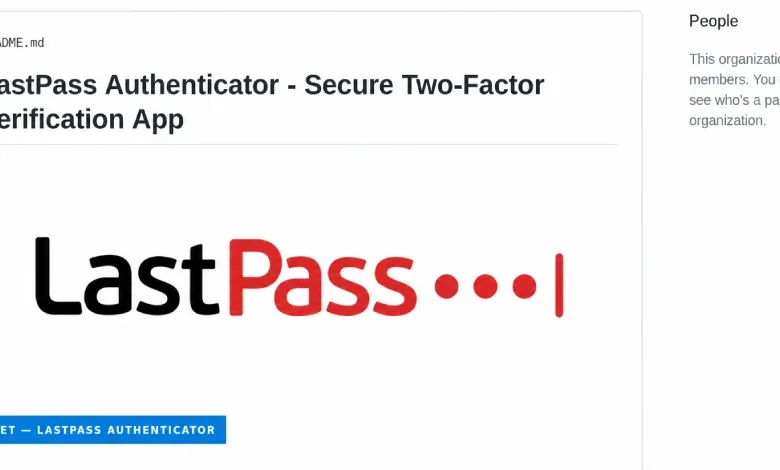
A sophisticated cyberattack campaign targeting users through fraudulent software distribution channels has been uncovered, involving a malicious installer disguised as the LastPass Authenticator. Security researchers from LastPass and Delphos Labs confirmed on September 17 that the campaign utilizes a deceptive GitHub repository to distribute a credential-stealing payload. This attack is notable for its use of a kernel-mode driver that systematically disables antivirus (AV) and endpoint detection and response (EDR) solutions, effectively blinding the victim’s machine before exfiltrating sensitive data.
The attack vector relies on search engine optimization (SEO) poisoning, where a fake GitHub page—github.com/LastPass-Authenticator—is engineered to appear near the top of search results for queries related to "LastPass Authenticator download." By mimicking the aesthetics of an official product page, the attackers lure unsuspecting users into downloading a large ZIP archive, which they claim is the installer for the legitimate authentication tool. In reality, the file contains a dangerous cocktail of system-compromising utilities.
Chronology of the Infection and Execution
The attack sequence begins the moment the user executes the file. The ZIP archive, which ranges between 127 MB and 148 MB, is intentionally padded with junk data. This is a deliberate tactic to bypass the file size scanning limitations of many automated security gateways, which may skip files that exceed a certain threshold to maintain system performance.
Once the archive is extracted, the victim is presented with a renamed copy of a legitimate Microsoft debugging tool, vsdbg.exe, accompanied by a malicious file titled vsdbg.dll. Through a technique known as DLL side-loading, the Windows operating system inadvertently loads the malicious DLL when the executable is launched. This initiates a multi-stage process to escalate privileges, eventually reaching the SYSTEM level—the highest permission tier in the Windows environment.
With administrative control established, the malware installs a kernel driver, identified by researchers as Alinubx.sys. Operating at the kernel level, the driver exists in a privileged space beneath the reach of standard security software. It systematically scans for and terminates 145 different antivirus and security processes. Because these security tools reside in user-mode, they are incapable of detecting or preventing the kernel-level termination commands issued by the driver, rendering the machine completely defenseless.

The Role of Signed Drivers and BYOVD Attacks
A critical component of this campaign is the abuse of the "Bring Your Own Vulnerable Driver" (BYOVD) methodology. The malicious driver, Alinubx.sys, is a modified version of CcProtect.sys, a component originally associated with a Chinese disk-encryption product. Despite its history as a known process-killer—a fact documented in repositories like LOLDrivers—the attackers successfully utilized it because it carries a digital signature from the Microsoft Windows Hardware Compatibility Publisher.
This signature provides the driver with a veneer of legitimacy, allowing it to bypass standard driver-loading safeguards. While Microsoft maintains a "vulnerable driver blocklist" designed to prevent the loading of known malicious or exploitable drivers, this specific iteration of the driver was not on that list at the time of the discovery. By simply renaming the file and altering its metadata, the attackers generated a new file hash, effectively bypassing static blocklists that rely on exact hash matching.
The implication here is significant: Microsoft’s attestation process confirms that a driver has traversed a "trust pipeline," but it does not serve as a guarantee of security. The fact that the driver was signed in March 2023—well before the current campaign—demonstrates that threat actors are successfully stockpiling legitimately signed, legacy drivers to serve as future weapons.
Impact and Data Exfiltration
Once the security software is disabled, the malware proceeds to run a credential stealer, which researchers have dubbed "Rapuncel." This stealer is designed to harvest a comprehensive range of data from the compromised system. It targets saved passwords from over two dozen web browsers, cryptocurrency wallet files, and active session tokens for platforms such as Discord, Telegram, and Steam.
The stealer also targets the Windows Credential Manager and scans for files labeled with keywords like "password," "seed," or "recovery." For modern browsers like Google Chrome and Microsoft Edge, which employ app-bound encryption to protect stored credentials, the stealer uses a more surgical approach. It injects code into the browser process, tricking the browser’s own internal service into decrypting the stored passwords. Once gathered, this data is compressed into a ZIP file and exfiltrated to an attacker-controlled command-and-control (C2) server.
Official Responses and Industry Coordination
LastPass has been transparent regarding the incident, confirming that their internal infrastructure, services, and customer vaults remain secure. The company emphasized that the attackers merely leveraged their brand name to deceive users. Delphos Labs, which played a lead role in the investigation, reported the driver to Microsoft in August.

Microsoft’s response highlighted the limitations of current defense mechanisms. The company stated that the driver’s behavior did not strictly meet its definition of a security vulnerability, as the driver is not a native Microsoft component. However, the researchers were directed to the appropriate channel for submitting the driver to the Windows blocklist. As of the time of reporting, the cybersecurity community continues to advocate for more robust, behavioral-based driver blocking, as hash-based lists are increasingly trivial for attackers to circumvent.
Broader Implications for Cybersecurity
This incident is part of a larger, alarming trend of using GitHub as a staging ground for malware. The use of legitimate developer platforms to host malicious content provides attackers with a high degree of "reputation" that can deceive even savvy users. Trend Micro and Arctic Wolf have previously documented similar campaigns involving the BoryptGrab stealer and hundreds of fraudulent repositories, indicating that this is not an isolated event but a systemic issue in software distribution.
The "Rapuncel" stealer, which is believed to be a relative of BoryptGrab, was likely built using the Cruciferra crypter. This paid, "malware-as-a-service" tool provides attackers with pre-configured code, including the massive kill list of 145 security processes. The availability of such tools allows even lower-tier threat actors to execute high-tier, kernel-level attacks.
Recommendations for Victims and Defenders
For users who may have inadvertently run the fake installer, the situation is dire. The compromise must be treated as a total failure of the operating system’s security. Because the malicious driver persists across reboots and continues to neutralize security tools, standard anti-malware scans are insufficient.
Victims are advised to:
- Isolate the machine: Disconnect the affected device from all networks immediately.
- Assume full compromise: Treat every password, session token, and sensitive file on that device as stolen.
- Change credentials: Change all passwords for accounts that were saved in the browser or used on the machine, using a separate, secure device.
- Rebuild the system: A kernel-level compromise is difficult to remediate; the safest course of action is to perform a full wipe and reinstallation of the operating system.
For security defenders and enterprise administrators, the focus must shift from file-name-based detection to behavioral analysis. Monitoring for the unauthorized installation of kernel drivers, tracking the use of known "vulnerable" drivers, and enforcing strict application control policies (such as Windows Defender Application Control) are essential steps to mitigating the threat posed by BYOVD attacks. As attackers continue to evolve, the reliance on signature-based defenses will become increasingly untenable, necessitating a more proactive, zero-trust approach to system integrity.