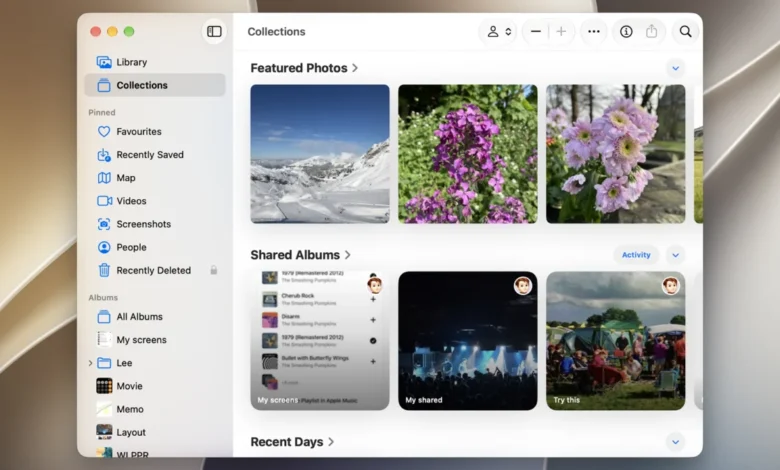
Digital preservation has become a fundamental aspect of modern personal data management, as the average smartphone user captures thousands of images and hours of high-definition video annually. With global mobile data traffic increasingly dominated by multimedia content, the need for a centralized, secure, and accessible repository for personal visual history is more critical than ever. Apple Photos, integrated into the company’s broader iCloud infrastructure, serves as the primary archival solution for millions of users, though the challenges of cross-platform interoperability remain a significant hurdle for those operating outside the Cupertino ecosystem.
The Evolution of Cloud-Based Photo Management
The history of photo management has transitioned from local, physical storage—such as external hard drives and SD cards—to the ubiquitous cloud-based synchronization models seen today. Apple launched iCloud in October 2011, replacing the earlier MobileMe service. This shift represented a pivotal moment in consumer technology, moving the responsibility of data redundancy and availability from the user to the service provider.

As of 2026, the volume of digital media generated by the average consumer has increased by nearly 300% compared to a decade ago, driven by higher-resolution sensors, ProRAW formats, and spatial video capabilities. This data density necessitates robust cloud infrastructure. For the standard user, iCloud offers a seamless experience, but it operates as a "walled garden." While this design ensures high security and end-to-end encryption for synced data, it complicates the workflow for users who utilize Windows PCs or Android smartphones as their primary hardware.
Establishing a Synchronized Apple Workflow
For users embedded in the Apple ecosystem, the workflow is designed to be invisible. The integration between the iPhone’s Camera app and the Photos application is the foundation of this system. When iCloud Photos is enabled via Settings, the device performs a background sync, uploading full-resolution originals to the cloud while keeping device-optimized versions locally to save space.
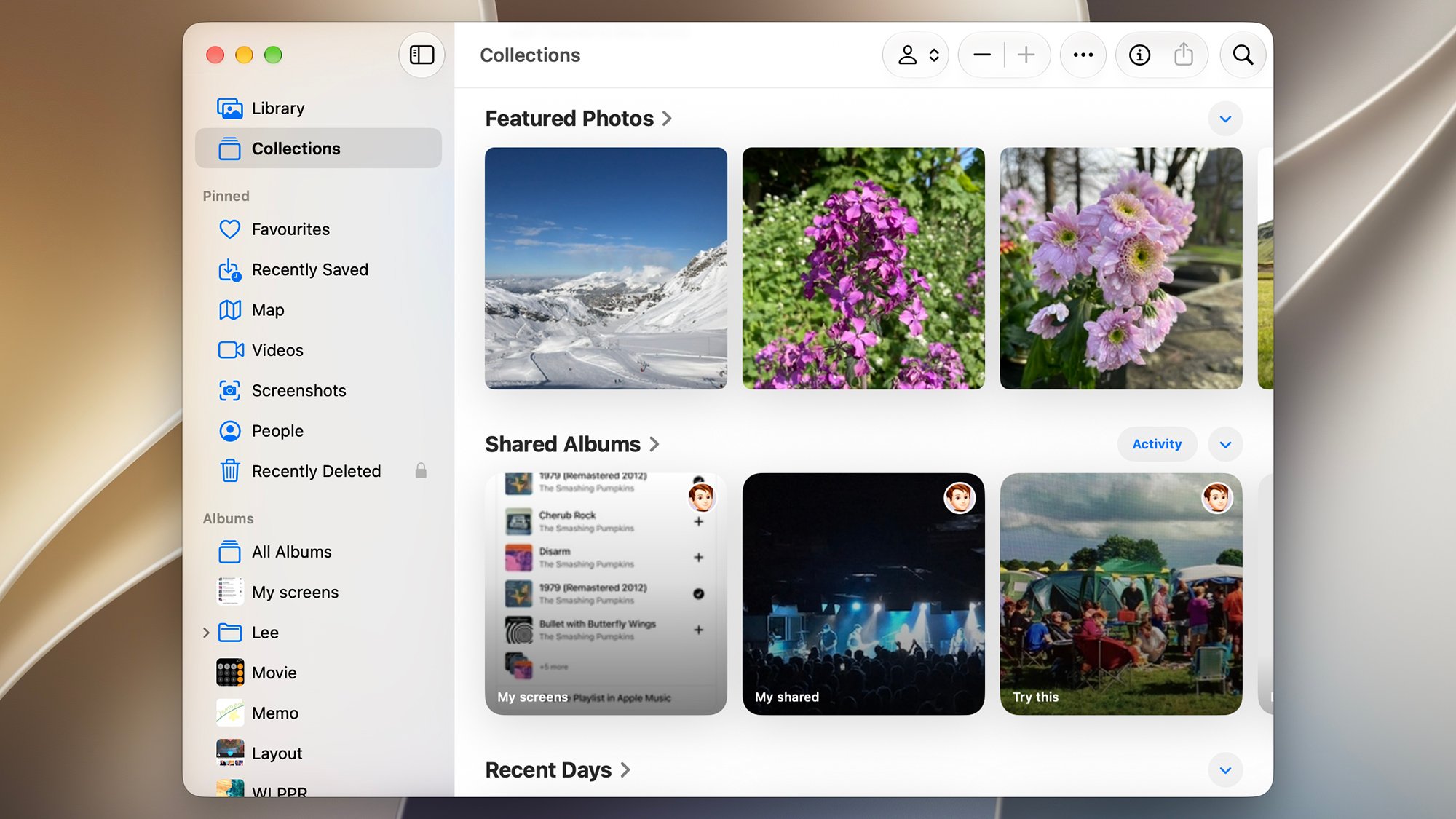
The organizational architecture of the Apple Photos app relies on machine learning to categorize content into Library, Collections, and People. By leveraging the Apple Neural Engine, the software automatically tags faces, landmarks, and objects without compromising user privacy by processing data locally on the device. For users managing large libraries, the "Optimize Storage" feature remains the most effective tool for balancing library size with the physical storage limitations of mobile hardware.
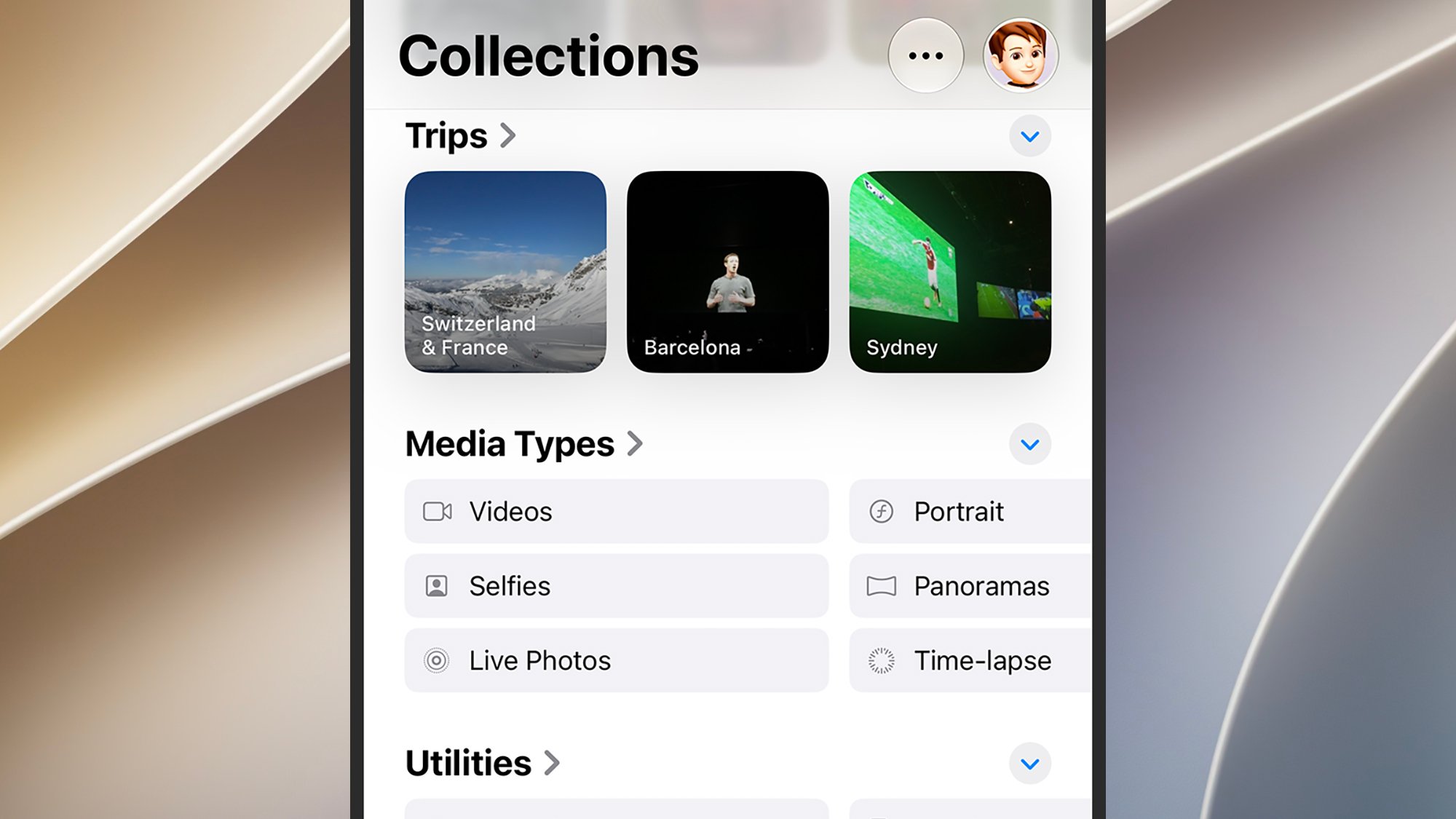
On macOS, the experience is designed to mirror the mobile interface while providing advanced management tools. The "File > Import" function serves as the gateway for external assets, such as legacy digital camera files or media retrieved from non-Apple devices. By ensuring the "Copy items to the Photos library" setting is enabled in the app’s Preferences, users ensure that imported media is not merely referenced locally but is uploaded to the iCloud cloud, thereby completing the backup cycle.
Navigating Interoperability: Windows and Android
The technical divide between Apple’s proprietary software and external operating systems is bridged primarily through official middleware and web-based portals. Microsoft and Apple, despite their status as competitors, have fostered a functional partnership regarding iCloud integration on Windows.
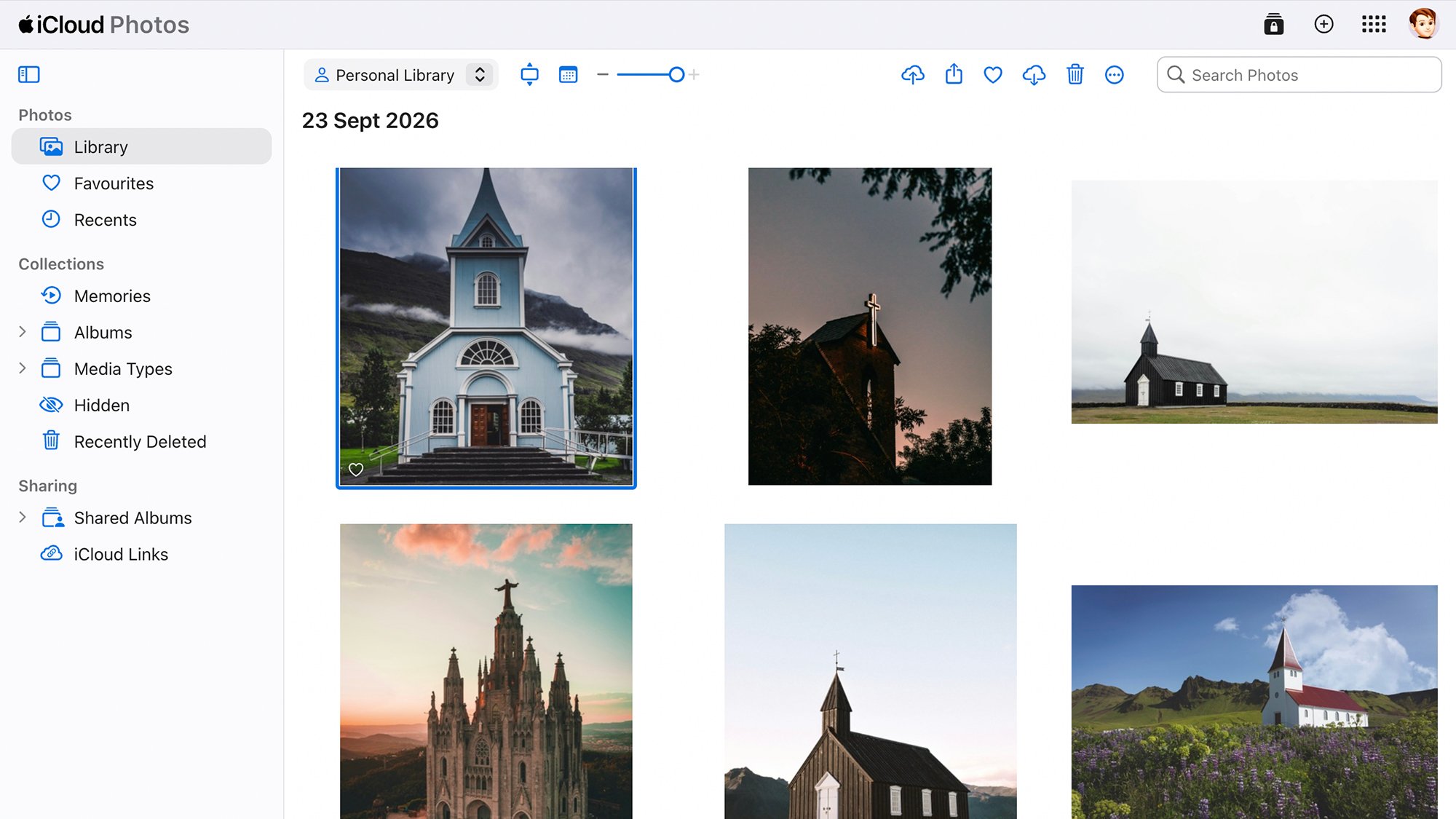
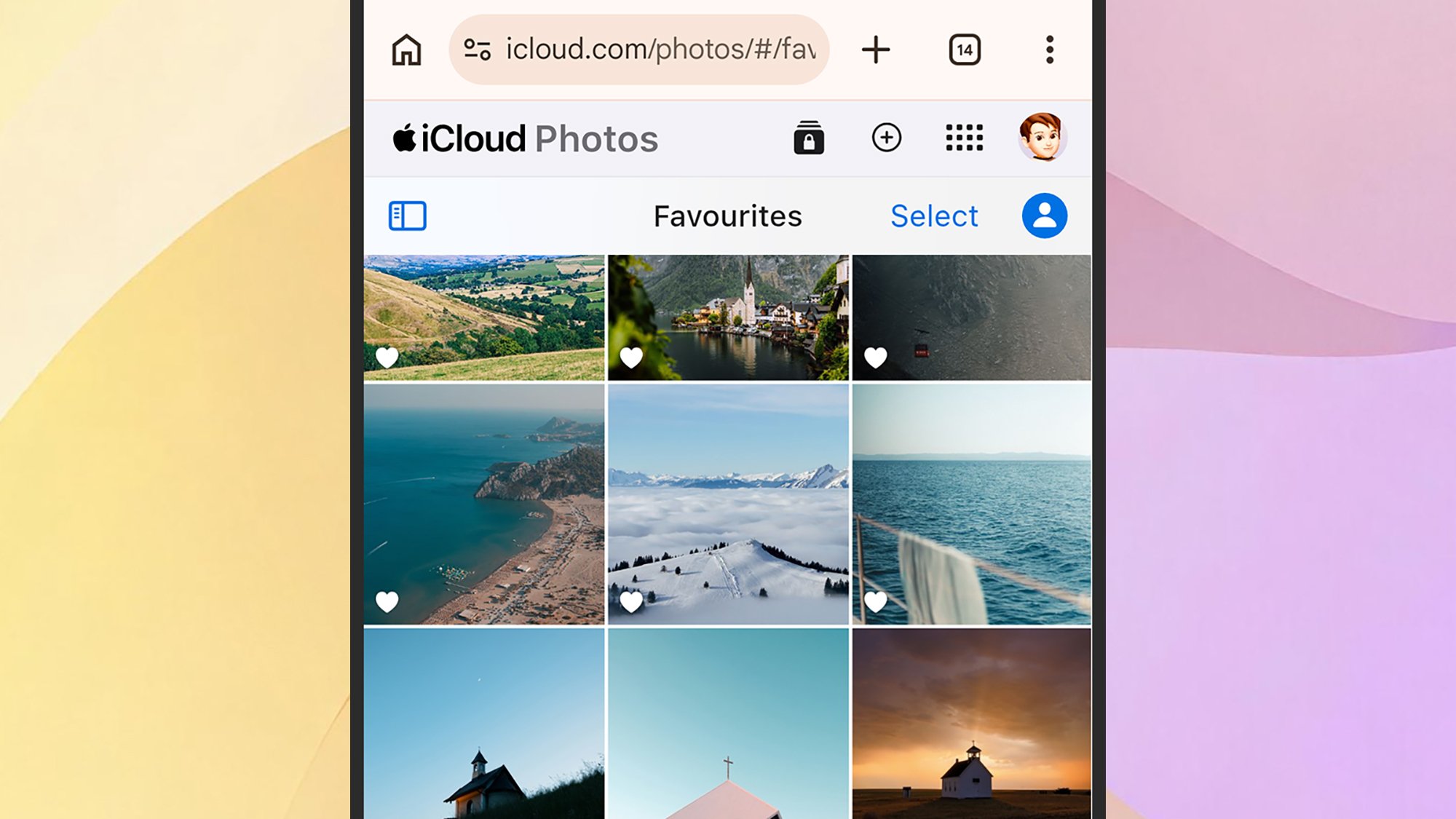
The iCloud for Windows application, available via the Microsoft Store, enables a two-way sync between a Windows PC and the iCloud repository. Once authenticated, a user’s photo library appears as a native folder within the Windows file system. This allows for seamless drag-and-drop operations, effectively turning a Windows desktop into a managed node of the Apple ecosystem. For enterprise users or those who prefer not to install dedicated software, the web-based interface at iCloud.com provides a browser-based portal. While the web version lacks the full suite of AI-driven organization tools found on iOS—such as advanced search filters or map-based viewing—it provides a vital "break-glass" solution for data access on public terminals or restricted work environments.
Android users face a more fragmented experience. Because Apple has not released a dedicated Apple Photos client for Android, users are forced to rely on manual workflows. This typically involves using a third-party cloud storage service—such as Google Photos, Dropbox, or OneDrive—as a bridge. The file is uploaded from the Android device to the intermediary service, then downloaded to a desktop computer, and subsequently imported into the Apple ecosystem. This manual overhead creates a "sync friction" that often leads to data loss or duplicate files if not managed with strict file-naming conventions and regular maintenance.
Data Security and Storage Economics
Managing a digital archive is also a financial consideration. Apple’s pricing strategy for iCloud storage—starting at $0.99 for 50GB—has remained a stable market benchmark, though it is increasingly insufficient for modern users. With the introduction of high-efficiency video coding (HEVC) and higher bitrate video, many users find themselves upgrading to the 2TB or 6TB tiers.
Security remains the primary value proposition for the Apple ecosystem. Apple utilizes Advanced Data Protection, which provides end-to-end encryption for the iCloud Photo Library. This means that even in the event of a server-side breach, the data remains unreadable without the user’s device-specific passcode. When analyzing the implications of this, privacy experts note that this level of security makes the Apple ecosystem a preferred choice for individuals handling sensitive or proprietary visual data, though it underscores the difficulty of data recovery should a user lose access to all trusted devices.
Implications for Future Data Management
The trend toward "all-in-one" repositories suggests that future photo management will rely less on manual organization and more on sophisticated AI retrieval. Apple’s ongoing integration of generative AI features into the Photos app signifies a shift from mere storage to intelligent curation. As metadata becomes richer—capturing depth maps, focus data, and semantic context—the burden of organizing a library will shift from the user to the software.
However, the lack of a universal standard for photo library migration remains a significant issue. When a user decides to move from Apple to another provider, they are faced with the "Export/Import" problem, where metadata such as location, date, and edited states are often stripped or rendered incompatible. Industry analysts point out that this "vendor lock-in" is a deliberate design choice rather than a technical limitation.
For the average user, the best practice remains a hybrid approach: maintaining the primary library within the chosen ecosystem while keeping a local "cold storage" backup on an external drive. This "3-2-1" backup rule—three copies of data, on two different media, with one offsite—remains the gold standard for long-term digital preservation.
As of late 2026, the integration of Apple Photos across Windows and web platforms continues to improve, but the experience is still optimized for the hardware it was built for. Users who prioritize convenience should remain within the ecosystem, while those who require platform independence should anticipate the need for manual, periodic backups to ensure their visual history remains intact regardless of the hardware they choose to utilize in the future. The management of personal data is no longer a passive act of saving files; it is an active, ongoing process of curation, verification, and strategic planning.
Related posts: