Apple brings long-awaited vertical tabs and AI-powered browsing to Safari with iOS 27.3 Developer Beta

While Google Chrome has long maintained its position as the world’s most popular web browser, Safari remains the definitive choice for Apple’s massive ecosystem of 2.5 billion active devices. For years, power users have clamored for a more efficient way to manage high volumes of open web pages, often looking enviously at the productivity-focused features found in Microsoft Edge or Vivaldi. With the release of the iOS 27.3, iPadOS 27.3, and macOS 27.3 developer betas, Apple has finally addressed these concerns, signaling a major shift in how Safari handles complex multitasking.
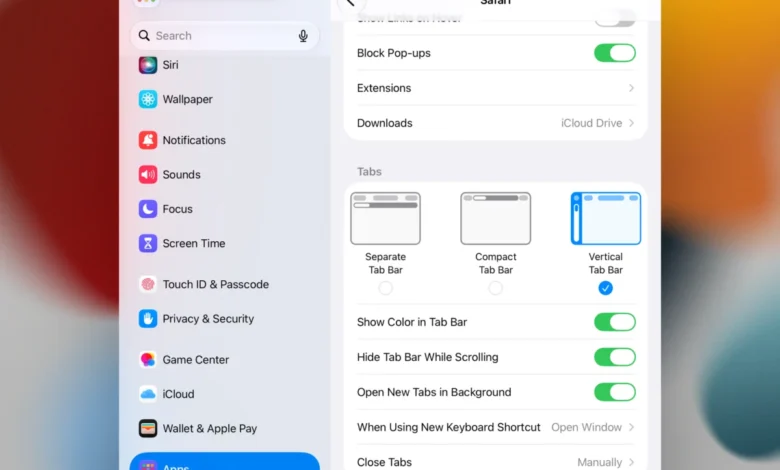
The centerpiece of this update is the introduction of native vertical tabs. While the concept is not new to the broader browser market, its arrival in Safari represents a significant departure from Apple’s traditional interface philosophy, which has historically prioritized minimalist, horizontal tab strips.
A Shift Toward Productivity and Interface Efficiency
Vertical tabs are designed to address the "tab fatigue" that occurs when dozens of pages are open simultaneously. In a standard horizontal layout, tab titles become truncated as they shrink to fit the screen, making it nearly impossible to identify specific pages. By moving these to a sidebar, Apple allows users to maintain a clean view of their workspace while displaying more contextual information about each open tab.
In the new beta, these tabs appear as icons by default to save screen real estate, expanding into full-width lists upon interaction or hover. This design choice is particularly effective for users of the iPad and the new iPhone Duo, where screen orientation can shift rapidly. By integrating support for both portrait and landscape modes, Apple is ensuring that the transition from a handheld device to a larger workspace remains fluid.
The inclusion of drag-and-drop functionality for pinning tabs and organizing them into groups further aligns Safari with the demands of modern professional workflows. Users can now categorize their browsing sessions—separating work-related research from personal shopping or travel planning—without cluttering their primary navigation bar.
Adaptive Dark Mode: Enhancing Visual Accessibility
Beyond navigation, Apple is introducing a sophisticated "Adaptive Dark Mode" in the 27.3 update. Currently, many websites are optimized for light mode, resulting in a jarring experience when a user switches their device to dark mode.
Apple’s new implementation goes beyond simple CSS inversion. The browser will now intelligently analyze web pages that do not support dark mode and apply a suite of adjustments. This includes:

- Intelligent Background Darkening: Lowering the luminance of light backgrounds while maintaining text contrast.
- Vector and Logo Inversion: Ensuring that high-resolution graphics and corporate branding do not become distorted or unreadable when color palettes are shifted.
- Shadow and Surface Detection: Identifying elements meant to represent depth, such as cards or raised UI components, and recalculating their shadow properties to preserve the site’s original design intent.
Crucially, the system is designed to detect sites that have already implemented their own dark mode, ensuring that the browser does not inadvertently break a developer’s intended user experience. For web developers, Apple has also introduced new HTML meta-tags that allow them to opt out of these automatic adjustments, providing a level of granular control that is essential for maintaining brand consistency.
The Role of Apple Intelligence in Browser Management
Perhaps the most ambitious addition to the 27.3 update is the integration of deeper Apple Intelligence-powered tools within Safari. While Siri has previously had basic awareness of on-screen content, this update expands that capability to cover the entire browser state.
Through the use of "Custom Actions," users can leverage generative AI to perform complex administrative tasks. For example, a user might prompt Siri to "Group all tabs related to my trip to Malta," and the browser will scan both visible and hidden tabs, aggregate them into a specific group, and rename them accordingly.
This AI-driven organization extends to privacy and hygiene. A new "History Scrubbing" feature allows users to request that the browser delete search histories or temporary data associated with specific topics, sites, or timeframes. From a privacy perspective, this is a significant development, as it allows users to manage their digital footprint through natural language commands rather than navigating through deep, convoluted settings menus.

The Evolution of the Apple Browser Ecosystem
The history of Safari’s development has been characterized by steady, conservative growth. Since its inception in 2003 as a replacement for Internet Explorer on Mac, Safari has focused heavily on energy efficiency and privacy. However, the browser landscape has evolved significantly over the last decade. With Microsoft Edge capturing market share by focusing on professional features like tab sleeping and sidebar integration, and Chrome focusing on extension-heavy customization, Apple faced a dilemma: stick to its minimalist roots or adapt to the needs of the modern power user.
The 27.3 update suggests that Apple has chosen the latter. By bringing these features to both mobile and desktop platforms simultaneously, Apple is reinforcing the "Continuity" experience that defines its ecosystem. A tab group organized on an iPhone in the morning will be waiting in the exact same state on an iPad or Mac later that day, providing a unified browsing experience that remains difficult for third-party browsers to replicate fully.
Industry Context and Risks of Early Adoption
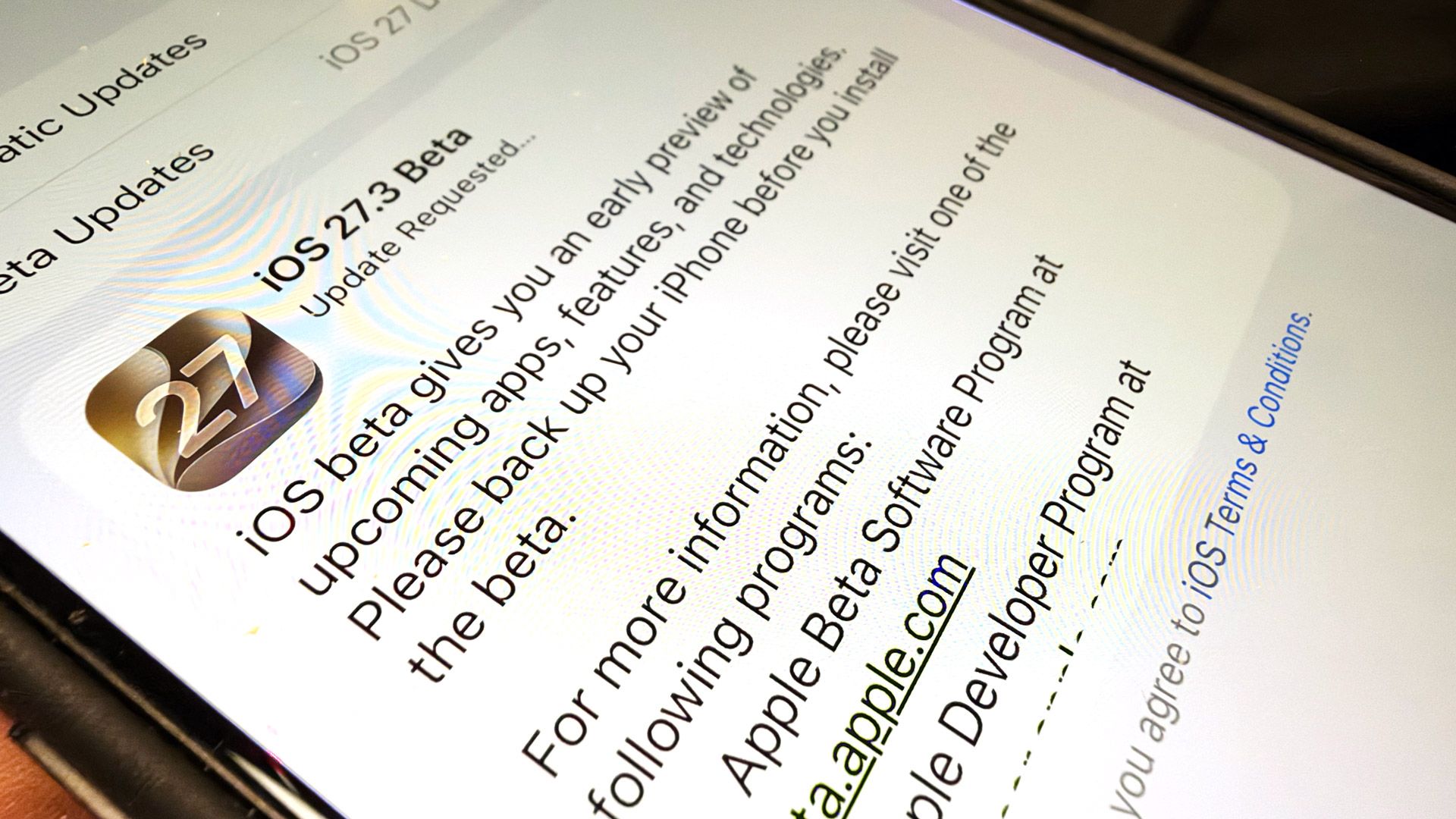
It is important to note that these features are currently locked behind the developer beta channel. Historically, Apple’s developer betas are prone to stability issues, battery drain, and compatibility conflicts with third-party applications.
The software lifecycle for these updates typically follows a strict, if sometimes opaque, timeline:

- Developer Beta (Current Phase): Early testing for software engineers to optimize their websites and apps.
- Public Beta: A more stable, though still experimental, release for early adopters.
- General Release: The final, stable version distributed to the broader user base.
Industry analysts warn that while the new AI features and interface changes are promising, their integration into the core of the browser is a high-risk endeavor. The potential for the browser to misinterpret user intent—or for the Adaptive Dark Mode to incorrectly render complex financial or medical websites—means that extensive testing is required before these features can be considered enterprise-ready.
Implications for the Future of Web Browsing
The move toward more proactive browser management represents a fundamental shift in the relationship between the user and the software. We are moving away from browsers that act as passive windows into the web, toward browsers that act as active agents. By delegating organizational tasks to AI, users are effectively outsourcing the cognitive load of managing information.
Furthermore, Apple’s decision to prioritize these features suggests that the "browser war" is no longer just about rendering speed or JavaScript performance. It is now about interface utility and the ability to manage the overwhelming volume of information that the modern web presents.
For the average user, these changes may seem subtle, but they represent a strategic realignment. Apple is betting that by making the browser more intelligent and easier to navigate, it can prevent the "browser drift" that often sees users moving from Safari to Chrome as their workflow becomes more complex. As the beta period continues, the performance of these tools will be under intense scrutiny from both the developer community and the general public. For now, however, the message from Cupertino is clear: Safari is finally ready to grow up and take on the most demanding power users in the tech landscape.