Securing the Modern Distributed Workforce: A Blueprint for Small and Medium-Sized Enterprises in 2026


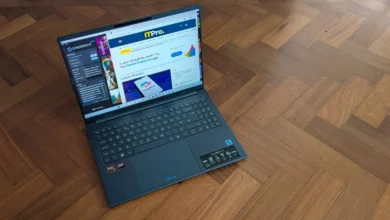
For many small businesses, work is no longer confined to one fixed office: a laptop might spend Monday at home, Tuesday at a customer’s office, and Wednesday back at headquarters. This transition from static, perimeter-based security to a fluid, device-centric model represents one of the most significant shifts in corporate IT strategy since the inception of the cloud. As employees increasingly operate outside the protective bubble of corporate firewalls, the responsibility for securing sensitive corporate data has migrated from the server room to the individual endpoint. This evolution is not merely a logistical challenge; it is a critical vulnerability that, if left unaddressed, leaves small and medium-sized businesses (SMBs) exposed to the rising tide of sophisticated cyber threats.
The current threat landscape, characterized by an estimated record-high of over 50,000 Common Vulnerabilities and Exposures (CVEs) projected for the year, necessitates a comprehensive, multi-layered security posture. Protecting a mobile workforce in 2026 requires moving beyond traditional reliance on strong passwords and standard security software. IT teams must now adopt a holistic approach that accounts for hardware provenance, firmware integrity, and the secure, remote management of credentials.
The Anatomy of Mobile Risk: A Strategic Reassessment
The fundamental misconception held by many smaller organizations is that the security of a device is tethered to its physical location. In reality, the risk follows the device. A laptop is not simply a piece of hardware; it is a gateway to cloud services, internal applications, financial databases, and customer records. When an employee leaves the office, they carry the company’s digital footprint with them.
In 2026, the strategy for securing this workforce begins with identity-aware asset management. IT departments must move away from office-wide security assumptions and transition toward individualized risk profiling. A sales manager, for instance, requires different access controls and security protocols than a financial analyst. By identifying exactly what data travels with which employee—and which applications they utilize—IT teams can apply granular, "least-privilege" access policies.

This shift in strategy is supported by historical data: according to recent industry reports on data breaches, over 60% of small business cyber incidents are attributed to compromised credentials and insecure endpoints. By mapping out the "data travel" patterns of their staff, businesses can better determine which devices require enhanced encryption, multi-factor authentication (MFA) enforcement, or specific geolocation-based access restrictions.
Ensuring Trust at the Source: The Supply Chain Imperative
The challenge of modern security begins before a device ever reaches the end user. For SMBs, the traditional practice of having IT staff "touch" every new laptop to image and secure it is becoming increasingly impractical. As companies shift toward shipping devices directly to employees’ homes, the risk of supply-chain tampering—where a device is compromised before it is even unboxed—grows significantly.
To mitigate this, industry leaders like Dell have introduced advanced security frameworks such as Secured Component Verification (SCV). This technology addresses the "trust gap" by allowing IT teams to cryptographically verify that the hardware components inside a computer are identical to those that left the factory floor. By leveraging Dell Trusted Device software, administrators can compare the current device configuration against a digitally signed record generated during the assembly process.
This development is a turning point for SMBs that lack the massive security operations centers (SOCs) of larger enterprises. By establishing a "root of trust" at the point of deployment, businesses can ensure that their remote workforce is starting from a verified, uncompromised baseline, preventing attackers from exploiting latent hardware vulnerabilities that are often invisible to standard operating systems.
Hardening the Endpoint: Credentials and Biometrics
Once a device is verified as trustworthy, the primary point of failure remains the user login process. As phishing and social engineering attacks become more targeted, the reliance on traditional passwords is being phased out in favor of hardware-backed authentication.

Modern Windows-based PCs utilize the Trusted Platform Module (TPM) 2.0 to provide a secure foundation for identity management. By integrating this with Windows Hello, organizations can transition to passwordless authentication. In this model, the TPM 2.0 generates and protects a private cryptographic key, which is only released when the user successfully authenticates via biometric markers like fingerprints or facial recognition.
For businesses requiring an even higher degree of isolation, hardware-based solutions like Dell’s ControlVault 3+ provide an extra layer of defense. By utilizing a dedicated security chip that is air-gapped from the main processor and memory, these systems ensure that biometric credentials never reside where a malicious actor or malware could scrape them. This creates a "secure enclave" that allows employees to experience the convenience of biometric sign-ins without sacrificing the integrity of their underlying authentication data.
BIOS and Firmware: The Invisible Battlefield
While most security focus is directed at the operating system, the most dangerous threats often operate beneath it. BIOS and firmware attacks—which can persist even if a hard drive is wiped and the OS is reinstalled—have become a preferred vector for state-sponsored and advanced persistent threat (APT) actors.
For an SMB, detecting a compromise at the BIOS level is notoriously difficult. This is where tools like Dell Trusted Device (DTD) have become indispensable. By continuously monitoring the BIOS integrity without interrupting the user’s workflow, DTD acts as a silent sentry. It tracks "Indicators of Attack" (IoA) that might suggest unauthorized attempts to modify firmware settings. If a vulnerability is detected, the integration with tools like Dell Command Update allows IT managers to push critical patches remotely, transforming a reactive, panicked response into a streamlined, automated remediation process.
Streamlining Maintenance in a Distributed Environment
The final pillar of a robust 2026 security strategy is the simplification of management. For a small IT team, the administrative burden of maintaining dozens of different device configurations is a recipe for error. Inconsistent updates, fragmented BIOS versions, and manual patching cycles are exactly the gaps that attackers look to exploit.

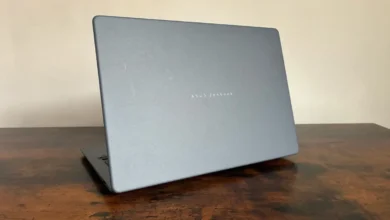
Recent advancements in hardware manufacturing have sought to address this by moving toward unified firmware packages. By standardizing BIOS updates per silicon vendor—such as the approach seen in the latest Dell Pro notebook ranges—manufacturers have significantly reduced the "patching tax" on IT departments.
Furthermore, the rise of cloud-based management platforms, such as the Dell Management Portal integrated with Microsoft Intune, has allowed SMBs to treat their distributed workforce as a cohesive unit. These tools allow administrators to push software updates, security policies, and configuration changes to devices regardless of where they are in the world.
Implications for the Future of Small Business IT
The transition to a distributed, mobile-first workforce is irreversible. While this flexibility has been a boon for productivity and talent retention, it has fundamentally changed the risk profile of every small and medium-sized business. The era of relying solely on a perimeter firewall is over; the future of security lies in the intelligence and hardening of the device itself.
For the modern SMB, the path forward is clear:
- Visibility: You cannot protect what you do not understand. Knowing exactly what data and credentials travel with each employee is the first step toward effective governance.
- Verification: Establish trust at the hardware level. Utilize technologies that allow for component verification to ensure the integrity of the device from day one.
- Isolation: Use hardware-backed authentication to move away from vulnerable password-based systems.
- Monitoring: Extend security oversight to the BIOS and firmware, where the most sophisticated threats hide.
- Automation: Reduce the complexity of maintenance by utilizing centralized management tools that allow for remote updates and policy enforcement.
As we move further into 2026, the businesses that succeed will be those that treat security not as a hurdle to be cleared, but as an integral component of their operational architecture. By investing in resilient hardware and automated management frameworks, SMBs can protect their most valuable assets—their data and their reputation—while empowering their employees to work securely from anywhere in the world. The technology exists to make this transition seamless; the challenge for leadership now is to prioritize these investments as a core pillar of business continuity.