Google’s Evolving Find Hub Network: A Comprehensive Guide to Locating and Securing Your Android Devices and Accessories

While Apple’s "Find My" network has long been lauded as a compelling ecosystem advantage, leveraging hundreds of millions of interconnected devices to crowdsource location data for lost products, Google has, in recent years, significantly bolstered its own capabilities with what it refers to as Find Hub (formerly known as Find My Device). This robust platform, now two years into its enhanced, crowdsourced iteration, provides a crucial safety net for Android users, yet its full potential remains largely unrecognized or underutilized by many. Designed to help users keep track of their myriad gadgets and safeguard sensitive data in the event of loss or theft, Find Hub is a sophisticated suite of features that every Android user should understand and actively employ. From remote device diagnostics to ultimate data protection, these capabilities are essential for navigating the inevitable challenges of managing multiple smart devices in an increasingly connected world.
The Genesis and Evolution of Google’s Device Tracking
Google’s journey into device tracking began modestly with the "Android Device Manager," a basic tool launched in 2013 that allowed users to locate, ring, lock, or erase their Android phones. While functional, it relied heavily on the lost device being online and actively connected to a Google account, lacking the expansive, passive tracking capabilities that would later define Apple’s network. The true paradigm shift for Google came with the gradual rollout and significant enhancements to the "Find My Device" service, culminating in the launch of a dramatically expanded, crowdsourced network – often referred to by users and some publications as "Find Hub" – over the past two years.
This new network fundamentally transforms how Android devices can be located. Instead of solely relying on the lost device’s active internet connection, the Find My Device network (powered by Find Hub) taps into the vast ecosystem of Android devices globally. Millions of Android smartphones, tablets, and other compatible gadgets passively listen for Bluetooth Low Energy (BLE) signals from nearby lost devices. When a lost device’s signal is detected, the detecting device securely and anonymously relays its location to Google, which then updates the owner through the Find Hub application. This creates a dense, ever-present web of tracking points, enabling devices to be found even when offline or without an active cellular connection, much like its Apple counterpart.
The full rollout of this expanded network, which began to reach users in 2024, faced initial delays due to Google’s commitment to implementing robust privacy safeguards. Specifically, Google worked closely with Apple to develop industry specifications for unwanted tracking alerts, ensuring that these crowdsourced networks could not be maliciously exploited for stalking or unauthorized surveillance. This collaborative effort underscored a broader industry recognition of the delicate balance between empowering users to find their lost items and protecting individual privacy. Upon its widespread activation, the Find Hub network immediately expanded its support beyond just Android phones and tablets to include Wear OS smartwatches, compatible Bluetooth headphones (like Google Pixel Buds), and a growing array of third-party item trackers from partners such as Chipolo and Pebblebee. This broad compatibility positions Find Hub as a truly universal solution within the Android ecosystem, providing a centralized hub for managing the security and location of a diverse range of personal electronics.
Core Functionality: Precision Tracking and Device Status
One of the foundational strengths of Find Hub lies in its ability to provide detailed information about a lost device, going beyond mere GPS coordinates. Understanding these details can significantly improve the chances of a successful recovery.
Real-time Location Mapping with Enhanced Diagnostics:
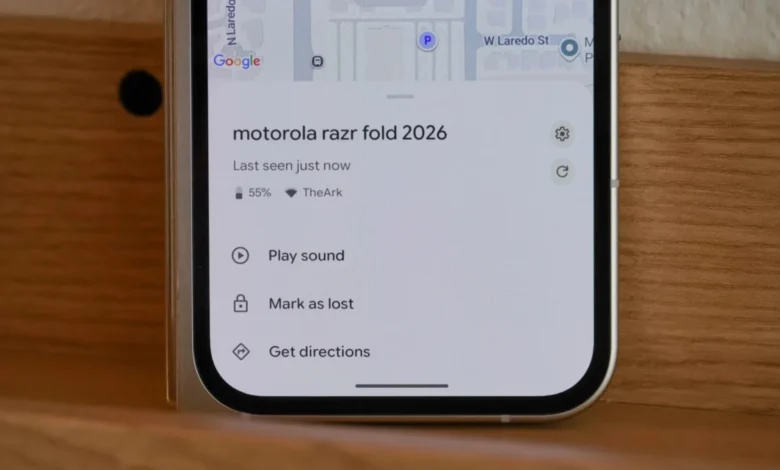
While most users are familiar with the ability to pinpoint a device’s general location on a map, Find Hub enriches this experience with critical diagnostic data. Upon selecting a device within the Find Hub app, users are presented with a map displaying its last known location, often with remarkable accuracy. However, the true value emerges from the accompanying information: the device’s current battery percentage and its network connectivity status. Knowing the battery level is crucial for time-sensitive searches; a device with 5% battery demands immediate action, whereas one with 80% offers a more relaxed timeframe. Furthermore, Find Hub indicates whether the device is connected to a Wi-Fi or cellular network and even displays the signal strength. For instance, discovering that a lost phone is connected to your home Wi-Fi with a strong signal immediately confirms its presence within your residence, narrowing down the search significantly. Conversely, a weak Wi-Fi signal might suggest it’s just outside, perhaps in a car parked nearby. This layered information provides invaluable context, transforming raw location data into actionable intelligence.
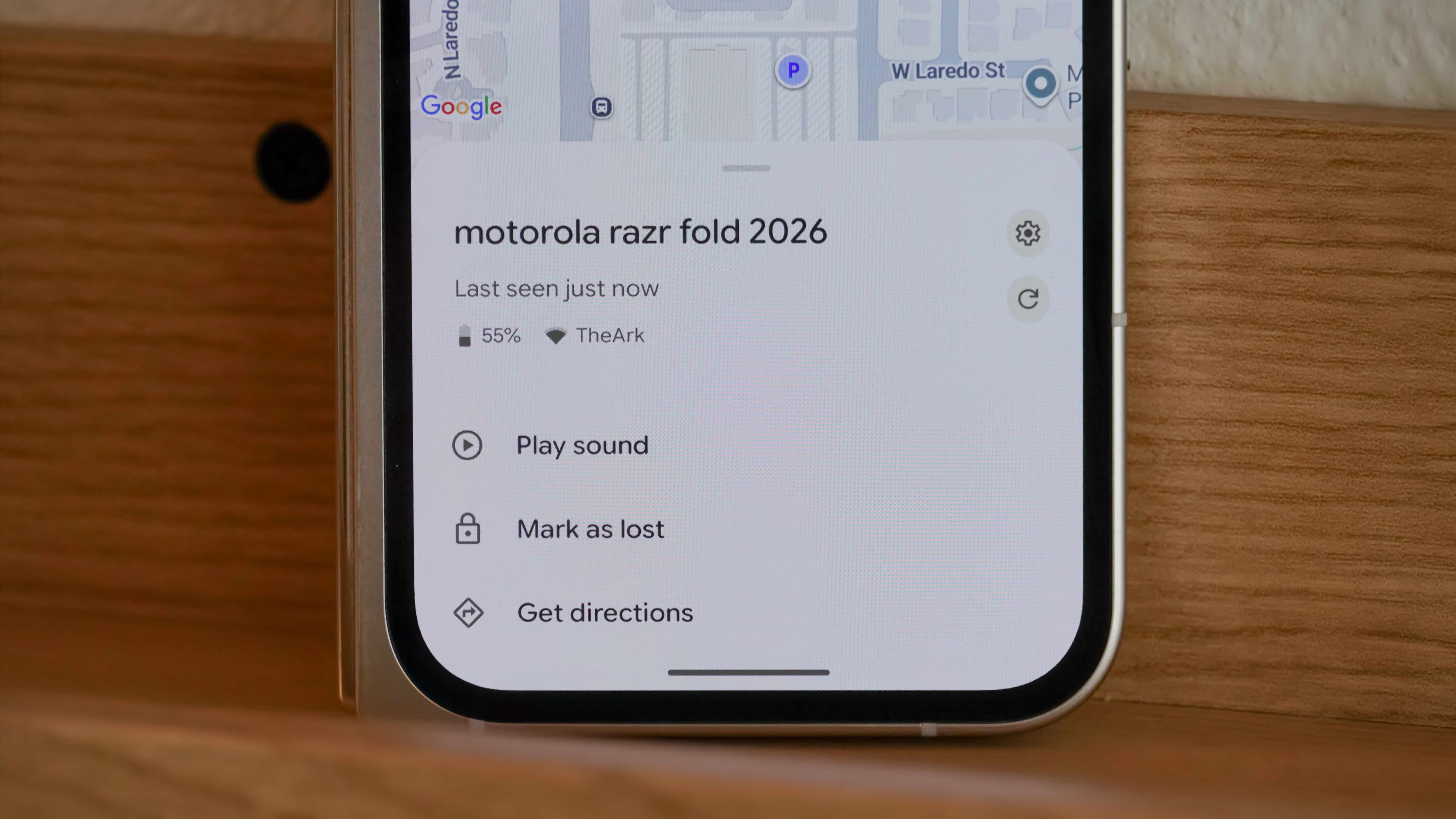
For situations requiring pinpoint accuracy within a very small area, the limitations of standard GPS and Bluetooth become apparent. While most Android devices and trackers rely on Bluetooth Low Energy for proximity detection within the crowdsourced network, the introduction of Ultra-Wideband (UWB) technology offers a glimpse into the future of precision tracking. Devices equipped with UWB, such as newer Pixel phones and upcoming dedicated UWB trackers, can provide highly accurate, directional finding capabilities, guiding users to their lost items with arrow-like precision, akin to a digital compass. While UWB support is still evolving across the Android ecosystem, its integration promises to eliminate the frustration of searching for a device that’s "somewhere in this room."
Auditory Alerts for Immediate Recovery (Play Sound):
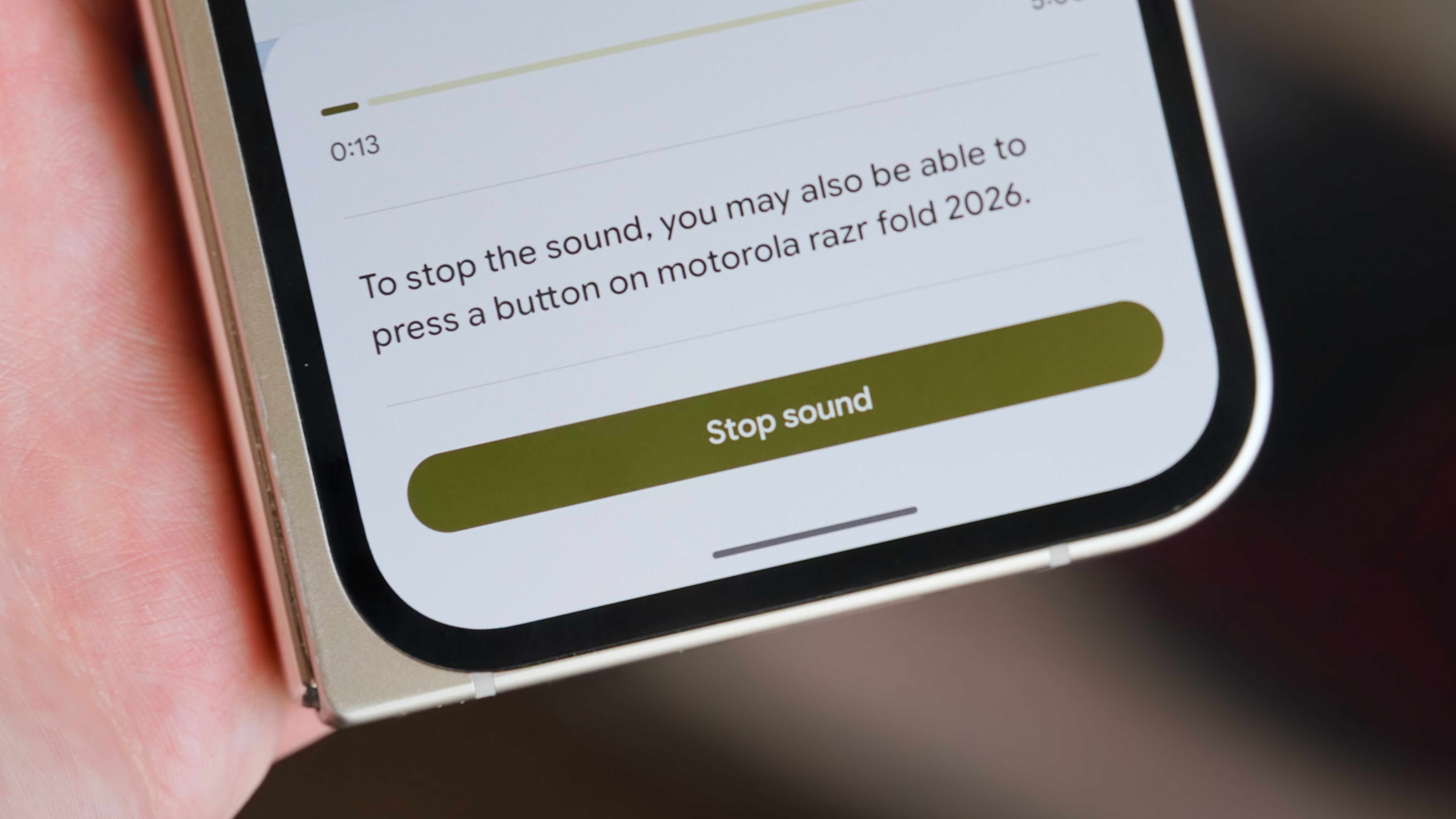
For devices lost within earshot, Find Hub offers a simple yet incredibly effective solution: the "Play sound" feature. Accessible by navigating to the device’s entry in the app, this function triggers a loud, often piercing, alarm from the lost device. This is particularly useful for items misplaced around the home, office, or within a car. The alarm is designed to be highly audible, cutting through ambient noise and guiding the user directly to the source. It remains active for several minutes, providing ample time to locate the item. This feature often proves more practical than map-based navigation for items lost in close proximity, bypassing the need for precise coordinates when auditory cues suffice.
Enhanced Security and Collaborative Device Management
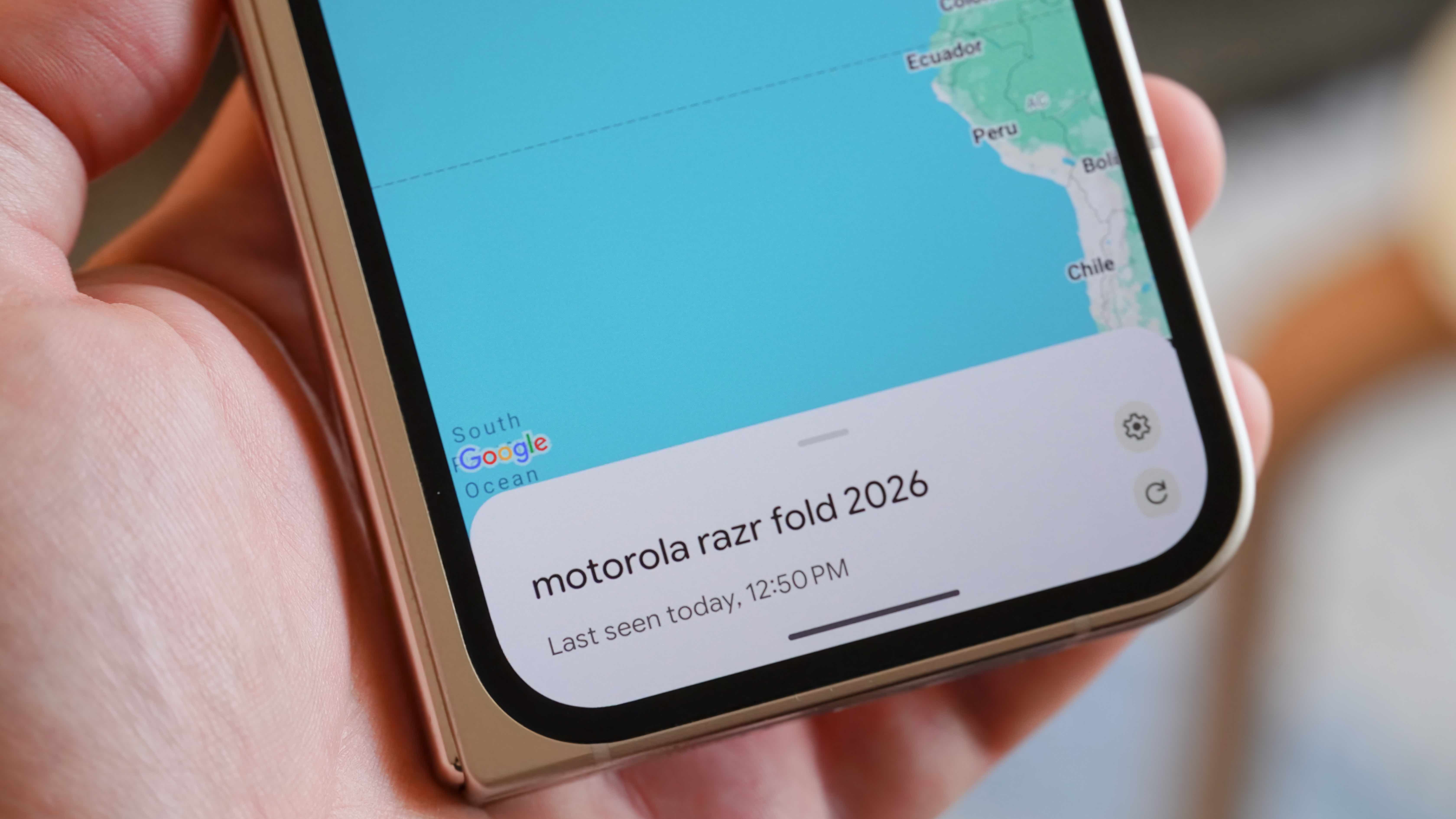
Beyond basic location, Find Hub provides critical tools for safeguarding data and enabling collaborative tracking, addressing both the immediate panic of loss and the long-term security implications.
Lost Mode Activation: Securing Your Device Remotely:
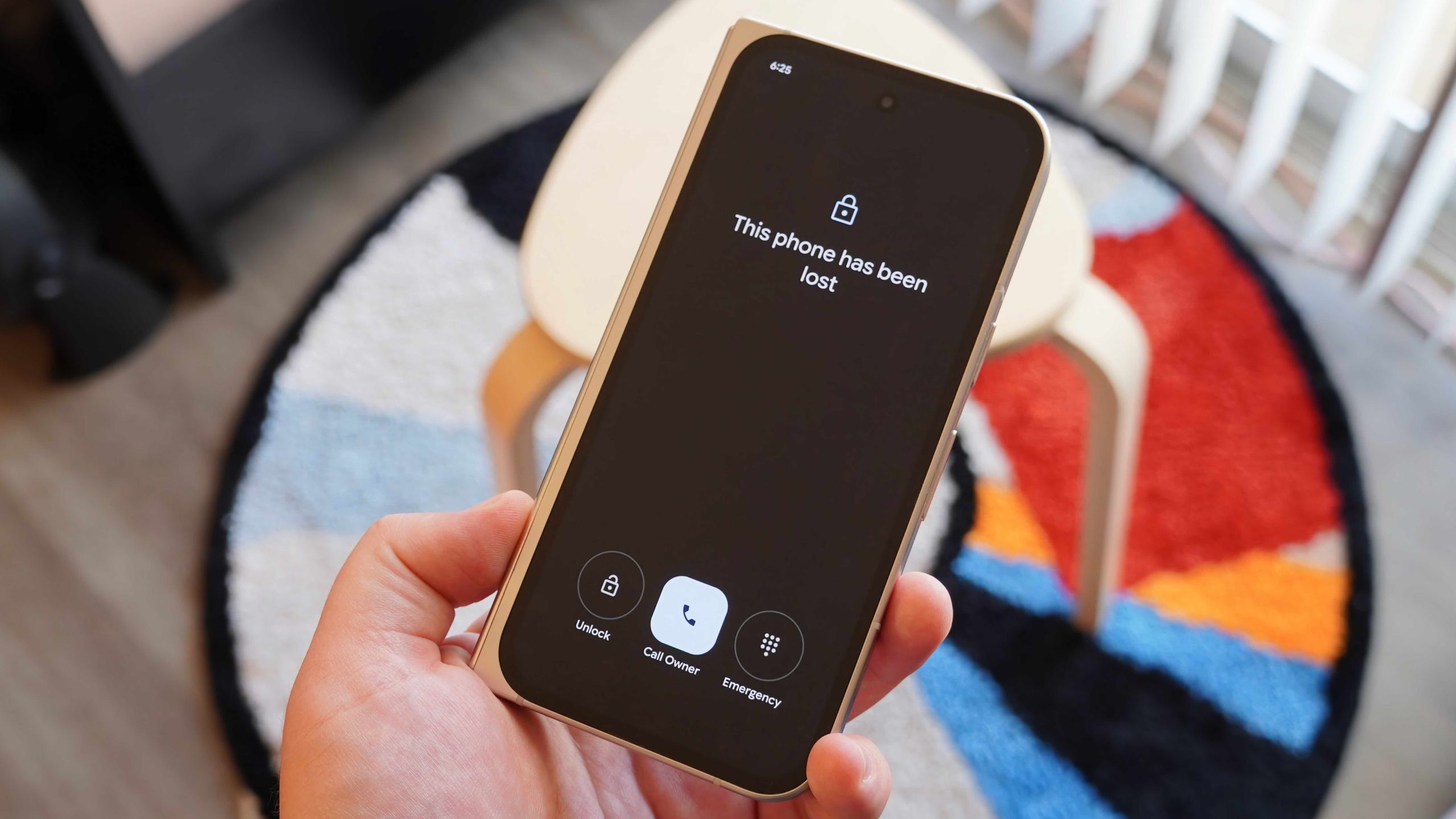
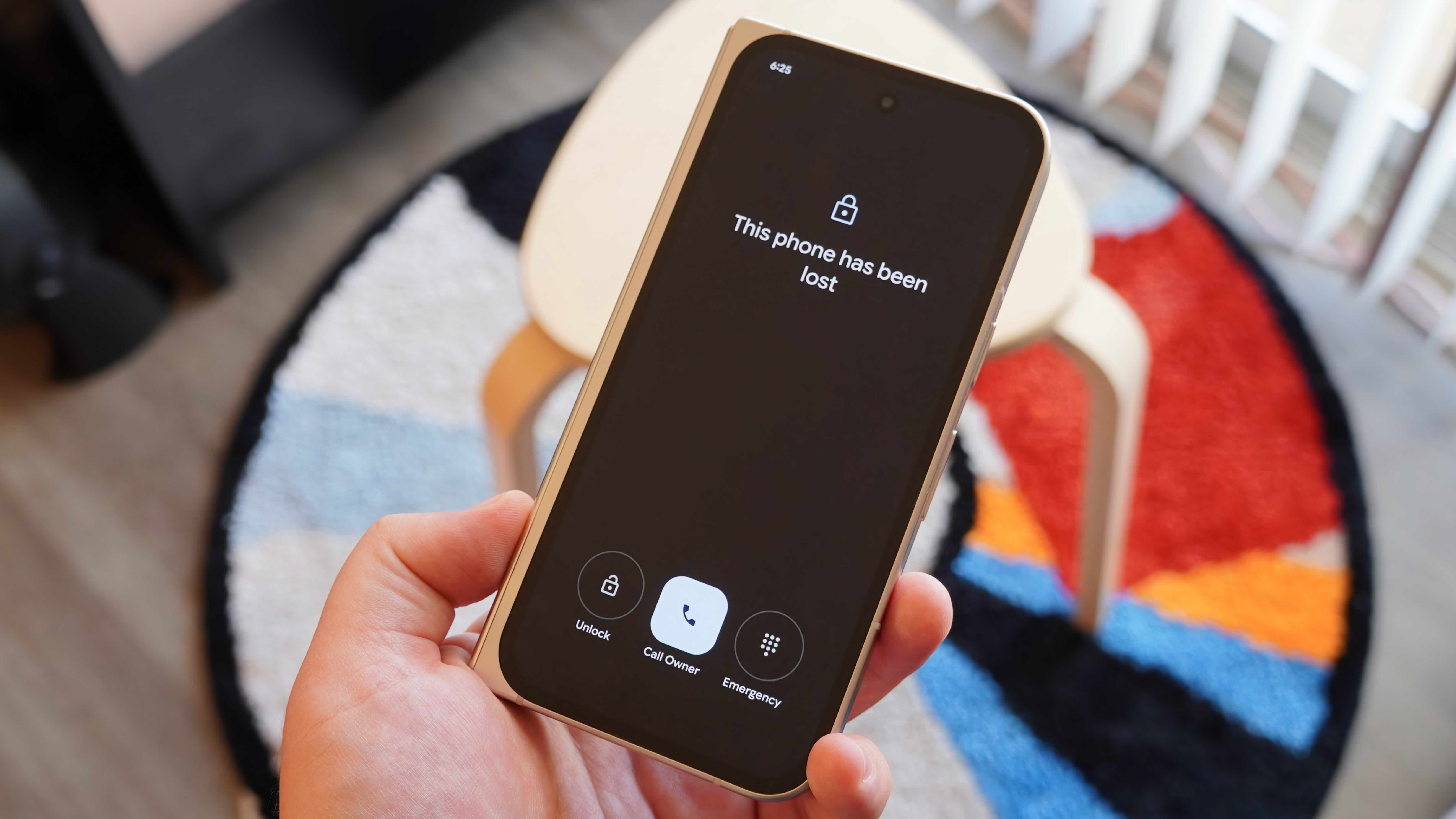
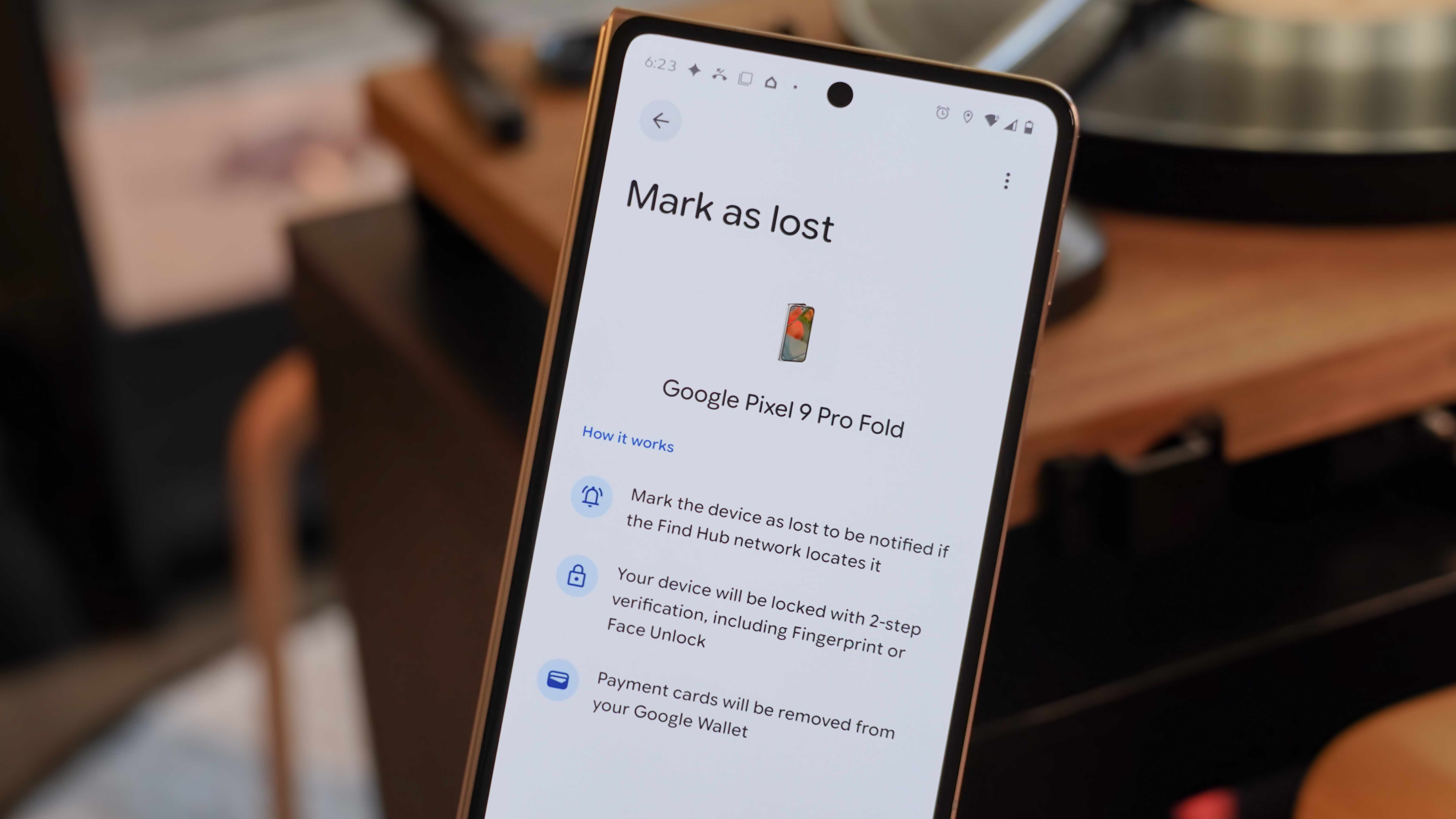
When a device is lost in an unknown location, the "Mark as lost" feature becomes indispensable. Activating this mode remotely locks the device, preventing unauthorized access to personal information. The device’s screen will display a customizable message and a contact phone number, allowing a good Samaritan to easily return the item. Crucially, this mode also provides a shortcut for the finder to call the owner directly from the lock screen, simplifying the recovery process. Should the device be found and returned, the owner can unlock it using their usual security credentials, often requiring two-factor authentication (2FA) for an added layer of protection. This remote lock can also be deactivated via the Find Hub app or the dedicated web portal (https://www.google.com/android/find/), offering flexibility and control even when the device is not physically present. This feature is a cornerstone of digital security, ensuring that even if the device itself is irretrievable, the data remains private.
Remote Data Wiping (Factory Reset): The Ultimate Safeguard:
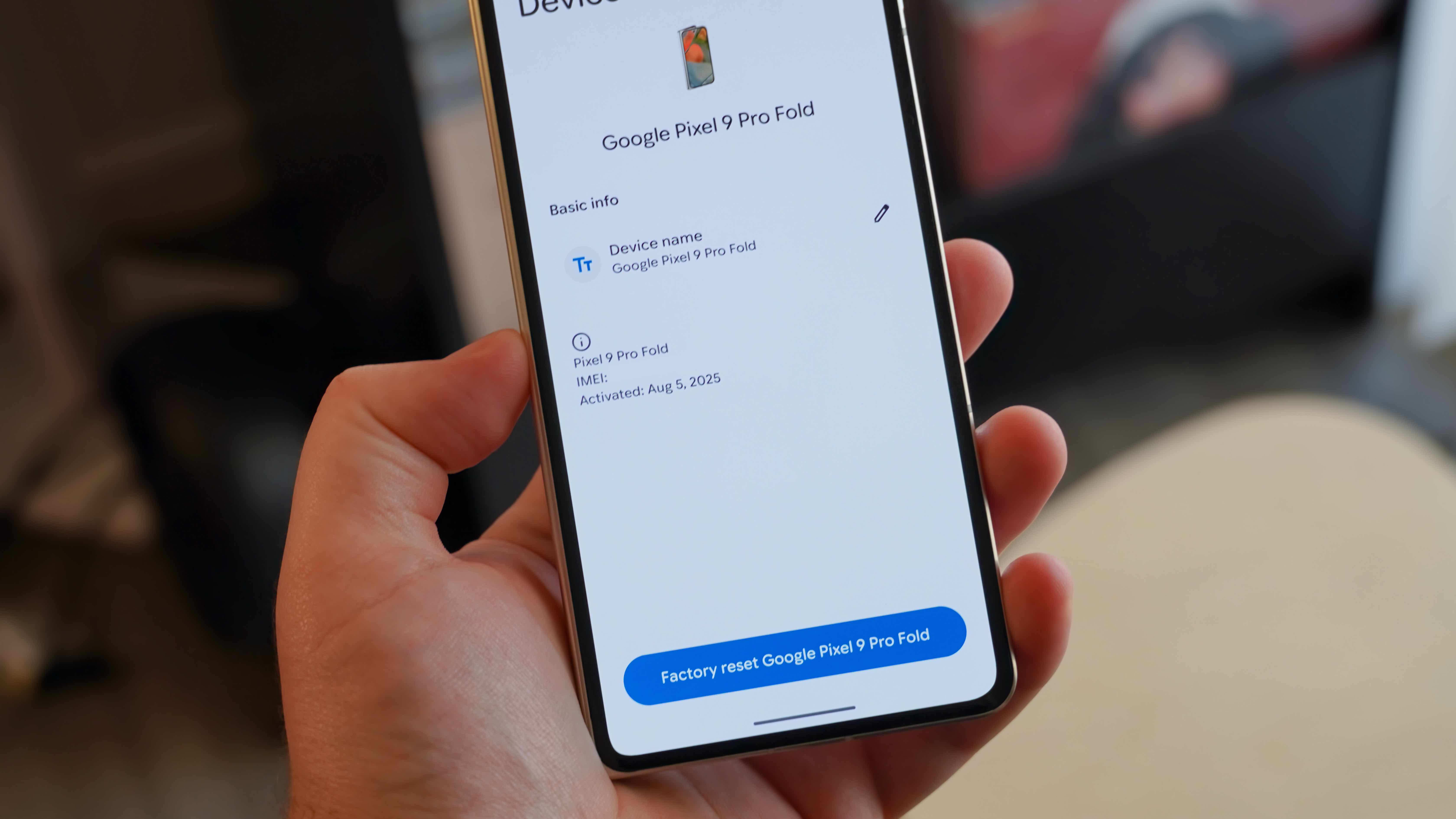
In the direst scenarios, where a device is irretrievably lost or stolen, and recovery seems impossible, Find Hub offers a nuclear option: the "Factory reset" feature. This command remotely wipes all data from the lost device, restoring it to its original factory settings. This action is irreversible and should be considered a last resort, as it permanently deletes all personal files, applications, and settings, and also removes the device from the Find Hub network, making further tracking impossible. However, the peace of mind that comes from knowing sensitive personal and financial data will not fall into the wrong hands often outweighs the loss of the device itself. This feature aligns with global data privacy regulations, such as GDPR and CCPA, by providing users with the means to ensure their personal information is not compromised, even in adverse circumstances. For accessories, a similar "Remove device" option exists, though it typically focuses on disassociating the accessory from the account rather than a full data wipe, given the nature of the data stored on such devices.
Shared Ownership for Collaborative Tracking:
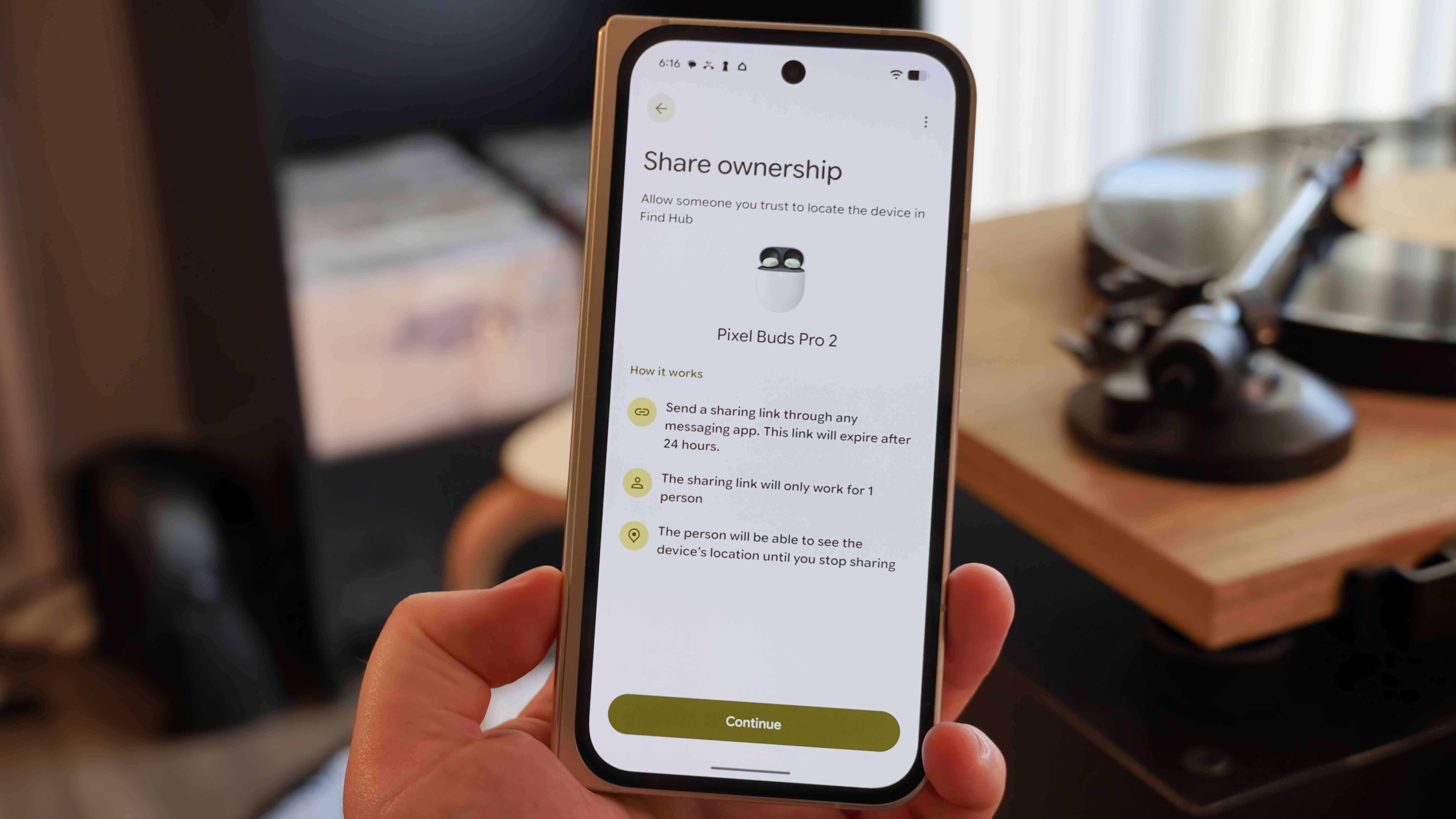
Recognizing that many accessories, such as wireless earbuds or smart tags, are often shared among family members or within a household, Find Hub introduces a "Share ownership" feature. This allows a device’s owner to grant tracking permissions to a trusted friend or family member. By generating a shareable link that expires after 24 hours, the primary owner can invite another individual to view the accessory’s location within their own Find Hub app. Once accepted, both parties can monitor the device, significantly increasing the chances of locating it if misplaced by either user. This feature is particularly useful for commonly shared items, preventing situations where only one person can track a shared gadget, fostering a more collaborative approach to device management within close-knit groups.
The Broader Impact: Ecosystem, Competition, and Privacy
Google’s sustained investment in Find Hub and its underlying Find My Device network carries significant implications for the Android ecosystem, the competitive landscape, and the broader discourse around digital privacy.
Strengthening the Android Ecosystem:
The evolution of Find Hub dramatically strengthens the Android platform’s appeal. For years, the lack of a robust, crowdsourced tracking network was a perceived weakness when compared to Apple’s offerings. With Find Hub, Google has effectively closed this gap, removing a key differentiator and providing Android users with a comparable, if not superior, level of security and peace of mind. This enhances user satisfaction and loyalty, making the Android experience more comprehensive and resilient against the common anxieties of device loss. The seamless integration of this service across a wide array of Android-powered devices, from entry-level smartphones to high-end tablets and wearables, ensures that the benefits are accessible to a vast global user base.
Competitive Landscape and Third-Party Integration:
Find Hub’s expansion intensifies competition within the smart device market. While Apple’s Find My network was initially a unique selling point for its hardware, Google’s robust alternative now offers a compelling reason for consumers to remain within or switch to the Android ecosystem. Furthermore, Google’s open approach to integrating third-party item trackers from companies like Chipolo and Pebblebee fosters a more diverse and competitive market for tracking accessories. These partnerships allow consumers greater choice and flexibility, leveraging the vast Android network without being locked into a single brand’s hardware ecosystem. This strategy contrasts with Apple’s more curated approach, potentially leading to a wider array of innovative tracking solutions available to Android users.
Privacy and Security Safeguards:
The implementation of a massive crowdsourced tracking network naturally raises concerns about privacy. Google has proactively addressed these by embedding several key safeguards. The location data relayed through the network is anonymous and encrypted end-to-end, meaning only the owner of the lost device can decrypt and view its location. The devices that relay the location data do so without revealing their own identity, and the process is designed to be power-efficient, minimizing impact on battery life. Moreover, Google’s commitment to developing industry-wide standards for "unknown tracker alerts" is paramount. This feature, which notifies users if an unknown Bluetooth tracker is detected traveling with them over time, is crucial for preventing malicious tracking and has been a primary reason for the careful, phased rollout of the full Find Hub network. This demonstrates Google’s dedication to responsible technology deployment, balancing utility with user safety and privacy.
The Future of Device Tracking on Android
The current iteration of Find Hub is merely a stepping stone in the ongoing evolution of device tracking technology. Future developments are likely to further enhance its capabilities and integration. The widespread adoption of UWB technology across more Android devices and compatible trackers will unlock unprecedented precision in close-range finding. Imagine walking into a room and having your phone guide you with an arrow pointing directly to your misplaced keys or earbuds.
Furthermore, deeper integration with Google’s broader ecosystem, including smart home devices and AI-driven assistants, could lead to more proactive and intelligent loss prevention. For instance, your smart home hub might alert you if you leave your house without your wallet (equipped with a Find Hub-compatible tracker) at a time you usually carry it. AI could also predict potential loss scenarios based on learned routines, offering reminders or even initiating tracking autonomously. As technology advances and user expectations evolve, Google Find Hub is poised to continue its development, offering increasingly sophisticated and user-friendly solutions for keeping track of our ever-expanding collection of digital companions.
In conclusion, Google Find Hub has matured into a sophisticated and essential tool for every Android user. By understanding and utilizing its diverse features—from real-time location and battery diagnostics to robust lost modes, remote data wiping, and collaborative sharing—users can significantly enhance their chances of recovering lost devices and, critically, protect their personal data from falling into the wrong hands. It represents a significant step forward for the Android ecosystem, offering a comprehensive and privacy-conscious solution to a universal problem.