Architecting Scalable FastAPI Applications: A Modular Approach to Mitigate Development Challenges

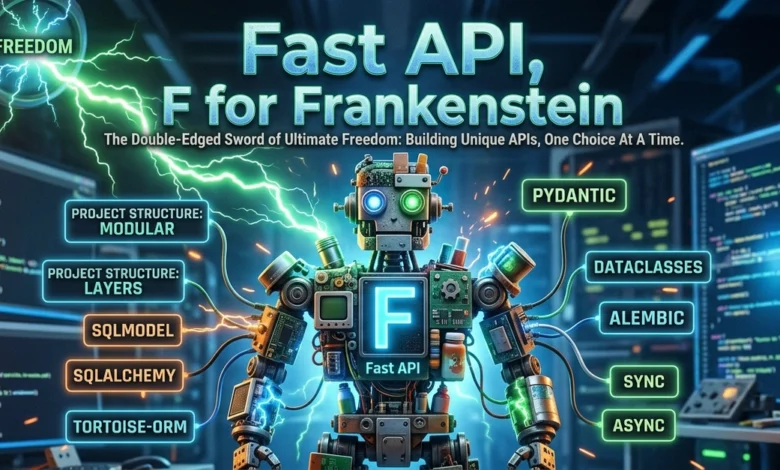
FastAPI, a modern, fast (high-performance), web framework for building APIs with Python 3.8+ based on standard Python type hints, has rapidly ascended to prominence within the developer community. Its core appeal lies in its inherent flexibility and "freedom," empowering developers to craft bespoke solutions tailored precisely to their project’s needs. This very freedom, however, presents a significant paradox: while it allows for unparalleled customization, it can also lead to a lack of conventional structure, potentially resulting in what some developers colloquially term "Frankenstein" projects—applications pieced together from disparate libraries and architectural choices, often lacking consistency and long-term maintainability. This article outlines a robust, opinionated, and modular blueprint for initializing and structuring FastAPI applications, aiming to harness its power while mitigating the common pitfalls associated with excessive architectural liberty.
The Rise of FastAPI and its Foundational Paradox
FastAPI’s meteoric rise since its inception is well-documented. It consistently ranks high in developer surveys for satisfaction and usage, often cited alongside established frameworks like Django and Flask. Its key differentiators—native asynchronous support, automatic data validation and serialization via Pydantic, and self-generating interactive API documentation (Swagger UI/ReDoc)—address critical needs in modern web service development. Benchmarking data frequently places FastAPI among the fastest Python web frameworks, sometimes even rivaling frameworks in other languages like Node.js and Go for I/O-bound tasks, a significant advantage for high-throughput API services.
However, this inherent flexibility, while celebrated, can become a double-edged sword. Unlike opinionated frameworks that dictate a specific directory structure, ORM, or templating engine, FastAPI leaves many architectural decisions to the developer. For small, single-developer projects, this allows for rapid prototyping and minimal overhead. Yet, in larger teams or projects with evolving requirements, this absence of convention can lead to:
- Inconsistent Codebases: Different developers or teams may adopt varying patterns for configuration, database interaction, error handling, or module organization.
- Increased Cognitive Load: New team members face a steeper learning curve trying to decipher a project’s unique architectural choices.
- Maintainability Challenges: Debugging and extending functionality become arduous as the project grows, resembling a patchwork of individual preferences rather than a cohesive system.
- Reduced Reusability: Components built without a consistent structure are harder to extract and reuse across projects.
The "Frankenstein" analogy aptly describes this scenario: projects assembled from various parts, each functional in isolation, but together forming an unwieldy and potentially unstable whole. The solution lies not in abandoning FastAPI’s flexibility but in adopting a well-defined, modular structure that provides a consistent framework for development, ensuring scalability and maintainability from the outset.
Establishing a Robust Development Environment with UV
The foundation of any scalable application begins with a well-managed development environment. While Python’s traditional venv remains a viable option, the emergence of tools like UV offers significant advantages in speed and dependency resolution. UV, developed by Astral, aims to be a faster alternative to pip and venv, streamlining the process of creating virtual environments and installing packages.
Chronology of Environment Setup:
- UV Installation: The first step involves installing UV according to the operating system’s specifications, typically via
curlorpipx. - Project Initialization: Navigate to the desired project directory (e.g.,
franky) and executeuv init. This command not only creates a virtual environment but also initializes apyproject.tomlfile for project metadata and aREADME.md, along with optional Git initialization. Thispyproject.tomlfile becomes the central point for managing project dependencies, adhering to modern Python packaging standards. -
Core Dependency Installation: A comprehensive set of libraries is crucial for a full-featured FastAPI application. The following command installs essential components:
uv add 'fastapi[standard]' pydantic-settings python-dotenv sqlmodel uvicorn alembic httpx pytest pytest_asyncio greenlet aiosqliteThis selection includes:
fastapi[standard]: The core framework, bundled withPydanticfor data validation and serialization.pydantic-settingsandpython-dotenv: For robust configuration management, loading environment variables from.envfiles and validating them with Pydantic models.sqlmodel: A powerful ORM that seamlessly integrates Pydantic with SQLAlchemy, simplifying database interactions and model definitions.uvicorn: An ASGI server essential for running asynchronous Python web applications.alembic: The industry-standard tool for database migrations, crucial for evolving database schemas in a controlled manner.httpx: An asynchronous HTTP client, ideal for testing API endpoints.pytest,pytest_asyncio,greenlet: The foundational toolkit for writing and running asynchronous tests.aiosqlite: An asynchronous driver for SQLite, necessary forsqlmodelto perform async operations with SQLite databases.
The
pyproject.tomlfile, post-installation, reflects these dependencies, typically specifying version ranges to allow for minor updates while maintaining compatibility. For example:[project] name = "franky" version = "0.1.0" description = "A structured FastAPI project" readme = "README.md" requires-python = ">=3.13" dependencies = [ "aiosqlite>=0.22.1", "alembic>=1.18.4", "fastapi[standard]>=0.136.0", "greenlet>=3.4.0", "httpx>=0.28.1", "pydantic-settings>=2.13.1", "pytest>=9.0.3", "pytest-asyncio>=1.3.0", "python-dotenv>=1.2.2", "sqlmodel>=0.0.38", "uvicorn>=0.44.0", ]This meticulous dependency management ensures a consistent environment across development, testing, and production.
Core Project Configuration, Dependencies, and Logging
A well-structured application requires centralized management for configuration, database interactions, and logging. This approach enhances clarity, reduces redundancy, and simplifies maintenance.
1. Configuration Management (src/core/config.py):
The pydantic-settings library, combined with python-dotenv, offers a robust solution for handling application settings. A Config class, inheriting from BaseSettings, allows environment variables to be loaded and validated with type hints, ensuring that settings are always in the expected format.
import os
from dotenv import load_dotenv
from pydantic_settings import BaseSettings

load_dotenv()

class Config(BaseSettings):
    app_name: str = "Franky"
    debug: bool = True
    db_name: str = os.getenv("DB_NAME") # Loaded from .env

    @property
    def db_url(self):
        # Using aiosqlite for async SQLite operations
        return f"sqlite+aiosqlite:///./self.db_name"

config = Config()
An accompanying .env file in the project root defines critical variables like DB_NAME:
DB_NAME=db.sqlite3This setup ensures that sensitive configurations or environment-specific values are kept separate from the codebase, facilitating deployment across different environments (development, staging, production) with ease. The use of sqlite+aiosqlite explicitly signals the intent for asynchronous database operations, a cornerstone of FastAPI’s performance model.
2. Asynchronous Database Dependency (src/core/dependencies.py):
For an async framework like FastAPI, asynchronous database interaction is paramount. SQLAlchemy, the underlying technology for SQLModel, provides excellent async capabilities.
from typing import Annotated
from fastapi import Depends
from src.core.config import config
from sqlalchemy.ext.asyncio import create_async_engine, async_sessionmaker, AsyncSession

engine = create_async_engine(config.db_url, connect_args="check_same_thread": False)
SessionLocal = async_sessionmaker(
    autocommit=False,
    autoflush=False,
    bind=engine,
    class_=AsyncSession
)

async def get_session() -> AsyncSession:
    async with SessionLocal() as session:
        try:
            yield session
        finally:
            await session.close()

SessionDep = Annotated[AsyncSession, Depends(get_session)]
This module establishes an asynchronous database engine and session factory. The get_session function, designed as a FastAPI dependency, yields an AsyncSession, ensuring proper session management (opening, yielding, and closing) for each request that requires database access. The SessionDep type annotation simplifies dependency injection into route handlers and services.
3. Structured Logging (src/core/logging.py):
Effective logging is critical for monitoring, debugging, and auditing applications. A dedicated logging setup centralizes configuration and ensures consistent log formats.
import logging

def setup_logging():
    logging.basicConfig(
        level=logging.INFO,
        format="%(asctime)s %(levelname)s [%(name)s] %(message)s"
    )
Integrating this into the main FastAPI application (main.py) ensures that all application logs adhere to a defined format, including timestamps, log levels, and the source module, which is invaluable for tracing issues in complex systems. This transforms default, less informative logs into structured, actionable output, a critical aspect of operational visibility.
Unified Response Schema and Exception Handling
A consistent API contract, particularly for responses and errors, significantly improves the developer experience for API consumers and simplifies client-side integration. This architecture proposes a unified response schema and comprehensive exception handling.
1. Standardized Response Model (src/core/models.py):
A generic IResponse model provides a consistent envelope for all successful API responses.
from typing import Generic, TypeVar
from pydantic import BaseModel

T = TypeVar("T")

class IResponse(BaseModel, Generic[T]):
    success: bool = True
    message: str = "Operation successful"
    data: T | None = None
This schema ensures every successful response includes success: true, a message, and the actual data. For errors, the success field would be false, and data would be null.
2. Response Unification Middleware (src/core/middlewares.py):
A custom middleware intercepts outgoing responses and wraps them in the IResponse schema, maintaining consistency without requiring manual wrapping in every endpoint.
import json
from fastapi import Request, Response
from starlette.middleware.base import BaseHTTPMiddleware
from starlette.concurrency import iterate_in_threadpool
from src.core.models import IResponse

class UnifiedResponseMiddleware(BaseHTTPMiddleware):
    async def dispatch(self, request: Request, call_next):
        if request.url.path in ["/openapi.json", "/docs", "/redoc"]:
            return await call_next(request)

        response = await call_next(request)

        content_type = response.headers.get("content-type", "")
        if response.status_code < 400 and "application/json" in content_type:
            body = b"".join([section async for section in response.body_iterator])
            if not body:
                return response

            try:
                data = json.loads(body.decode("utf-8"))
                if isinstance(data, dict) and "success" in data: # Already wrapped
                    response.body_iterator = iterate_in_threadpool(iter([body]))
                    return response

                wrapped_data = IResponse(data=data).model_dump_json()

                headers = dict(response.headers)
                headers.pop("Content-Length", None) # Important for proper re-calculation
                headers.pop("content-length", None)

                return Response(
                    content=wrapped_data,
                    status_code=response.status_code,
                    headers=headers,
                    media_type="application/json"
                )
            except (json.JSONDecodeError, UnicodeDecodeError):
                response.body_iterator = iterate_in_threadpool(iter([body]))
                return response
        return response
This middleware strategically intercepts responses. It bypasses FastAPI’s documentation endpoints to avoid conflicts and only processes JSON responses for successful requests (status codes < 400). It re-encodes the response body into the IResponse format, crucial for maintaining a uniform API surface. A key technical detail is the removal of the Content-Length header, as the body’s size changes after wrapping, which would otherwise lead to client-side errors.
3. Centralized Exception Handlers (src/core/exceptions.py):
To ensure error responses also adhere to the unified schema, global exception handlers are implemented.
from fastapi import FastAPI, Request
from fastapi.responses import JSONResponse
from fastapi.exceptions import RequestValidationError
from starlette.exceptions import HTTPException as StarletteHTTPException

async def common_exception_handler(request: Request, exc: Exception):
    status_code = 400
    message = str(exc)

    if isinstance(exc, StarletteHTTPException):
        status_code = exc.status_code
        message = exc.detail
    elif isinstance(exc, RequestValidationError):
        status_code = 422 # Unprocessable Entity
        message = "Validation error: " + str(exc.errors()) # Detailed validation errors

    return JSONResponse(
        status_code=status_code,
        content=
            "success": False,
            "message": message,
            "data": None

    )

def setup_exception_handlers(app: FastAPI):
    app.add_exception_handler(StarletteHTTPException, common_exception_handler)
    app.add_exception_handler(RequestValidationError, common_exception_handler)
    app.add_exception_handler(Exception, common_exception_handler)
This setup_exception_handlers function registers a single common_exception_handler for StarletteHTTPException (FastAPI’s base HTTP exception), RequestValidationError (for Pydantic validation failures), and a generic Exception catch-all. This guarantees that all errors, regardless of their origin, are transformed into the standardized error response format (success: false, message, data: null), providing predictable error handling for API consumers.
Modular Application Structure: The appointments Example
A modular project structure is fundamental for scalability, maintainability, and team collaboration. It promotes separation of concerns, making code easier to navigate, test, and extend. The proposed structure organizes features into self-contained modules within a src directory.
--src
----module1
------__init__.py
------dependencies.py
------models.py
------router.py
------service.py
...
Let’s illustrate this with an appointments module:
1. Models (src/appointments/models.py):
This file defines the SQLModel entities that map to database tables, along with Pydantic schemas for request and response validation.
from datetime import datetime, UTC
from enum import Enum
from typing import Optional
from sqlmodel import SQLModel, Field

class AppointmentStatus(str, Enum):
    scheduled = "scheduled"
    completed = "completed"
    cancelled = "cancelled"

class AppointmentBase(SQLModel):
     str = Field(min_length=1, max_length=255)
    description: Optional[str] = Field(default=None, max_length=1000)
    start_time: datetime
    end_time: datetime
    location: Optional[str] = Field(default=None, max_length=500)
    status: AppointmentStatus = AppointmentStatus.scheduled

class Appointment(AppointmentBase, table=True): # Maps to a DB table
    id: Optional[int] = Field(default=None, primary_key=True)
    created_at: datetime = Field(default_factory=lambda: datetime.now(UTC))
    updated_at: datetime = Field(default_factory=lambda: datetime.now(UTC))

class AppointmentCreate(AppointmentBase): # Schema for creation
    pass

class AppointmentUpdate(SQLModel): # Schema for partial updates
     Optional[str] = Field(default=None, min_length=1, max_length=255)
    description: Optional[str] = Field(default=None, max_length=1000)
    start_time: Optional[datetime] = None
    end_time: Optional[datetime] = None
    location: Optional[str] = Field(default=None, max_length=500)
    status: Optional[AppointmentStatus] = None

class AppointmentRead(AppointmentBase): # Schema for reading/responses
    id: int
    created_at: datetime
    updated_at: datetime
This modular approach to models clearly separates the database representation (Appointment) from the API input (AppointmentCreate, AppointmentUpdate) and output (AppointmentRead) schemas, leveraging SQLModel’s ability to combine ORM and Pydantic functionalities.
2. Service Layer (src/appointments/service.py):
The service layer encapsulates the business logic and database interactions, abstracting them from the API endpoints. This promotes testability and reusability.
from datetime import datetime, UTC
from typing import Optional, Sequence
from sqlalchemy.ext.asyncio import AsyncSession
from sqlmodel import select
from src.appointments.models import Appointment, AppointmentCreate, AppointmentUpdate

class AppointmentService:
    def __init__(self, session: AsyncSession) -> None:
        self.session = session

    async def create(self, data: AppointmentCreate) -> Appointment:
        appointment = Appointment.model_validate(data)
        self.session.add(appointment)
        await self.session.commit()
        await self.session.refresh(appointment)
        return appointment

    async def get(self, appointment_id: int) -> Optional[Appointment]:
        return await self.session.get(Appointment, appointment_id)

    async def list(self, offset: int = 0, limit: int = 20) -> Sequence[Appointment]:
        result = await self.session.execute(
            select(Appointment).offset(offset).limit(limit)
        )
        return result.scalars().all()

    async def update(
        self, appointment_id: int, data: AppointmentUpdate
    ) -> Optional[Appointment]:
        appointment = await self.session.get(Appointment, appointment_id)
        if not appointment:
            return None
        updates = data.model_dump(exclude_unset=True)
        for key, value in updates.items():
            setattr(appointment, key, value)
        appointment.updated_at = datetime.now(UTC)
        self.session.add(appointment)
        await self.session.commit()
        await self.session.refresh(appointment)
        return appointment

    async def delete(self, appointment_id: int) -> bool:
        appointment = await self.session.get(Appointment, appointment_id)
        if not appointment:
            return False
        await self.session.delete(appointment)
        await self.session.commit()
        return True
The AppointmentService provides standard CRUD (Create, Read, Update, Delete) operations, accepting Pydantic models as input and returning SQLModel instances. This design ensures that the core business logic remains independent of the API layer.
3. Dependency Injection for Services (src/appointments/dependencies.py):
FastAPI’s dependency injection system is leveraged to provide instances of AppointmentService to route handlers.
from typing import Annotated
from fastapi import Depends
from src.core.dependencies import SessionDep
from src.appointments.service import AppointmentService

def get_appointment_service(session: SessionDep) -> AppointmentService:
    return AppointmentService(session)

AppointmentServiceDep = Annotated[AppointmentService, Depends(get_appointment_service)]
This pattern neatly injects a database session into the service, which is then injected into the router, ensuring that each request operates within its own transactional context.
4. API Router (src/appointments/router.py):
The router defines the API endpoints for the appointments module, using APIRouter to group related routes.
from fastapi import APIRouter, HTTPException, Query
from src.appointments.dependencies import AppointmentServiceDep
from src.appointments.models import AppointmentCreate, AppointmentRead, AppointmentUpdate

router = APIRouter(prefix="/appointments", tags=["appointments"])

@router.post("/", response_model=AppointmentRead, status_code=201)
async def create_appointment(data: AppointmentCreate, service: AppointmentServiceDep):
    return await service.create(data)

@router.get("/", response_model=list[AppointmentRead])
async def list_appointments(
    service: AppointmentServiceDep,
    offset: int = Query(0, ge=0),
    limit: int = Query(20, ge=1, le=100),
):
    return await service.list(offset=offset, limit=limit)

@router.get("/appointment_id", response_model=AppointmentRead)
async def get_appointment(appointment_id: int, service: AppointmentServiceDep):
    appointment = await service.get(appointment_id)
    if not appointment:
        raise HTTPException(status_code=404, detail="Appointment not found")
    return appointment

@router.patch("/appointment_id", response_model=AppointmentRead)
async def update_appointment(
    appointment_id: int,
    data: AppointmentUpdate,
    service: AppointmentServiceDep,
):
    appointment = await service.update(appointment_id, data)
    if not appointment:
        raise HTTPException(status_code=404, detail="Appointment not found")
    return appointment

@router.delete("/appointment_id", status_code=204)
async def delete_appointment(appointment_id: int, service: AppointmentServiceDep):
    deleted = await service.delete(appointment_id)
    if not deleted:
        raise HTTPException(status_code=404, detail="Appointment not found")
This router clearly defines the API endpoints, their input/output schemas, and integrates the AppointmentServiceDep for business logic execution. FastAPI’s automatic documentation will pick up these routes and their schemas, providing a comprehensive API specification.
FastAPI Database Migration with Alembic
Database schema evolution is a critical aspect of application development. Alembic, a lightweight database migration tool for SQLAlchemy, provides a robust mechanism to manage schema changes in a version-controlled manner.
Chronology of Alembic Setup:
-
Alembic Initialization:
uv run alembic init -t async migrationsThis command initializes Alembic within the project, creating a
migrationsdirectory with configuration files (alembic.ini,env.py,script.py.mako) tailored for asynchronous database operations. The-t asyncflag is crucial for configuring Alembic to work withasyncio. -
Schema Template Update (
migrations/script.py.mako):
To ensure Alembic correctly autogenerates migrations forSQLModelentities, the template for new migration scripts needs a minor adjustment to importsqlmodel.# ... import sqlmodel # NEW # ... -
Environment Configuration (
migrations/env.py):
Theenv.pyfile, responsible for how Alembic interacts with the database and models, requires updates:- Import
SQLModeland settarget_metadata = SQLModel.metadata. This tells Alembic where to find the declarative base of the application’s database models. - Import specific
SQLModelentities (e.g.,Appointment) from the application’s modules. This allows Alembic’s autogenerate feature to detect changes in these models.# ... from sqlmodel import SQLModel #new from src.appointments.models import Appointment #new
…
target_metadata = SQLModel.metadata #updated
…
- Import
-
Database URL Configuration (
alembic.ini):
Thealembic.inifile needs to be updated to point to the correct database URL, ensuring Alembic can connect and inspect the database.# ... sqlalchemy.url = sqlite+aiosqlite:///./db.sqlite3
Related posts: