Jimothy the Seattle Raccoon Becomes Global Gaming Icon as Major Studios and Fans Celebrate Viral Phenomenon

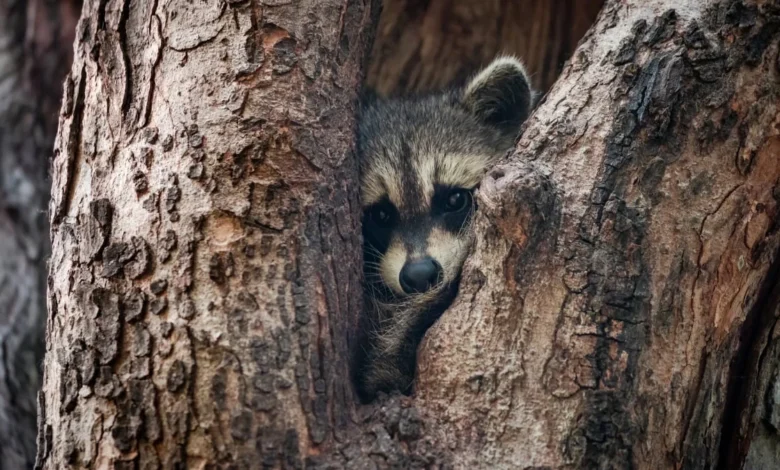
The rapid ascent of a uniquely shaped raccoon from the streets of Seattle to the heights of the global gaming industry represents a new milestone in the intersection of viral social media culture and interactive entertainment. Jimothy, a raccoon characterized by a remarkably compact torso and a distinctive gait, has transitioned from a local curiosity to a cross-platform digital character, appearing in titles ranging from indie sensations like Among Us to industry titans such as World of Warcraft. This phenomenon, which began in the mid-summer of 2026, highlights the speed at which modern gaming studios now integrate organic internet trends into their ecosystems to foster community engagement.
The Genesis of a Viral Sensation
The narrative of Jimothy began on July 13, 2026, in the Ballard neighborhood of Seattle, Washington. Kiana Hall, a local resident, captured footage of what she initially believed to be an unusually proportioned cat moving beneath a parked vehicle. Upon closer inspection, the animal emerged as a raccoon with a significantly shortened spine, a rounded back, and long, spindly legs. Hall’s decision to record and share the encounter on social media platforms proved to be the catalyst for a global trend. She named the creature "Jimothy," citing a whimsical intuition that the name suited his eccentric appearance.
The video quickly bypassed local interest, accumulating millions of views within 48 hours. The fascination stemmed largely from Jimothy’s silhouette, which many observers described as "compressed" or "low-resolution" in real life. While the raccoon’s appearance was the subject of much humor, it also prompted discussions regarding animal health. Wildlife experts and veterinarians who reviewed the footage suggested that Jimothy likely suffers from a congenital spinal deformity similar to "short spine syndrome," a rare condition more commonly documented in domestic dogs. Despite this physical variation, Jimothy was observed successfully navigating urban obstacles, climbing stairs, and foraging for food, demonstrating a high degree of independence and resilience.
Chronology of Digital Integration
The transition from biological entity to digital asset occurred with unprecedented speed. By the third week of July 2026, the "Jimothy" meme had evolved from static images and short-form video into artistic recreations. Artists began sharing conceptual renderings of the raccoon, imagining how he might look within various established gaming universes.
On July 24, 2026, Blizzard Entertainment’s official World of Warcraft account on X (formerly Twitter) signaled the raccoon’s arrival in the triple-A gaming space. The announcement, "Coming soon to Azeroth," suggested that Jimothy would be immortalized as an in-game pet or non-player character (NPC). This move by Blizzard was mirrored by other major entities. LEGO Fortnite and the streaming platform Roku both released promotional material featuring the raccoon, while the design tool Figma saw its community flooded with Jimothy-inspired assets.
The chronology of these events illustrates a "meme-to-product" pipeline that has become increasingly streamlined. Within ten days of his initial sighting, Jimothy had been acknowledged or adapted by over a dozen major gaming brands, reflecting a shift in how marketing departments leverage viral content to remain relevant in a fast-paced digital economy.
Industry-Wide Adaptations and Technical Implementations
The variety of Jimothy’s appearances across different gaming genres showcases the creative flexibility of modern development teams. Each studio adapted the raccoon to fit their specific visual language and mechanical requirements:
- Old School RuneScape (Jagex): The developers opted for a low-poly tribute, placing Jimothy in the world of Gielinor. His naturally "blocky" real-world shape translated seamlessly into the game’s 2007-era aesthetic, making him look like an original asset from the game’s launch.
- Mouse: P.I. For Hire (Fumi Games): This title, known for its 1930s "rubber-hose" animation style, redrew Jimothy as a noir-inspired character in the city of Mouseburg. The adaptation emphasized his expressive, masked face and distinctive proportions through hand-drawn frames.
- Dead by Daylight (Behaviour Interactive): In a departure from his "cute" image, this survival horror title gave Jimothy a macabre makeover. The digital version featured glowing eyes and eldritch tentacles, proving that the character’s silhouette was recognizable even when translated into a darker genre.
- The Sims (Electronic Arts): The official Sims team attempted to recreate Jimothy using the game’s character creator. Due to the limitations of the "Sim" model, the result was a human character in a raccoon suit with distorted proportions, which the community embraced for its "uncanny valley" humor.
- Halo (Microsoft/343 Industries): Senior Community Manager John Junyszek provided one of the most technical tributes by manipulating a Spartan soldier model. By forcing the armored character onto all fours and adjusting the skeletal rig to mimic Jimothy’s compressed torso, the team placed a "Spartan-Jimothy" into iconic scenes from Halo: Combat Evolved.
The Role of the Modding Community and Independent Creators
While official studio tributes provided high-profile visibility, the modding community and independent developers were responsible for making Jimothy a truly "playable" entity. These community-driven projects often offer more depth than official promotional images.
Chris Pirillo, a well-known entrepreneur and artist, developed a dedicated browser-based game titled "Jimothy." The project is a four-level homage to NES-era arcade classics. Players control Jimothy as he navigates a variety of challenges inspired by his real-life antics: crossing busy Seattle streets (reminiscent of Frogger), raiding garbage cans for sustenance, and evading the "paparazzi" of smartphone-wielding humans.
In the realm of established RPGs, modders have integrated Jimothy into the ecosystems of Skyrim and Stardew Valley. In Skyrim, a fan-made mod introduces Jimothy as a talkative NPC, utilizing the game’s dialogue systems to give the raccoon a personality. In Stardew Valley, multiple mods allow players to adopt Jimothy as a farm companion or purchase him from the animal merchant, Marnie. These contributions demonstrate the democratic nature of modern gaming, where fans do not wait for official updates to include their favorite cultural icons.
Tabletop Integration: The Dungeons & Dragons Stat Block
Perhaps the most detailed mechanical interpretation of Jimothy came from Wizards of the Coast, the publishers of Dungeons & Dragons. They released an official "stat block" for Jimothy, classifying him as a "Beloved Cryptid." This document provides Dungeon Masters with the necessary data to include Jimothy in tabletop campaigns.
The stat block includes unique traits such as "Compact Frame," which allows the raccoon to move through spaces as narrow as four inches—a nod to his real-world physical condition. His primary attack, "Hurl Garbage," deals a combination of bludgeoning and poison damage, reflecting his urban origins. By codifying Jimothy into the rules of the world’s most popular tabletop RPG, the publishers have ensured his longevity beyond the fleeting lifespan of an internet meme.
Analysis of Implications and Cultural Impact
The Jimothy phenomenon is more than a simple animal story; it is a case study in modern brand agility and the "cuteness" economy. From a marketing perspective, the speed at which companies like Blizzard and Microsoft responded to the trend indicates a high level of social listening. By acknowledging Jimothy, these brands signal to their audiences that they are participants in the same cultural conversations, humanizing corporate entities.
Furthermore, Jimothy’s popularity highlights a specific niche of internet aesthetics: the "scrimblo" or the "weird little guy." In contemporary internet culture, there is a profound affection for animals and characters that are physically non-traditional or "awkward." Jimothy’s appeal lies in his ability to thrive despite his unusual proportions, a narrative that resonates with audiences who value individuality and resilience.
However, there is a necessary distinction between the digital icon and the biological animal. While the digital Jimothy is a hero in Azeroth or a companion in Stardew Valley, the real Jimothy remains a wild animal in an urban environment. Seattle wildlife officials have used the raccoon’s fame to remind the public of the importance of coexisting with urban wildlife responsibly. They advise residents to observe Jimothy from a distance and refrain from feeding him, as habituation to humans can be dangerous for wild animals, regardless of their viral status.
Conclusion
Jimothy’s journey from a Seattle sidewalk to the digital landscapes of the world’s most famous video games is a testament to the power of the modern internet to transform the mundane into the extraordinary. As of late July 2026, the raccoon stands as a unique figure in gaming history—a bridge between real-world wildlife and virtual entertainment. Whether he is dodging cars in a browser game, fighting monsters in a tabletop session, or simply scurrying through a Seattle alleyway, Jimothy has secured his place as a permanent fixture in the collective digital consciousness. His story serves as a reminder of the unexpected ways in which the physical world can inspire the virtual one, creating a shared experience that transcends geography and platform.