TikTok Shop Emerges as a Critical Growth Engine for Global Food and Beverage Giants Reshaping Product Innovation and Consumer Discovery

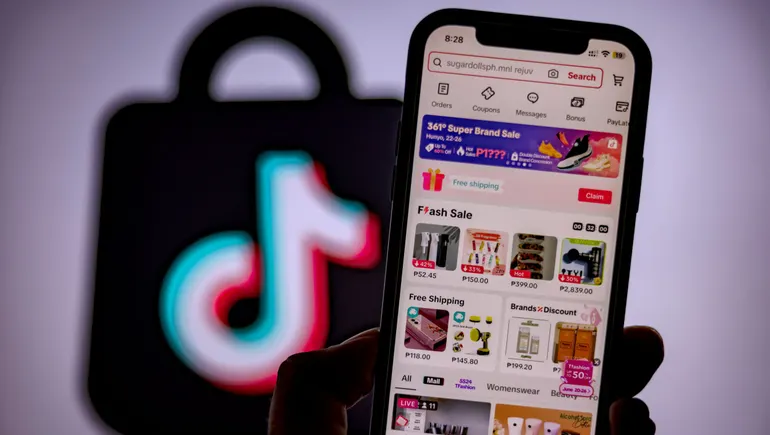
The digital landscape for consumer packaged goods (CPG) is undergoing a fundamental transformation as TikTok Shop evolves from a social media experiment into a primary sales channel for the world’s largest food and beverage corporations. Industry leaders including PepsiCo, Mars, and Hershey have significantly escalated their engagement with the platform, signaling a shift in how legacy brands approach both e-commerce and product development. As the platform transitions from a space for viral entertainment to a sophisticated "discovery commerce" ecosystem, the traditional boundaries between marketing, research and development, and retail are beginning to dissolve.
According to internal data recently shared by TikTok, the food category has emerged as one of the platform’s most explosive sectors, with sales more than doubling year over year. This growth is not merely a reflection of increased user traffic but indicates a profound change in consumer behavior. In the 2025 reporting cycle, TikTok documented over 103 billion searches from U.S. users specifically demonstrating purchase intent. This surge in search-to-transaction behavior resulted in an 80% year-over-year increase in total transaction volume, while sales for enterprise-level brands climbed by a staggering 97%. These figures suggest that the platform is successfully bridging the gap between passive content consumption and active commercial acquisition.
The Rise of Discovery Commerce and the Shorter Path to Purchase
At the heart of this shift is a concept TikTok defines as "discovery commerce." Unlike traditional e-commerce, which relies on a consumer knowing what they want and searching for it on a site like Amazon or Walmart.com, discovery commerce leverages algorithmic precision to introduce consumers to products they didn’t know they wanted until they appeared in their feed. Amanda Parker, TikTok Shop’s Head of Food, emphasizes that the platform serves as a unified system where inspiration and purchase coexist.
"We’re taking what was once just inspiration and allowing for a direct opportunity to purchase, all within one system," Parker noted in a recent industry discussion. This integration significantly compresses the "path to purchase." In a traditional retail model, a consumer might see an advertisement, remember it later, search for the product on a third-party site, and eventually buy it. On TikTok Shop, that entire cycle—from initial awareness to the final transaction—can occur in less than sixty seconds without the user ever leaving the app.
For emerging brands, this provides a direct-to-consumer (DTC) bypass that eliminates the immediate need for complex retail partnerships or expensive shelf-space negotiations. Conversely, for legacy brands like Hershey or PepsiCo, it offers a venue to revitalize "hero products" and introduce them to a younger, digitally native demographic that may not engage with traditional television or print advertising.
The Visual Language of Food: "Scroll-Stopping" Content
The success of food products on the platform is heavily dictated by their visual and sensory appeal. Because TikTok is a high-definition, video-first medium, products that possess unique textures, vibrant colors, or "extreme" sensory profiles tend to perform best. Parker highlights that "visuals are what drive intrigue," noting that features like the "pull-apart" texture of a protein bar or the audible crunch of a snack are essential for capturing attention in a fast-scrolling environment.
Cultural relevance and "reactivity" have also become key metrics for success. Products that elicit an immediate physical reaction—such as extremely sour candies or hyper-spicy snacks—are tailor-made for the "reaction video" format that dominates the platform. Recent trends such as "Dubai chocolate" (noted for its thick, textured fillings) and "candy salads" (mixtures of various gummy candies) demonstrate how specific form factors can ignite global demand almost overnight. Functional beverages and health-conscious foods also find a niche by aligning with "wellness journey" content, where creators can articulate specific benefits in a relatable, testimonial-style format.
Reshaping the Innovation Cycle: From Viral Trend to Retail Shelf
Perhaps the most significant impact of TikTok Shop on the CPG industry is the radical acceleration of the product innovation cycle. Historically, the process of bringing a new food product to market—from ideation and R&D to testing and national distribution—could take anywhere from 18 to 24 months. TikTok has shortened this timeline to a matter of months, or even weeks.
A primary example of this "accelerated commercialization" is the rise of freeze-dried or "popped" candies. The trend began organically through creator-led content, which led to a surge in small, TikTok-native brands specializing in the texture-modified sweets. Recognizing the massive demand, major players like Skittles (a Mars brand) fast-tracked their own innovation to produce a freeze-dried version of their flagship product. By launching these products as exclusives on TikTok Shop, legacy brands are able to "close the loop," returning to the platform where the trend originated to capture the commercial rewards.
This feedback loop is fundamentally changing how corporate R&D departments operate. Rather than relying solely on traditional focus groups, companies are now using TikTok as a real-time laboratory to gauge consumer interest and test "line extensions"—new flavors or formats of existing products. Retailers are also paying close attention; major brick-and-mortar chains are increasingly looking to TikTok Shop data to decide which new products deserve space on physical shelves, creating a "halo effect" that benefits a brand’s entire omnichannel business.
Strategic Imperatives for Brands: Creators over Commercials
For brands looking to capitalize on this trend, the strategy differs significantly from traditional media buying. Data suggests that high-production, "polished" advertisements often underperform compared to authentic, creator-led content. TikTok users tend to trust recommendations from individual creators who have built a rapport with their audience, viewing these endorsements as "living room-type recommendations" rather than corporate sales pitches.
Parker advises brands to prioritize "content-forward" product selection. This involves choosing items that are easy to demonstrate and visually engaging for creators to use in their videos. Furthermore, the platform rewards a specific approach to "assortment." While a brand might have a vast catalog, the most successful strategy on TikTok Shop often involves focusing on a "hero product" supported by variety packs and bundles. These bundles allow for greater discoverability, enabling consumers to sample multiple flavors or products in a single purchase, which in turn fuels more content creation as users share their "unboxing" experiences.
Chronology of TikTok Shop’s CPG Integration
The journey of TikTok Shop into the heart of the CPG industry has followed a rapid timeline:
- September 2023: TikTok Shop officially launches in the United States, integrating a marketplace directly into the app’s interface.
- Early 2024: Small, independent brands (e.g., small-batch candy makers) see "viral" success, proving the food category’s viability.
- Mid-2024: Major CPG firms like Mars and PepsiCo begin pilot programs, moving beyond standard advertising into direct in-app fulfillment.
- Late 2024: TikTok introduces "Fulfilled by TikTok" logistics services in key markets, streamlining the shipping process for enterprise brands and competing directly with Amazon’s logistical infrastructure.
- 2025 (Projected/Current Cycle): Enterprise brand sales see a near-doubling as "TikTok-first" product launches become a standard industry practice.
Analysis: The Broader Implications for the Food Industry
The rise of TikTok Shop represents more than just a new sales outlet; it is a shift toward "reactive manufacturing." As the platform’s influence grows, the food industry may see a move away from static, long-term product lineups toward more fluid, seasonal, and trend-based offerings.
However, this transition is not without challenges. Brands must navigate a highly volatile environment where a product can go from viral sensation to "yesterday’s news" in a matter of days. This requires a level of supply chain agility that many legacy companies are still struggling to achieve. Furthermore, the reliance on a "closed-loop" system—where the platform controls the discovery, the transaction, and often the fulfillment—raises questions about data ownership and the long-term dependency of brands on a single tech entity.
Despite these risks, the data remains clear: the "discovery commerce" model is delivering growth that traditional channels currently cannot match. As Amanda Parker noted, the impact of a successful TikTok Shop presence "cascades across a brand’s omnichannel business." By capturing the attention of the consumer at the moment of discovery, food companies are not just selling a snack; they are participating in a new form of cultural currency that defines how the next generation of consumers eats, shops, and interacts with brands.
Related posts: